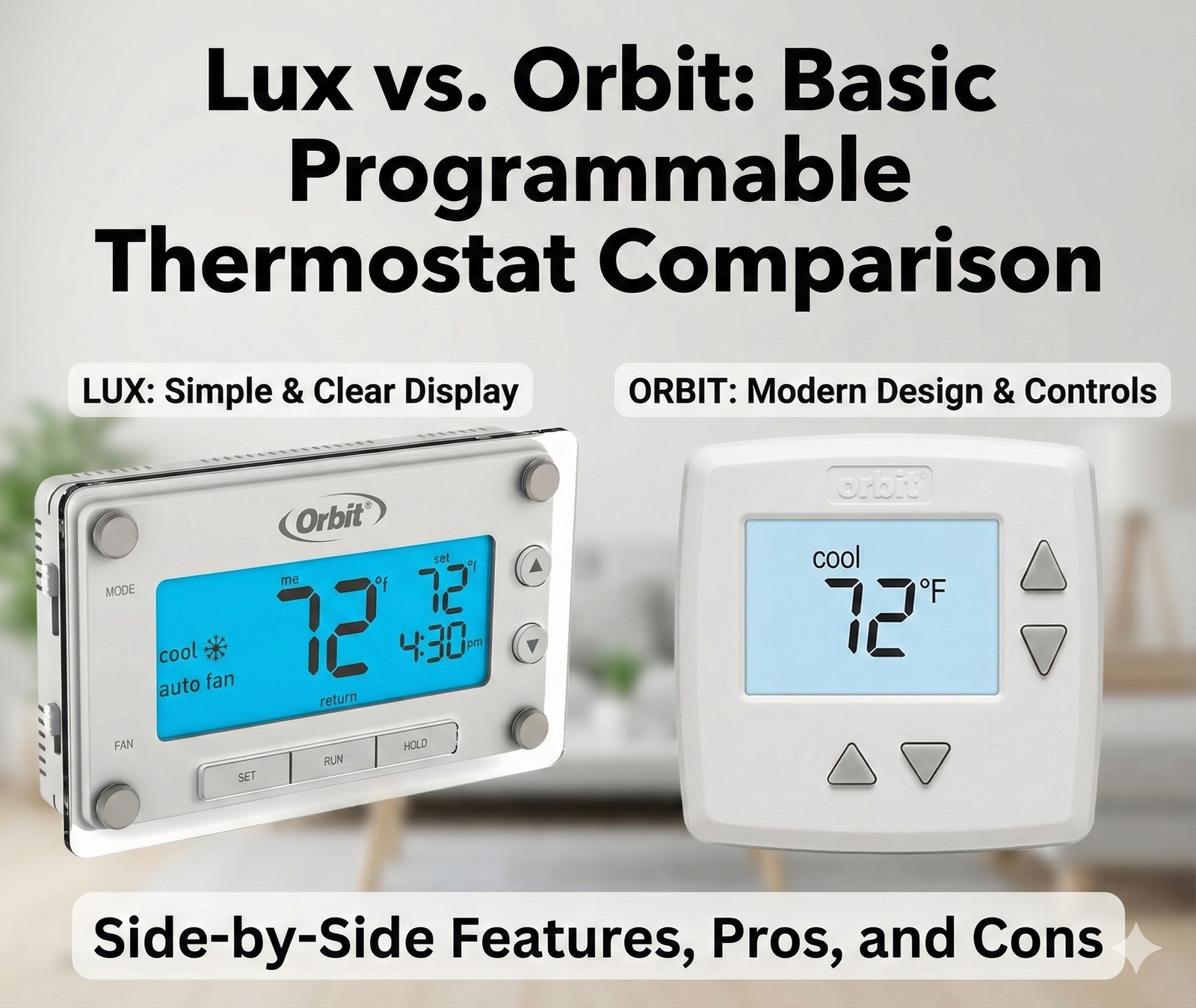
Lux vs. Orbit: Basic Programmable Thermostat Comparison
Not everyone needs a thermostat that talks to Alexa or learns their schedule via artificial intelligence. Sometimes, simple is better. Whether you are a landlord outfitting a rental unit, a homeowner on a strict budget, or someone replacing an aging control in an older home, the “basic programmable” category is where you will likely land.
Two heavyweights dominate this entry-level space: Lux (known for their utilitarian reliability) and Orbit (known for their modern aesthetics and “Clear Comfort” displays). While they may look similar on the shelf, their internal logic, ease of installation, and long-term durability differ significantly.
In this head-to-head comparison, we are stripping away the smart features to focus on the basics: Which thermostat is easier to program? Which saves you more money? And ultimately, which one belongs on your wall? For a broader look at how these two brands compare specifically on energy efficiency, check out our detailed Lux TX9600TS vs Orbit Clear Comfort energy savings analysis.
What Exactly Is a Basic Programmable Thermostat?
Before comparing these two brands, it is worth clarifying what separates a basic programmable thermostat from both manual non-programmable units and modern smart thermostats. Understanding this distinction will help you confirm that this category is indeed the right fit for your home.
A thermostat, at its core, is a temperature-sensitive control device that senses ambient conditions and compares them to your desired setpoint. When the room temperature deviates from that setpoint, the thermostat sends a signal to your heating or cooling equipment to turn on. This fundamental principle applies whether you are looking at a $15 manual unit or a $250 smart thermostat — only the sophistication of the control logic changes. If you want the complete technical breakdown, our guide on how thermostats work covers the physics behind bimetallic strips, thermistors, and modern microcontrollers.
Basic programmable thermostats (sometimes called “dumb” programmables by smart home enthusiasts) sit squarely in the middle of the thermostat evolution timeline. They give you the ability to set different temperatures for different times of day — typically four periods: Wake, Day, Evening, and Sleep — and they follow that schedule automatically once programmed. What they lack is Wi-Fi connectivity, mobile app control, learning algorithms, and occupancy detection. For a comprehensive breakdown of these differences, see our smart vs programmable thermostats comparison guide.
Programmable Thermostat Benefits at a Glance
- Energy Savings: By automatically lowering the temperature during sleep hours or when the house sits empty, you avoid heating or cooling an unoccupied home. The EPA estimates 10-30% savings versus a manual thermostat left at one temperature all day.
- No C-Wire Hassle: Most basic programmables run entirely on AA or AAA batteries. No hunting for a common wire behind your wall. This is why they dominate installations in older homes — a topic covered thoroughly in our battery-powered smart thermostat guide.
- Lower Initial Cost: You can typically find quality programmable units between $20 and $50, making them accessible for tight rental property budgets or multi-zone installations where buying four or five smart thermostats would be cost-prohibitive.
- Landlord-Friendly Controls: Many models include keypad locks and temperature range limits — features that smart models sometimes bury in app settings rather than offering as physical deterrents.
Important: Line-Voltage vs. Low-Voltage Compatibility
Both Lux and Orbit standard programmable models are designed for low-voltage (24V) HVAC systems — the most common type in North American homes with central heating and cooling. If you have electric baseboard heaters or in-floor radiant heating, those run on line-voltage (120V or 240V) and require a completely different category of thermostat. Installing a low-voltage programmable on a line-voltage circuit is a serious fire hazard. Use our 2-minute line-voltage vs. low-voltage wiring test to confirm your system type before purchasing anything.
The Schedule Types: 5-2, 5-1-1, and 7-Day Explained
When shopping for basic programmables, you will encounter three scheduling configurations. Understanding which one matches your lifestyle directly impacts your energy savings:
- 5-2 Day Schedule: One program for weekdays (Monday through Friday), another program for weekends (Saturday and Sunday). This suits households with a traditional workweek where everyone leaves at the same time Monday through Friday. The Lux TX9600TS supports this mode, and it remains the most popular configuration for families with school-age children.
- 5-1-1 Day Schedule: One program for weekdays, one program for Saturday, one program for Sunday. Slightly more flexible — useful if Saturday is busy but Sunday is a stay-home day. Less common but still available on select models from both brands.
- 7-Day Schedule: Independent programming for each day of the week. This is the most flexible configuration and what the Orbit Clear Comfort offers out of the box. It accommodates irregular work schedules, part-time employment, or households where different family members are home on different days.
For most homeowners, a 7-day model provides the best balance of flexibility and energy optimization. However, the additional complexity can also make initial programming more time-consuming — which is precisely where Orbit’s “Copy Day” feature becomes so valuable, as we will discuss below.
Quick Comparison: At a Glance
Before diving into the deep details, here is how the most popular models from each brand stack up against each other. We are comparing the Lux TX9600TS against the Orbit Clear Comfort (83521), as these represent the flagship of “basic” programming for each brand.
| Feature | Lux (TX9600TS) | Orbit (Clear Comfort) |
|---|---|---|
| Programming | 7-Day or 5-2 Day | 7-Day Programmable |
| Interface | Resistive Touchscreen | Backlit Display + Physical Buttons |
| Design Aesthetic | Utilitarian / Boxy | Modern / Sleek |
| Power Source | Battery or System Power | Battery (2x AAA) |
| Screen Visibility | Large, Blue Backlight | High Contrast “Clear Comfort” |
| Temperature Swing Adjustment | Yes (adjustable hysteresis) | Limited or Fixed |
| Keypad Lockout | Available on select models | Rare |
| Heat Pump Compatible | Yes (select models) | Yes |
| Price Range | Budget-Friendly | Very Budget-Friendly |
If you are looking for something even cheaper than these options, check out our guide on the best budget thermostats under $50 for more alternatives that may include Wi-Fi connectivity at entry-level pricing.
Round 1: Design and Build Quality
When you aren’t paying for WiFi chips and high-res displays, the physical build of the plastic housing matters more. These units will sit on your wall for years — potentially a decade or more — so construction quality and visual appeal both matter, even at this price point.
Orbit: The Aesthetic Winner
Orbit’s “Clear Comfort” line is designed to look more expensive than it is. The curved faceplate and large, warm amber backlight give it a contemporary feel that fits well in modern renovations. The buttons are located on the side or bottom, keeping the face clean and uncluttered. This minimalist aesthetic means the thermostat blends more naturally into newly painted walls and updated interiors. If you have recently repainted and are wondering about the best wall color behind your thermostat, the Orbit’s smaller footprint gives you more flexibility — it covers less wall area and creates a cleaner visual transition.
However, the plastic on Orbit’s most affordable models can feel slightly thin compared to legacy brands. The button membranes on the lowest-tier units have a “mushy” tactile response that some users find unsatisfying. This is a minor complaint at the price point, but it is noticeable if you are accustomed to the crisp click of a premium thermostat. For households considering decorative solutions to make any thermostat less visually obtrusive, our collection of 25 thermostat cover ideas that blend into your home offers creative options that work with any brand.
Lux: The Utilitarian Workhorse
Lux thermostats, particularly the TX9600TS, prioritize function over form. They often look like traditional thermostats from the late 90s or early 2000s — a look that some homeowners find nostalgic and others find dated. The casing is boxy and substantial, and the touchscreen is the “resistive” type (meaning you have to press firmly), not the glass capacitive touch you are used to on a smartphone. While less visually refined, the build feels robust and substantial in the hand.
One practical advantage of Lux’s larger, boxier design: the included wall plate covers more of the old paint lines, screw holes, and discoloration left by your previous thermostat. This can save you a drywall patch and paint job during installation, which is a tangible benefit for rental turnovers or quick DIY upgrades where repainting is not on the agenda. For a deeper exploration of thermostats with touchscreen interfaces across all price points, our guide to touchscreen thermostats with backlight compares models from budget to premium.

Round 2: Programming and Ease of Use
The biggest complaint with programmable thermostats is that they are too difficult to program. This is where the battle is won or lost — and where Orbit genuinely shines. A thermostat that sits in “Hold” mode permanently because no one could figure out the schedule is no better than a $15 manual unit. Energy Star research confirms this: a significant percentage of programmable thermostats are never actually programmed, negating their entire efficiency advantage.
Orbit’s Logic: The Copy Feature
Orbit uses a “Copy” feature that is incredibly intuitive. Once you program Monday — setting the Wake, Day, Evening, and Sleep periods with their corresponding target temperatures — you can simply copy that schedule to the rest of the week with a single button press. This saves a massive amount of time during initial setup and dramatically reduces the frustration that leads people to abandon programming altogether. The text on the screen is large and high-contrast, which is excellent for visually impaired users or anyone who does not want to squint at a wall-mounted device.
This user-friendly approach makes Orbit the clear recommendation for households where non-technical family members or elderly relatives need to interact with the thermostat. The learning curve is shallow, and the confidence that comes from successfully completing the setup encourages users to actually maintain their programmed schedule — which is the entire point of upgrading from a manual unit.
Lux’s Flexibility: Deeper Control
Lux offers a distinct advantage with its “Speed Slide” or dial interfaces on older models, but on their touchscreen units, the menu system is straightforward and well-documented in the printed manual. Where Lux excels is in customization depth. You can often adjust the “swing” setting (technically called hysteresis — how much the temperature drops below the setpoint before the heat kicks on) more easily than on Orbit models. This is crucial for balancing comfort against equipment wear.
Why does swing adjustment matter? A tight swing (say, 0.5°F) means the furnace cycles on and off frequently to maintain very precise temperature — comfortable, but harder on the equipment and potentially less efficient. A wider swing (1.5-2°F) lets the temperature drift a bit more between cycles, reducing the number of starts per hour and extending equipment life at a slight cost to consistent comfort. Lux gives you this control; Orbit generally locks it at a manufacturer-set level. For more on how these settings interact with different thermostat brands, our Honeywell vs Emerson comparison covers similar adjustability questions in the mid-range category.
Another Lux advantage: many models allow you to adjust temperature calibration if you notice the displayed reading is slightly off from the actual room temperature. This is detailed in our guide on why a thermostat shows wrong room temperature, which covers everything from sensor drift to placement issues that affect both Lux and Orbit units equally.
If simplicity is your primary goal and these seem too complex, you might be interested in comparing Honeywell vs Emerson, as both offer robust non-programmable options as well as programmable models with different interface philosophies.
Round 3: Installation and Compatibility
Both brands cater to the DIY crowd, meaning installation is generally a 15-minute job requiring only a screwdriver, a level, and possibly a smartphone for photographing the old wiring before disconnecting it. However, several subtle differences can affect how smoothly your installation goes — especially in older homes with non-standard wiring.
No C-Wire Required
A major advantage for both Lux and Orbit in this category is that they generally do not require a C-wire. They run on AA or AAA batteries, which typically last 12-18 months before needing replacement. This makes them perfect for older homes where modern smart thermostats like the Ecobee Premium would require complex rewiring, a plug-in transformer, or a power extender kit (PEK).
The C-wire — short for “common wire” — provides continuous 24V power to a thermostat’s electronics. Smart thermostats need this constant power for their Wi-Fi radios and always-on displays. Basic programmables sidestep this requirement entirely by using batteries for their modest power needs and only drawing from the system during active heating or cooling calls. For a complete explanation of why this matters and how to work around it, our smart thermostat connectivity guide covers C-wire troubleshooting and workarounds in detail.
Battery Maintenance Matters
While battery operation is convenient, it does introduce a maintenance task that hardwired thermostats avoid. Set a recurring calendar reminder to replace the batteries annually — ideally at the same time you do your seasonal HVAC maintenance. A dead battery means your programmed schedule vanishes, and the thermostat typically defaults to a wide temperature range or shuts off entirely. In winter, this can lead to frozen pipes in unoccupied homes. We recommend lithium batteries over alkaline for longer life and better cold-weather performance, as covered in our guide on battery-powered smart thermostats.
Mounting and Backplates
Lux often includes a larger wall plate to cover the holes left by your previous thermostat, reducing the need for painting. This is a thoughtful inclusion for retrofit installations, especially in rental properties where you are swapping out an old mercury-bulb Honeywell round thermostat and are left with a noticeable circular footprint, screw holes, and possibly a paint line from decades of exposure. The Lux backplate covers significantly more wall real estate.
Orbit units are smaller and more streamlined, which looks better on a freshly painted wall but might expose old screw holes, requiring you to patch and paint the wall behind it. If you are installing the Orbit in a newly renovated room, the clean look is a plus. If you are doing a quick swap in a older home with imperfect walls, the Lux plate is the more practical choice. For situations where you need to relocate the thermostat entirely or deal with exposed wiring, our guide on hiding thermostat wires on your wall covers cable management solutions.
Wiring Compatibility: What to Check Before You Buy
Before purchasing either brand, you must verify that your existing wiring is compatible. This is a simple process that takes about five minutes:
- Turn off power to your HVAC system at the breaker panel. Never work on thermostat wiring with the system powered — a short between the R (power) and C (common) terminals can blow the 3-amp fuse on your furnace control board, turning a simple thermostat swap into a service call.
- Remove the faceplate of your existing thermostat and photograph the wire connections clearly. Multiple photos from different angles are insurance against confusion later.
- Count the wires and note their terminal labels. Most basic programmable installations use four wires: R or Rh (power), W (heat), Y (cooling), and G (fan). If you have additional wires — particularly a wire on the C terminal or wires on W2, Y2, or O/B — take special note. Those indicate a multi-stage system or heat pump, and you will need to confirm compatibility in the thermostat’s installation manual.
- Check the thermostat’s compatibility chart in the online manual before purchasing. Both Lux and Orbit provide detailed wiring diagrams showing which terminal labels they support.
For a comprehensive walkthrough of this process with photos and wiring color codes, consult our complete thermostat wiring guide. If you encounter an unusual wiring configuration or are uncertain about compatibility, our guide on thermostat-furnace compatibility covers edge cases including dual-fuel systems, communicating thermostats, and millivolt wall heaters.

Round 3.5: Energy Savings Potential — Do Basic Programmable Thermostats Really Save Money?
This is the question that ultimately drives most thermostat upgrades. Both Lux and Orbit promise reduced energy bills, but the reality depends far more on how you use them than which brand you choose. Understanding the mechanics of those savings helps you maximize the return on a relatively small investment.
The Savings Mechanism
Programmable thermostats save money through setback — automatically reducing heating or cooling demand during periods when the home is unoccupied or when occupants are asleep and can tolerate wider temperature ranges. The physics is straightforward: the smaller the temperature difference between inside and outside, the slower heat transfers through your walls, windows, and ceiling. By letting the indoor temperature drift closer to the outdoor temperature during setback periods, you reduce the total energy your HVAC system must consume to maintain comfort.
For a complete analysis of this mechanism with real utility-bill data, see our guide on how smart thermostats save money. While that article focuses on smart models, the setback principle is identical for programmable units — smart thermostats simply automate the optimization more aggressively. And if you are skeptical about whether the savings claims hold up in real homes (not just laboratory tests), our investigation into whether smart thermostats really save money addresses the same skepticism that applies to programmable units.
Recommended Setback Temperatures
The Department of Energy recommends the following setback strategy for maximum savings without compromising comfort or risking frozen pipes:
- Winter Heating Setback: Set back 7-10°F from your normal comfort setting for 8 hours per day (typically during sleep and work hours). Example: 68°F when home and awake, 58-60°F when sleeping or away. Our recommended thermostat settings for winter guide breaks this down by climate zone and home type.
- Summer Cooling Setback: Set up 7-10°F for the same 8-hour daily period. Example: 75°F when home, 82-85°F when away. Avoid setting the AC above 85°F in humid climates, as excessive indoor humidity can damage wood floors, musical instruments, and electronics.
- Vacation Settings: For extended absences, more aggressive setbacks are safe. Consult our guide to thermostat settings for winter vacation to balance pipe-freeze prevention against energy waste.
- Sleep Temperature: Research consistently shows that cooler temperatures improve sleep quality. Our guide on the ideal room temperature for sleeping covers the science behind the 65-68°F recommendation and how to program your thermostat to achieve it.
Lux vs. Orbit: Which Saves More?
All else being equal, the energy-saving capability of a basic programmable thermostat is determined by three factors: the setback temperature you program, the duration of the setback period, and how reliably the thermostat executes the schedule. On the third factor — execution reliability — both brands perform equivalently. The temperature sensor accuracy is similar (typically ±1°F for both Lux and Orbit), and the relay switching that activates your furnace or AC is functionally identical between brands.
Where Lux may pull slightly ahead is in the temperature swing adjustment mentioned above. By allowing a wider swing, Lux can reduce the number of furnace or AC starts per hour. Each start cycle consumes extra energy (the furnace must purge and reignite; the AC compressor draws locked-rotor current), so fewer cycles generally means marginally higher efficiency. This is a small effect — perhaps 1-3% — but it is real. Orbit’s fixed swing setting prioritizes tighter temperature control, which slightly favors comfort over efficiency.
However, the most significant variable by far is user behavior. A perfectly programmed $25 thermostat that faithfully executes an 8-hour nightly setback will save far more energy than a $250 smart thermostat left in manual hold mode at a constant temperature. If you are comparing programmables to smart thermostats specifically for their energy-saving claims, our best smart thermostat for energy savings guide covers which models deliver the most utility-bill reduction.
Rebate Programs May Tilt the Math
One factor worth considering: many utility companies offer rebates for Energy Star certified smart thermostats but not for basic programmable models. A $100 instant rebate on a $130 smart thermostat brings the net cost to $30 — essentially the same as a basic programmable. If your utility participates in these programs (and many do), the financial case for stepping up to a smart model becomes compelling. Our 2026 smart thermostat rebates guide with savings calculator lists current programs by state and utility provider, updated regularly.
Round 4: Best for Landlords and Rentals
If you own rental properties, your priorities are durability, price, and preventing tenants from driving up utility bills (if you pay them) or breaking the unit through misuse. The thermostat in a rental property is subject to more abuse than one in an owner-occupied home — tenants have less incentive to treat equipment gently, and turnover between leases means multiple unfamiliar users interacting with the controls.
Lux Wins Here. Many Lux models come with keypad lockouts or temperature limit stops. This allows you to set a minimum cooling temp or maximum heating temp, preventing tenants from setting the AC to 60°F and freezing the coil or cranking the heat to 85°F with windows open. Orbit models are more consumer-focused and often lack these specific restrictive features, or implement them through less obvious menu paths that tech-savvy tenants can bypass.
For landlords managing multiple units, the keypad lock is a physical deterrent — not merely a software setting buried in an app. Tenants see the lock icon on the screen and understand that the temperature range is restricted. This clarity reduces disputes and service calls. For a comprehensive look at thermostat features designed specifically for rental property management, our landlord thermostat lockouts and PIN range limits guide covers models and strategies across all price points, including smart options that allow remote monitoring without tenant control.
For a deeper dive into landlord-specific options, read our guide on the best thermostats for rental properties. If you are outfitting an entire building with multiple units, also consider whether Wi-Fi connectivity would reduce your management overhead — our are Wi-Fi thermostats worth it guide walks through the cost-benefit analysis for landlords specifically.
Durability Under Heavy Use
A rental thermostat gets touched and adjusted far more frequently than one in an owner-occupied home. Every tenant wants different temperatures, and during move-in and move-out periods, the thermostat may be cycled through extremes while doors and windows are open for cleaning, painting, and repairs. Lux’s resistive touchscreen, while less elegant than capacitive glass, is actually more resistant to wear from repeated firm pressing. The physical buttons on some Orbit models can develop contact wear over years of heavy use, leading to missed presses or double-registrations. Neither brand is particularly fragile, but Lux’s simpler, more robust construction gives it a slight edge in high-turnover environments.
Round 5: Compatibility with Advanced HVAC Systems
While both brands target basic installations, many homes now contain HVAC equipment that is more sophisticated than a simple single-stage furnace and air conditioner. Understanding which thermostat supports your specific equipment prevents the frustration of an incompatible purchase.
Heat Pumps: Both Brands Support Them — With Caveats
Heat pumps are increasingly common, particularly in moderate climates and new construction. A heat pump is essentially an air conditioner that can run in reverse, providing both heating and cooling from a single outdoor unit. The thermostat must control a reversing valve (the O/B terminal) that switches the system between heating and cooling modes, and it must manage auxiliary or emergency heat (typically electric resistance strips) for very cold days when the heat pump alone cannot keep up.
Both Lux and Orbit offer models with O/B terminal support and auxiliary heat control. However, Lux generally provides clearer labeling and more detailed wiring diagrams for heat pump configurations in their printed manuals. If your system includes a heat pump, verify the specific model’s compatibility before purchasing — not every model in each brand’s lineup includes heat pump support. For homeowners with inverter-driven or variable-speed heat pumps (such as Bosch or Daikin), note that most basic programmable thermostats cannot modulate the compressor speed — they will operate the system in a binary on/off mode, sacrificing some of the efficiency advantage of the variable-speed equipment. Our guide to inverter technology in HVAC explains why this matters and which thermostat types can leverage variable-speed capabilities.
Multi-Stage Systems
A two-stage furnace or two-stage air conditioner has a low setting (Stage 1) for mild days and a high setting (Stage 2) for extreme temperatures. This provides better comfort and efficiency by running longer at lower output rather than blasting at full power and cycling off quickly. Both the Lux TX9600TS and select Orbit models support two-stage heating and cooling, but you must verify that the specific model you are considering includes W2 and Y2 terminals. Not all budget programmables do.
Whole-Home Humidifiers and Dehumidifiers
This is where basic programmables show their limitations. Controlling a whole-home humidifier or dehumidifier typically requires dedicated terminals (often labeled HUM or DEHUM) that are absent from budget models. If indoor humidity control is important in your climate, you may need to step up to a mid-range or smart thermostat, or install a standalone humidistat/dehumidistat. Our guide to whole-house dehumidifiers explains the equipment side, and our best whole-house humidifier for 2026 review covers integrated solutions.
Dual-Fuel (Hybrid) Systems
A dual-fuel system pairs a heat pump with a gas or oil furnace, automatically switching between the two based on outdoor temperature and fuel costs. This is the most efficient configuration available in many climates. Basic programmable thermostats generally cannot manage dual-fuel logic — that requires a thermostat specifically designed to control both fuel sources and make the switchover decision based on an outdoor temperature sensor. If you have or are considering a dual-fuel system, you will need to look at smart thermostats or proprietary communicating thermostats from the equipment manufacturer. For context on how these systems work, our explanation of what a split HVAC system is covers the equipment configuration that most dual-fuel setups use.
Round 6: Troubleshooting Common Issues and Expected Lifespan
Even basic thermostats eventually develop issues. Understanding the common failure modes for each brand helps you diagnose problems before calling an HVAC technician — and helps you decide whether a repair or replacement makes more financial sense.
Common Thermostat Problems (Both Brands)
Most thermostat issues are not brand-specific but derive from installation, placement, or gradual component aging. Before blaming the thermostat itself, work through these checks:
- Blank Screen: Replace the batteries. Even if the thermostat is hardwired, many use batteries as backup. A blank screen with fresh batteries suggests a blown fuse on the furnace control board or a tripped breaker. Our guide on replacing thermostat batteries covers the battery compartment location and correct battery type for most common units.
- Wrong Temperature Reading: If the thermostat reads 72°F but the room feels significantly warmer or colder, the unit may be mounted in a poor location (direct sun, near a draft, adjacent to an exterior wall, or above a heat-generating appliance). Relocating is the best fix, but adjusting the calibration offset in the settings menu can compensate for small errors. Full diagnostics are in our guide on why thermostats show the wrong room temperature.
- System Won’t Start: Confirm the thermostat is calling for heat or cool (the display should indicate “Heat On” or “Cool On”). If the display shows the call but the equipment does not respond, the problem is likely at the equipment end — a tripped safety switch, a blown control board fuse, or a locked-out compressor. Our diagnostic flowchart for when a thermostat doesn’t start the furnace walks through the full troubleshooting sequence.
- Short Cycling: The equipment turns on and off repeatedly in quick succession (multiple times per hour). This can be caused by a thermostat with the temperature swing set too tight, a dirty thermistor, or a poorly placed thermostat that is being hit by a supply vent’s airflow. Our dedicated guide on 12 signs your thermostat is bad covers short cycling and eleven other common failure symptoms.
- System Runs Constantly: The equipment runs without stopping, and the home overshoots the setpoint. This usually indicates a stuck relay inside the thermostat — a failure mode that requires replacement since the relay contacts have welded together. It can also indicate that the thermostat is calling for heat or cool correctly but the equipment is stuck on due to a failed contactor or control board.
Lux-Specific Troubleshooting
Lux touchscreen models can sometimes develop calibration drift over 5+ years of service, where the touch-sensitive areas no longer align perfectly with the displayed buttons. A full thermostat reset often resolves this by reinitializing the touchscreen controller. For models with physical keypad locks, ensure the lock has not been accidentally engaged — a locked keypad will ignore all button presses, which can be mistaken for a failed unit.
Orbit-Specific Troubleshooting
Orbit’s physical buttons, particularly on entry-level models, can develop inconsistent contact after several years of heavy use. A button that requires multiple presses or very firm pressure to register is likely at end of life. The good news: at Orbit’s price point, replacement is usually cheaper than attempting a repair. Also note that the AAA batteries in Orbit units drain faster if the backlight is set to remain on constantly rather than only activating when a button is pressed — adjust the backlight setting to extend battery life.
Expected Lifespan
Both Lux and Orbit basic programmable thermostats typically last 7-12 years under normal use conditions. The primary wear components are the switching relays (which have a finite number of open/close cycles) and, in the case of touchscreen models, the resistive touch layer. Units in homes with dirty or dusty environments may see reduced lifespan due to dust infiltration affecting the thermistor’s accuracy. For perspective on how this compares across brands, our guide on how long Honeywell thermostats last provides a benchmark from the industry leader.
A thermostat that has served 10+ years and begins showing inconsistent behavior — erratic temperature readings, failure to start equipment reliably, or unresponsive controls after fresh batteries — has reached the end of its useful life. Replacement with a similar unit is straightforward and cost-effective. If you are unsure whether your symptoms warrant replacement, our do I need a new thermostat decision guide walks through the diagnostic questions step by step.
Pros and Cons Breakdown
Here is the summary of what you get with each brand, consolidated from the detailed comparisons above.
Lux Thermostats
Pros
- Highly compatible with almost all standard HVAC systems, including heat pumps and multi-stage equipment.
- Adjustable temperature swing (hysteresis) for balancing comfort with equipment longevity.
- Keypad lockouts and temperature range limits available on many models — ideal for rental properties.
- Long battery life (typically 18-24 months on quality alkaline or lithium AAs).
- Large wall plate included, covering paint lines and holes from previous installations.
- Robust, substantial plastic casing that withstands frequent handling.
- Temperature calibration adjustment available in installer settings.
Cons
- Dated, boxy design that may clash with modern or minimalist interior decor.
- Touchscreens require firm pressure (resistive technology), which can feel unresponsive to users accustomed to smartphones.
- White plastic casing may yellow over time, particularly if exposed to direct sunlight or tobacco smoke.
- Navigation menus can be less intuitive than Orbit’s copy-based system for first-time setup.
- Some models lack a backlight or have a backlight that times out quickly, making nighttime adjustments harder.
Orbit Thermostats
Pros
- Modern, attractive design (“Clear Comfort” line) that complements contemporary interiors.
- Very intuitive “Copy Day” programming feature dramatically reduces setup time.
- Large, easy-to-read backlit displays with high contrast — excellent for visually impaired users.
- Generally cheaper price point than equivalent Lux models.
- Clean, minimalist faceplate with buttons relocated to sides or bottom.
- Slim profile that sits closer to the wall than boxier competitors.
Cons
- Fewer advanced installer settings — limited swing adjustment and no temperature calibration on base models.
- Buttons on lower-priced models can feel “mushy” and may develop inconsistent contact after years of heavy use.
- Less robust casing than Lux; thinner plastic may crack if the thermostat is accidentally struck.
- Smaller wall plate may not cover old screw holes from a larger previous thermostat.
- Lacks keypad lockout features needed for landlord applications on most consumer-focused models.
- AAA batteries in constant-backlight mode drain faster than Lux’s AA configuration.
Are There Better Alternatives?
If neither of these brands excites you, the market is full of strong competitors in the budget and mid-range space. The right alternative depends on which specific aspect of the Lux vs. Orbit equation leaves you wanting more.
For Those Who Want Better Design + Similar Price
The Honeywell Home T-series (particularly the T3 and T5 models) are legendary for reliability and offer a more refined aesthetic than Lux while maintaining similar pricing to Orbit. Honeywell’s interface design has been refined over decades, and the user experience is generally smoother than either Lux or Orbit. If you want a slight upgrade in polish without jumping into smart features, check out our Honeywell T5 review.
For Those Who Want Basic Look + Hidden Smart Features
The Emerson Sensi line is the king of hybrid thermostats. The Sensi looks like a traditional programmable on the wall, but it includes Wi-Fi for smartphone control and scheduling. This is the ideal choice if you want the landlord-friendly appearance of a basic model with the convenience of remote access. Read our comparison of Sensi vs Ecobee to see how it bridges the programmable-smart divide. If the Sensi interests you, our Sensi Touch review covers the premium version with illuminated terminals.
For Those Who Need Line-Voltage (Baseboard Heat)
If you have high-voltage electric baseboard heaters or in-floor radiant heat, neither Lux nor Orbit standard models will work — and attempting to use them is dangerous. You need a line-voltage specific thermostat. The Mysa and Sinopé brands dominate this category. See our Mysa smart thermostat baseboard heater review and the Mysa vs Sinopé comparison for the best line-voltage options. Radiant floor systems add another layer of complexity — our best thermostats for electric radiant floors guide covers GFCI and safety requirements specific to in-floor applications.
For Those Considering the Smart Upgrade
If the price difference between a basic programmable and an entry-level smart thermostat is smaller than you expected (especially after utility rebates), several budget smart models compete directly with the higher end of the programmable category. The Amazon Smart Thermostat, the Wyze Thermostat, and the Google Nest vs Amazon Smart Thermostat comparison all cover capable devices at under $80 before rebates.
For Those Who Want the Full Smart Experience
If you have decided that Wi-Fi, learning, and remote sensors are worth the investment, the flagship smart thermostats lead the market for good reason. Our Ecobee Premium review, Honeywell Home T9 review, and Nest Learning Thermostat review cover the premium end of the market, where features like remote room sensors, adaptive learning algorithms, geofencing, and Home/Away automation provide energy optimization that goes well beyond a fixed schedule.
5 Budget Thermostat Alternatives Under $50: How Lux and Orbit Compare
For the cost-conscious buyer, the sub-$50 programmable thermostat market includes several strong contenders beyond Lux and Orbit. Here is how the top alternatives compare on the features that matter most for basic installations:
| Model | Price Range | Schedule Type | Standout Feature | Best For |
|---|---|---|---|---|
| Honeywell Home RTH2300B | $20-$25 | 5-2 Day | Legendary Honeywell reliability; one-touch temp override | No-frills reliability seekers |
| Emerson 1F78-151 | $25-$30 | 5-1-1 Day | Simple button interface; very large display digits | Seniors; visually impaired users |
| Lux TX9600TS | $30-$40 | 7-Day | Adjustable swing; keypad lock; large wall plate | Landlords; tech-savvy homeowners |
| Orbit Clear Comfort 83521 | $25-$35 | 7-Day | Copy Day feature; modern design; amber backlight | Design-conscious homeowners |
| Aube TH401 | $30-$40 | 7-Day | Line-voltage compatible (baseboard heaters) | Electric baseboard homes |
For a focused look at programmable thermostats with security features similar to Lux’s keypad lock, our programmable thermostats with keypad lock guide covers the full range of tamper-resistant options available across brands.
Maximizing Savings With Whatever Thermostat You Choose
Once your new thermostat is installed and programmed, several complementary strategies amplify its energy-saving impact. A programmable thermostat is one piece of a larger home efficiency picture:
- Ceiling Fan Direction: In winter, reverse ceiling fans to clockwise at low speed. This pulls cool air up and pushes warm air (which naturally rises) back down into the living space, reducing the heating demand on your thermostat. In summer, counter-clockwise creates a wind-chill effect that makes the room feel 4°F cooler, allowing a higher thermostat setpoint.
- Filter Changes: A clogged air filter forces your HVAC system to work harder to move air, increasing runtime for the same temperature change. Our HVAC energy efficiency tips guide covers this and other low-cost, high-impact maintenance practices.
- Fan Setting Strategy: Many thermostats offer an “Auto” vs. “On” fan setting. In Auto mode, the fan runs only during heating or cooling cycles. In On mode, it runs continuously. The On mode uses electricity and can increase humidity in summer (by re-evaporating moisture from the cooling coil after the compressor stops). If you are curious about the energy cost of continuous fan operation, our how much electricity a thermostat fan uses analysis breaks down the numbers.
- Seasonal Adjustment: Revisit your programmed schedule at the start of each heating and cooling season. Work schedules change, kids grow up and leave for school, and a schedule that was perfect last winter may no longer match your household’s rhythms. A five-minute seasonal check ensures you are not heating an empty house or cooling a vacant living room.
How to Set, Change, Lock, and Reset Your New Thermostat
Once you have chosen your Lux or Orbit model, the initial setup and ongoing management are where the user experience separates satisfaction from frustration. Both brands include printed manuals, but the real-world process often raises questions the manual does not answer clearly.
Initial Programming Sequence: For both brands, start by setting the current day and time accurately. The thermostat uses this clock to execute your schedule, and a wrong day/time setting will result in your programmed setbacks occurring at unexpected times. After the clock is set, program the four daily periods in order: Wake (when you get up and want the house at a comfortable temperature), Day (the setback period when the house is empty or occupied occupants are less active), Evening (when you return home and want comfort restored), and Sleep (the overnight setback that saves the most energy).
Overriding the Schedule: Both brands allow temporary overrides — if you come home early and want heat immediately, pressing the up arrow will override the current setback period and maintain the new temperature until the next scheduled period begins. This “temporary hold” feature prevents you from accidentally abandoning your entire schedule in favor of a permanent hold. Lux and Orbit implement this similarly, with the display indicating that a temporary override is active and when it will expire.
Complete Reset Procedure: If the thermostat behaves erratically or you want to wipe all programming and start fresh, a factory reset is the solution. For most Lux models, this involves removing the batteries, pressing and holding the reset button (a small recessed button often located behind the faceplate), and reinserting the batteries while continuing to hold reset for 5-10 seconds. Orbit models typically reset by removing batteries and pressing all buttons simultaneously for 10 seconds, then reinserting batteries. Consult the specific model’s manual for the exact sequence, as variations exist between model years. Our general thermostat reset guide covers the most common procedures across all major brands.
Locking the Settings: On Lux models with keypad lock, the feature is typically activated by pressing and holding a specific button combination (often the “Next” and “Hold” buttons simultaneously for 3 seconds). A lock icon appears on the display to indicate activation. To unlock, the same button combination is used. This physical lock prevents unauthorized changes to the schedule or setpoint limits. Orbit models with lock functionality use a similar approach, but the feature is less commonly available across their lineup.
For a comprehensive walkthrough covering these procedures across all common thermostat types, our how to set, change, lock, and reset your thermostat guide is the definitive reference on this site.
How Basic Programmables Fit Into the 2026 Smart Home Landscape
By 2026, the smart thermostat market has matured and consolidated around a few dominant platforms: Google Nest, Amazon Alexa-integrated devices, ecobee, and Apple HomeKit-compatible units. This raises a fair question: in an era of ubiquitous connectivity, is a non-Wi-Fi programmable thermostat still a rational purchase?
The answer depends entirely on your use case. For a primary residence where you want to maximize energy savings with minimal effort, a smart thermostat with adaptive learning and geofencing will extract more savings from your HVAC system than a fixed schedule can. The thermostat learns your home’s thermal characteristics — how long it takes to heat up or cool down — and pre-stages the equipment so that the temperature is exactly right when you wake up or return home, rather than simply starting at the programmed time and leaving you uncomfortable during the recovery period.
But for secondary properties (vacation homes, rental units, in-law suites), a basic programmable may be ideal. These spaces often lack reliable Wi-Fi or have occupants who change frequently, making a learning thermostat’s schedule optimization counterproductive. A simple, battery-powered programmable that runs on a fixed schedule is more reliable and requires less technical support.
For those considering a middle ground — a Wi-Fi thermostat without the full learning suite — several models offer app-based scheduling and remote monitoring without the premium price of a Nest or ecobee. Our are Wi-Fi thermostats worth it guide walks through the cost-benefit calculation for different household types and HVAC configurations. If smart home integration matters to you, our HomeKit thermostat automation guide covers Apple-centric setups, while our adding Nest to Apple Home guide addresses the popular cross-platform use case.
When Safety Features Make a Difference
One area where basic programmables are genuinely underrated relative to smart models is safety. A smart thermostat can alert you if your home temperature drops dangerously low (indicating a furnace failure during winter) or rises excessively (indicating an AC failure during a heat wave). These alerts require Wi-Fi connectivity and an active internet connection. A basic programmable offers no such remote monitoring. For vacation homes in cold climates, where a furnace failure can lead to frozen and burst pipes causing tens of thousands in water damage, this single feature often justifies the upgrade to a smart model. Our guide on how smart thermostats improve home safety covers freeze alerts, humidity monitoring, and other safety features absent from basic programmables.
For primary residences with reliable occupants who would quickly notice a temperature problem, this concern is less relevant. The thermostat in your bedroom hallway will be noticed if the house is 45°F when you wake up. But for unoccupied properties, the safety gap between programmable and smart is measurable and worth considering in your purchase decision.
Frequently Asked Questions
Do Lux and Orbit thermostats require a C-wire?
Most basic programmable models from Lux and Orbit are battery-powered (AA or AAA) and do not require a C-wire, making them ideal for older homes where running new thermostat wire is impractical or expensive.
Which brand is better for rental properties?
Lux is often preferred for rentals because many models feature a physical keypad lock or limits on temperature ranges to prevent tenant misuse. The keypad lock is a visible deterrent that Orbit’s consumer-focused models generally lack.
Are Orbit thermostats compatible with heat pumps?
Yes, models like the Orbit Clear Comfort are compatible with single-stage and multi-stage heat pumps, provided you verify that the specific model includes an O/B terminal for the reversing valve and auxiliary heat support. Always check the wiring diagram in the manual before purchasing.
Why is my Lux thermostat reading the wrong temperature?
This can happen if the unit is mounted near a draft, in direct sunlight, on an exterior wall, or above a heat-generating appliance. However, most Lux models allow for ‘Temperature Swing’ or ‘Calibration’ adjustments in the user menu to correct small offsets. For larger discrepancies, relocating the thermostat is the more reliable fix.
Can a basic programmable thermostat really save money compared to a manual thermostat?
Yes. The EPA estimates that programmable thermostats can save 10-30% on heating and cooling bills by automatically reducing energy use during sleep hours and when the home is unoccupied. The key factor is whether you actually program and maintain the schedule — an unprogrammed unit offers no savings over a manual thermostat left on permanent hold.
What is the difference between a smart thermostat and a programmable thermostat?
Programmable thermostats follow a fixed schedule you set manually and require physical interaction to adjust. Smart thermostats connect to Wi-Fi, can learn your habits automatically, allow remote control via smartphone app from anywhere, and adjust automatically based on occupancy detection or geofencing. Smart models typically require a C-wire or power adapter; basic programmables usually run on batteries.
How long do the batteries last in Lux and Orbit thermostats?
Expect 12-18 months from quality alkaline batteries in typical use. Lithium batteries extend this to 18-24 months and perform more reliably in cold environments. Both thermostats display a low battery warning weeks before the batteries actually die, giving you time to replace them without losing your programmed schedule.
Will installing a programmable thermostat void my HVAC warranty?
No. Thermostat replacement is considered a user-serviceable task by essentially all HVAC manufacturers. As long as you follow the wiring instructions correctly and the thermostat is compatible with your equipment, installing a third-party thermostat does not affect equipment warranties. However, damage caused by improper wiring (such as shorting the control board) would not be covered under warranty.
Can I install a Lux or Orbit thermostat if I have a communicating HVAC system?
Probably not. Communicating systems (brands like Carrier Infinity, Trane ComfortLink, or Lennox iComfort) use proprietary digital communication between the thermostat and equipment. Standard 24V programmable thermostats cannot control these systems. If your existing thermostat uses only two or three wires and has a brand-specific logo, it may be a communicating system. Check your equipment manual before purchasing any replacement thermostat.
Which is easier to install: Lux or Orbit?
Both are straightforward DIY installations for anyone comfortable with a screwdriver and basic wiring. Lux’s larger backplate makes it slightly more forgiving of wall imperfections behind the old thermostat. Orbit’s smaller footprint looks cleaner on a freshly painted wall but may leave old screw holes visible. Neither requires professional installation for standard 4-wire or 5-wire configurations.
Final Verdict: Which One Should You Buy?
Choosing between Lux and Orbit comes down to Form vs. Function — and, more specifically, your individual priorities for the space where the thermostat will live.
Choose Orbit If: You are a homeowner upgrading a living space and you care about aesthetics. The Orbit Clear Comfort looks great on the wall, is incredibly easy to read, and the “Copy” programming feature makes setup a breeze. If you have visually impaired family members or simply want a thermostat that visitors won’t notice (because it blends in, not because it looks awkward), Orbit is the user-friendly champion. The large, high-contrast display and intuitive copy function mean the thermostat is far more likely to actually be programmed and used correctly — and a properly programmed basic thermostat saves significantly more energy than a “smart” thermostat left in manual hold.
Choose Lux If: You prioritize technical control, durability, or security. The Lux TX9600TS allows for finer tuning of temperature swings (saving your HVAC equipment from short-cycling and potentially extending its service life), includes lockout features valuable for landlords or parents of thermostat-fiddling children, and provides a larger wall plate that simplifies retrofit installations in older homes with less-than-perfect walls. If the thermostat will be mounted in a rental unit, a vacation property, or any space where you need to restrict the temperature range, Lux is the clear winner. Its adjustable swing setting also gives energy-conscious users a tuning parameter that Orbit’s fixed settings cannot match.
For Those Still Undecided: If you find yourself wanting the design of Orbit but the control features of Lux, consider stepping up slightly in price to the Honeywell T5 or Emerson Sensi. These occupy a middle ground — better build quality than either budget brand, more polished interfaces, and in the Sensi’s case, Wi-Fi connectivity that remains hidden behind a traditional thermostat appearance. Our key features to compare when buying a smart thermostat guide walks through the decision criteria if you are considering moving upmarket.
Regardless of which brand you choose, moving from a manual non-programmable thermostat to either a Lux or Orbit programmable unit will save you money on energy bills. The simple act of automatically reducing heating and cooling during sleep hours and unoccupied periods typically pays back the cost of the thermostat within a single heating or cooling season — making this one of the highest-return energy upgrades available to any homeowner or landlord.
Ready to upgrade?
Check Best Prices on Amazon





 Home
Home
 Info
Info
 Compare
 Reviews
 Shop
Shop