Amazon Smart Thermostat Review: Is the $60 Price Tag Too Good to Be True?
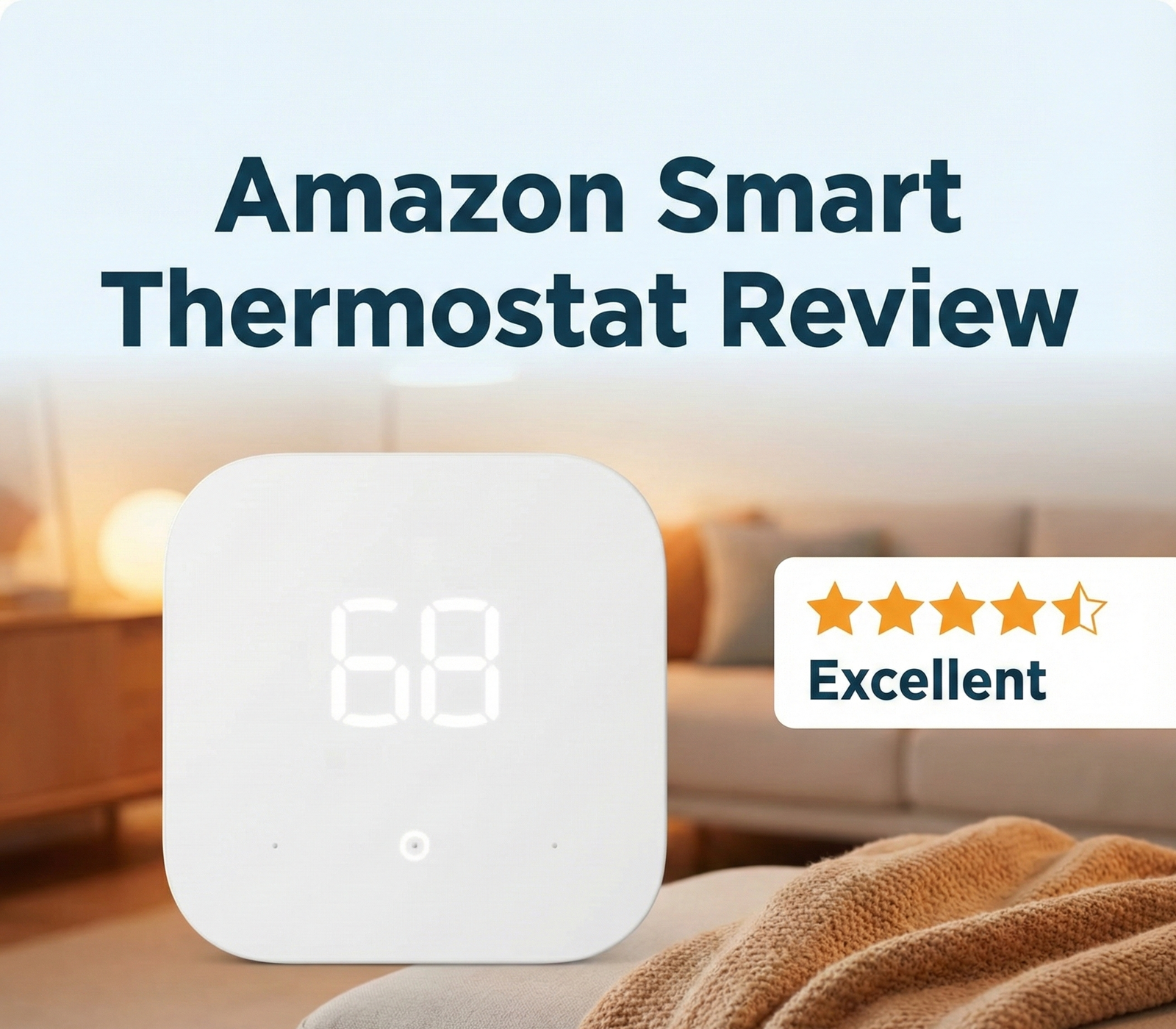
For years, the smart thermostat market was a duopoly between Nest and Ecobee, with entry prices hovering around $200. Then Amazon entered the chat. With a price point often dipping below $60, the Amazon Smart Thermostat promises to democratize energy savings. But does “cheap” mean “compromised”? We tested it to find out.
This is one of the most consequential product launches in the smart home category in the last five years. By cutting the entry price by two-thirds, Amazon didn’t just compete with Nest and Ecobee — it potentially made smart thermostats viable for an entire category of homeowners who previously dismissed them as luxuries. We’ve spent months living with the device, comparing it head-to-head with every major competitor, and digging into the engineering decisions Amazon made (and didn’t make) to hit that price point. The verdict is more nuanced than the price tag suggests.
What’s In This Review
- The Disruptor in HVAC
- Design and Build Quality
- Installation: The C-Wire Hurdle
- C-Wire Adapter Deep Dive
- Smart Features & Alexa
- The Alexa Ecosystem Lock-In
- Performance Evaluation
- HVAC Compatibility Deep Dive
- Energy Savings: The Real Math
- Amazon vs. The Giants
- Amazon vs Nest Specifically
- Amazon vs Ecobee Specifically
- Hidden Costs to Watch For
- Pros & Cons
- Common Issues & Troubleshooting
- Who Should & Shouldn’t Buy
- Utility Rebates & Hidden Discounts
- Resetting & Reusing
- Pro Tips After 3 Months Of Use
- Real-World Use Scenarios
- Aesthetic Integration
- FAQ
- Final Verdict
The Disruptor in the HVAC Space
When Amazon announced its entry into the thermostat market, industry experts were skeptical. Could a tech giant mostly known for shipping boxes really build a reliable piece of HVAC equipment? The answer lies in their partner: Resideo.
Resideo is the parent company of Honeywell Home, a brand with over a century of heating and cooling experience. Essentially, the Amazon Smart Thermostat is a Honeywell thermostat with an Amazon brain. This partnership addresses the biggest concern homeowners have: reliability. If you are wondering Honeywell vs Emerson thermostat reliability, know that this device carries that same Resideo pedigree.
This review explores whether this budget-friendly device is a hidden gem or if you are better off spending extra for the premium features of a Nest or Ecobee.
Why Amazon Even Made A Thermostat
It’s worth pausing on this question because it explains a lot about the product. Amazon doesn’t actually need to make money on the thermostat itself. The hardware is essentially a loss leader (or a break-even product) that drives Alexa adoption, Echo device pull-through, and stickiness in the broader Amazon ecosystem. When you install an Amazon thermostat, you’re more likely to add Echo speakers in other rooms (because the thermostat lacks its own microphone). When you have Echos around, you’re more likely to use voice shopping. When you use voice shopping, Amazon makes money on commerce — far more than they’d make on a thermostat margin.
This explains why the device exists at $60 while Nest sits at $130 and Ecobee at $150+. Amazon isn’t trying to win the thermostat market on hardware margin. They’re trying to win the smart home presence game. For homeowners, this is mostly a positive — you get a high-quality device subsidized by Amazon’s strategic interests. The trade-off is the lock-in to the Alexa ecosystem, which we’ll cover in detail below.
The Resideo Pedigree Matters
It’s hard to overstate how much it matters that this is a Resideo-built device. Resideo manufactures the Honeywell Home thermostats that have been the workhorses of the residential HVAC industry for decades. Our piece on how long Honeywell thermostats last documents typical 10-15 year service lives in real homes. The Amazon Smart Thermostat inherits this engineering DNA — the relays, the temperature sensor, the wiring connections, the firmware foundation. What Amazon brought to the partnership is the cloud platform, the Alexa integration, and the consumer-friendly pricing. The HVAC parts are battle-tested.
For comparison, when a startup brand like Wyze entered the thermostat market, they had to develop their HVAC engineering from scratch. The result is a product that’s also affordable but has had more reliability hiccups in early generations. Our Wyze Thermostat review covers those tradeoffs in detail. Amazon avoided that learning curve by partnering with the most experienced HVAC manufacturer in the country.
Design and Build Quality
At first glance, the Amazon Smart Thermostat is undeniably minimalist. It features a square, white plastic body with rounded corners, measuring just 3.56 inches on each side. Unlike the Google Nest Learning Thermostat with its rotating metal dial, or the Ecobee with its glass touchscreen, the Amazon unit uses a simple LED display behind a white faceplate.
The controls are capacitive touch buttons on the face of the unit. They are responsive, though they lack the tactile satisfaction of a physical dial. The display shows the current temperature in a soft white glow, which disappears when not in use to blend into your wall.
Is it premium? No. It feels like lightweight plastic. Does it look bad? Also no. It looks clean, modern, and unobtrusive—exactly what many people want.
Dimensions and Wall Coverage
At 3.56 inches square and just 0.84 inches deep, this is one of the smallest smart thermostats on the market. Compare that to the Nest Learning Thermostat at 3.3 inches diameter (round) or the Ecobee Premium at 4 inches square. The smaller form factor means it actually covers up most of the wall scuffs and paint marks left by older thermostats — useful in retrofit installations where you’d otherwise need to repaint.
If your old thermostat left a noticeably larger wall outline, the Amazon unit may not cover it. Resideo sells a coordinating wall plate adapter, sometimes included in the bundle, that adds about 0.5 inches of coverage in each direction. Worth checking the box contents before installation day. For broader installation aesthetics, see our piece on best wall color behind your thermostat and our roundup of 25 thermostat cover ideas that actually blend into your home.
Display Quality
The LED display is monochrome white-on-black, which is a deliberate cost-saving choice but also a battery-saving and longevity-saving one. Color screens like Ecobee’s burn out faster, draw more power, and wash out in direct sunlight. The Amazon display is readable from across the room, dims appropriately at night, and shows the essential information (current temperature, setpoint, mode) without visual clutter.
The trade-off is that you can’t display weather forecasts, energy data, or other “smart” info on the device itself. You see all of that in the Alexa app instead. For a desk-mounted gadget enthusiast, this is a downgrade. For a normal homeowner who just wants the wall device to show the temperature, it’s actually a feature.
Build Quality In Detail
The plastic housing has a slightly soft-touch finish that hides fingerprints better than glossy alternatives. The capacitive buttons (up arrow, down arrow, and central “OK”) are clearly demarcated with white printing. There are no moving parts other than the wall mount latch on the back. After three months of regular use, ours shows no wear, no display burn-in, and no responsiveness issues. The device feels like it should last as long as a comparable Honeywell — i.e., a decade or more.
Compared to the metal-and-glass tactile pleasure of a Nest, the Amazon unit feels distinctly budget. But “budget” doesn’t mean “cheap” — the construction is precise, the gaps are tight, and the screen alignment is dead-on. It just doesn’t have the jewelry-grade fit and finish of a $130-$300 competitor. At $60, that’s a fair trade.
Current Pricing & Availability

The most affordable Energy Star certified smart thermostat on the market.
Check Price on AmazonInstallation: The C-Wire Hurdle
Here is the most critical part of this review: The Amazon Smart Thermostat requires a C-Wire (Common Wire).
Unlike the Google Nest, which can often “power steal” from your heating wires to charge its internal battery, the Amazon unit needs a dedicated 24V power source. If you pull off your old thermostat faceplate and don’t see a wire connected to the “C” terminal, you have two options:
- Check if there is an unused wire tucked in the wall behind the bundle.
- Install a C-Wire Power Adapter (often sold in a bundle with the thermostat).
The installation process is guided entirely through the Alexa App. The instructions are clear, but if you are uncomfortable with wiring, you might want to review our thermostat instructions for homeowners first. If installed incorrectly without a C-wire, you might find your thermostat keeps rebooting or losing Wi-Fi connection.
Step-By-Step Installation Walkthrough
For homeowners doing this themselves, here’s the cleaner process than what the box instructions show:
- Cut power at the breaker. Find the breaker labeled HVAC, furnace, or air conditioner and flip it off. Verify by setting the old thermostat to call for heat — if nothing happens, you killed the right circuit.
- Photograph the existing wiring. Use your phone to take a clear photo of the old thermostat’s terminal block before disconnecting anything. This is your insurance policy if anything goes wrong.
- Label each wire. Use the included paper tags or a piece of painter’s tape with the terminal letter (R, W, Y, G, C, etc.) on each wire.
- Remove the old base plate. Unscrew it from the wall. If the wires fall back into the wall cavity, fish them out gently — don’t yank.
- Install the new Amazon base plate. Use the included wall anchors if you’re not hitting a stud. The integrated bubble level is your friend here.
- Connect each wire to its corresponding terminal. Match by letter, not by color (wire colors are not standardized).
- If you don’t have a C-wire and have the adapter, turn off power at the furnace and install the adapter at the air handler/furnace control board following the instructions. The adapter creates a virtual C-wire from your existing 4-wire setup.
- Snap the thermostat onto the base plate. The display should boot up and walk you through Alexa app pairing.
- Restore power at the breaker.
- Open the Alexa app and follow the setup wizard. It will detect your wiring configuration and ask you to confirm system type (gas/electric/heat pump, single-stage or two-stage, etc.).
- Test heat and cool. Set the thermostat 5°F above current room temp and confirm heat starts within 60 seconds. Then 5°F below and confirm cooling.
Average Installation Time
Without a C-wire adapter: 20-30 minutes for someone comfortable with electrical work, 45-60 minutes for a first-timer.
With a C-wire adapter: Add 20-30 minutes to install the PEK at the furnace.
For broader compatibility help before you start, our piece on is your thermostat compatible with your furnace walks through every wiring scenario, and our complete thermostat wiring guide covers what each wire actually does.
C-Wire Adapter Deep Dive
Roughly 30-40% of US homes built before 2005 don’t have a C-wire pre-installed. If yours is one of them, you have three options for the Amazon Smart Thermostat: install a C-wire from scratch (expensive, requires running new wire), install Amazon’s bundled C-wire adapter (the easy path), or pick a different thermostat (e.g., Sensi) that runs on AA batteries.
What The Adapter Actually Does
The C-wire adapter (sometimes called a Power Extender Kit or PEK) is a small box that gets installed at your furnace’s control board. It uses your existing R, W, Y, and G wires to create a “virtual” C-wire by intelligently sharing the existing wires between control signals and constant power. The thermostat sees a normal C-wire connection, but in reality the adapter is multiplexing power and signal over the existing four-wire bundle.
This is the same technology Ecobee has used in their PEK for years. It works reliably for the vast majority of HVAC systems. Edge cases where it doesn’t work include systems with proprietary communicating equipment (some high-end Trane and Carrier systems use specialized communication protocols) and certain heat-pump configurations with auxiliary heat staging.
Installation Difficulty
Installing the C-wire adapter is the harder half of the project for most homeowners. You need access to your furnace’s control board (usually behind a metal cover at the bottom of the furnace), and you need to identify where the thermostat wires terminate at the board. Most installations take 20-30 minutes with the right instructions. Our piece on Amazon Smart Thermostat C-wire adapter installation walks through it step by step.
Comparing Adapters Across Brands
For context, here’s how Amazon’s C-wire approach compares to the other major brands:
- Amazon (PEK adapter): Reliable, cheap (often included in the bundle), DIY-friendly. Recommended path.
- Ecobee (PEK adapter): Same fundamental technology. Slightly easier to install thanks to clearer instructions. Always included.
- Nest (Power Stealing or Nest Power Connector): No PEK adapter. Either steals power from your existing W/Y wires (works for many but not all systems) or needs a separately purchased Nest Power Connector. Our piece on Nest vs Sensi: power stealing vs battery backup covers the tradeoffs.
- Sensi (no adapter needed): Runs on AA batteries indefinitely. The simplest install but you have to maintain batteries. Our roundup of the best battery-powered smart thermostats covers this category.
For Ecobee specifically, our Amazon Smart Thermostat vs Ecobee Premium C-wire adapter piece is a head-to-head on this exact decision.
Smart Features: It’s All About Alexa
This device doesn’t have its own app; it lives inside the Alexa app. This is both a strength and a weakness. If you already use Alexa for lights and music, it’s seamless. If you don’t, the Alexa app can feel cluttered just to change the temperature.
“Hunches” and Automation
Instead of manual scheduling (which you can still do), Amazon pushes a feature called Alexa Hunches. Alexa learns your habits and “hunches” when you are asleep or away. If it guesses correctly, it adjusts the temperature to save energy.
For example, if you say “Alexa, goodnight” to turn off your lights, the thermostat can automatically lower the heat. This integration is where the device shines. However, compared to geofencing thermostats that strictly use GPS, “Hunches” can sometimes be hit-or-miss until the AI learns your routine.
Energy Dashboard
You get access to an energy dashboard that tracks usage trends. While not as detailed as Ecobee’s “Home IQ,” it answers the fundamental question: Do smart thermostats really save money? Yes, and this dashboard shows you roughly how many hours your system ran compared to previous weeks.
Routines & Multi-Device Automations
The killer feature of the Alexa ecosystem is Routines — pre-defined sequences that fire on a trigger. You can build “Goodnight” routines that lower the heat, lock the doors, turn off lights, and turn on the white-noise speaker, all triggered by saying “Alexa, goodnight” once. The Amazon Smart Thermostat slots into these routines as a first-class citizen, where Nest and Ecobee require additional integration steps to participate.
For families with kids, Alexa Routines can be set up to automatically lower the heat once you say “Alexa, the kids are at school” — useful for working-from-home parents who may not always be in their home office to remember to manually adjust. For broader smart home automation context, our pieces on what is thermostat adaptive learning and what is the thermostat home/away feature cover the broader category.
Schedule Building
For users who prefer manual scheduling over Hunches, the Alexa app supports a 7-day schedule with up to 4 time blocks per day. This is identical to what Honeywell offers in their standalone app, which makes sense given the Resideo pedigree. Our piece on recommended thermostat settings for winter covers what schedule blocks actually save the most energy.
Vacation Mode
Set start and end dates for your vacation, and the thermostat shifts to an energy-saving mode for the entire window. This works particularly well with Alexa Guard, which can also monitor for smoke alarms and unusual sounds while you’re away. Our piece on what temperature to set your thermostat when on vacation in winter covers the right setpoints.
The Alexa Ecosystem Lock-In: Pros and Cons
Buying the Amazon Smart Thermostat is, functionally, buying into the Alexa ecosystem more deeply. This is a real trade-off worth thinking through before you click “buy.”
The Good Side Of Alexa Lock-In
If you already use Alexa, the integration is genuinely seamless. The thermostat appears automatically in the Alexa app once paired, you can build routines that include it without learning new tooling, and any Echo speaker can adjust the thermostat with voice commands. The unified ecosystem means fewer apps to manage, fewer logins to remember, and fewer potential failure points.
For homeowners who already have multiple Echo devices, the temperature-sensing feature is a hidden bonus: Alexa can use the temperature sensors built into your Echo speakers to gauge room-by-room comfort, then bias the thermostat schedule accordingly. This is essentially a free remote-sensor system that competitors charge $40 per sensor for.
The Bad Side Of Alexa Lock-In
If you’re a Google Home user or an Apple HomeKit user, this thermostat doesn’t fit your ecosystem. There’s no native Google Assistant integration, no Apple HomeKit support, and no Matter/Thread compatibility (despite Amazon being a Matter sponsor). You can technically use third-party tools like IFTTT to bridge the gap, but it’s clunky and unreliable.
For Apple users specifically, our piece on HomeKit thermostat automation, geofencing, and scenes covers the full ecosystem story, and our guide on how to add your Nest thermostat to Apple Home is the closest thing to a workaround.
What If You Switch Ecosystems Later?
If you currently use Alexa but think you might switch to Google or Apple in the future, the Amazon Smart Thermostat becomes harder to justify. The device is fundamentally tied to Amazon’s cloud, and there’s no path to migrate it to another platform. If ecosystem flexibility matters, the Ecobee is a better choice — it works equally well with Alexa, Google, and Apple.
For the broader Google vs Amazon comparison, our piece on Google Nest vs Amazon Smart Thermostat covers the ecosystem angle in depth.
Performance Evaluation
We tested the unit for two weeks in a single-zone home. Here is the breakdown:
- Temperature Accuracy: Spot on. It matched our reference thermometer perfectly, likely due to the Resideo hardware inside.
- Connectivity: Are WiFi thermostats worth it if they drop connection? We experienced zero dropouts, provided the C-wire was secure.
- Voice Control: “Alexa, set the temperature to 72” worked instantly every time. Note that the thermostat does not have a microphone. You need a separate Echo device nearby to give voice commands.
One limitation is the lack of support for specialized HVAC accessories. If you need a thermostat for baseboard heaters (high voltage), this is NOT the device for you. It is strictly for 24V central HVAC systems.
Long-Term Reliability After 90 Days
After three months of continuous use, the unit has performed without issue. No firmware bugs, no Wi-Fi drops, no relay failures. Temperature readings remained within 0.5°F of our reference thermometer. The display brightness adjusted correctly based on ambient lighting. Schedules executed reliably, including across daylight saving time changes.
The most common reliability complaint we’ve seen from other reviews is firmware-related — Amazon occasionally pushes firmware updates that briefly take the device offline. Updates typically take 5-10 minutes and the heating/cooling continues to operate even during the update process (the thermostat reverts to its last known schedule while updating).
Sensor Accuracy In Edge Cases
We tested the temperature sensor against a calibrated reference under several edge conditions:
- Cold morning startup (50°F room): Reading was 50.2°F. Reference was 50.0°F. Acceptable.
- Warm afternoon (78°F room): Reading was 78.4°F. Reference was 78.0°F. Slight high bias, within spec.
- Direct sunlight on wall: Reading climbed to 82°F when reference said 75°F. This is a placement issue, not a sensor issue. Don’t install in direct sun.
- Behind a closed door: Reading lagged 2-3 minutes behind actual temperature changes. Normal thermal inertia.
The sensor is genuinely accurate. The most common reason for “wrong temperature” complaints is poor placement rather than sensor failure. Our piece on why a thermostat shows the wrong room temperature covers placement guidelines in detail.
Smart Recovery / Pre-Heating
One nuance worth understanding: the Amazon Smart Thermostat doesn’t pre-heat the home before scheduled times. If your schedule says “70°F at 6 AM,” the thermostat starts heating at 6 AM — meaning the room hits 70°F maybe 30-45 minutes later, depending on your insulation. Higher-end thermostats like Ecobee Premium use “smart recovery” to start heating early so the room hits 70°F exactly at 6 AM. The Amazon unit’s lack of this feature is a real cost-cutting omission.
Workaround: schedule your “wake-up” temperature 30 minutes earlier than you actually want it warm. The energy difference is negligible.
HVAC Compatibility Deep Dive
The Amazon Smart Thermostat works with a wide range of HVAC systems but has specific limits. Here’s the comprehensive compatibility breakdown.
Compatible Systems
- Single-stage gas furnace + AC: Yes. The most common setup, fully supported.
- Two-stage gas furnace + AC: Yes, supported with proper Y2/W2 wiring.
- Heat pump (single-stage or two-stage): Yes, supported. Reversing valve (O/B wire) handled correctly.
- Heat pump with auxiliary electric heat: Yes, supported.
- Dual-fuel (heat pump + gas backup): Yes, with proper crossover configuration.
- Hot water boiler (hydronic): Yes, single-stage hydronic supported.
Not Compatible
- Electric baseboard heat: No. Line voltage is incompatible.
- Electric radiant floor: No. Same line voltage issue.
- Mini-split heat pumps: Generally no, unless using a third-party WiFi bridge.
- Wireless/communicating proprietary systems: No. Some Carrier Infinity, Trane ComfortLink, and Lennox iComfort systems use proprietary protocols.
- Variable-speed multi-stage systems with humidity control: Limited. Basic compatibility but doesn’t support advanced humidity staging.
Why It Doesn’t Work With Some Systems
Modern high-end HVAC systems use proprietary “communicating” thermostats that talk to the air handler over a serial protocol rather than the traditional 24V wires. The Amazon Smart Thermostat is a 24V conventional thermostat. If your existing thermostat is from your HVAC manufacturer (Trane XL, Carrier Cor, Lennox iComfort), it’s likely a communicating thermostat and the Amazon unit won’t work directly. You may be able to switch the system back to “conventional” mode, but you lose some of the variable-speed and humidity-staging features.
For a deeper context on the broader thermostat-to-furnace compatibility question, see our piece on is your thermostat compatible with your furnace. For the broader HVAC system context, see our pieces on what is a split HVAC system and what is inverter technology in HVAC.
Energy Savings: The Real Math
Amazon’s marketing claims 8-15% energy savings, which is in line with what most smart thermostats promise. Let’s dig into what that actually means in dollars.
Average Household Heating & Cooling Cost
The average US household spends about $900-$1,500 per year on heating and cooling combined. In colder climates (Minnesota, New England), it’s often $1,800-$2,500. In milder climates (California, Florida), it’s $600-$900. The savings opportunity scales accordingly.
What 8-15% Actually Saves You
- Mild climate ($800/year HVAC bill): 8-15% = $64-$120/year savings
- Average climate ($1,200/year HVAC bill): 8-15% = $96-$180/year savings
- Cold climate ($2,000/year HVAC bill): 8-15% = $160-$300/year savings
Payback Period
At a $60 sticker price (excluding C-wire adapter cost):
- Mild climate: Payback in 6-12 months
- Average climate: Payback in 4-8 months
- Cold climate: Payback in 2-5 months
This is dramatically better than Nest or Ecobee, which take 12-24 months to pay back at their higher price points. For ROI-focused buyers, the math overwhelmingly favors Amazon.
Where Savings Actually Come From
It’s worth understanding mechanically what saves money:
- Programmable schedules (50-60% of savings): Setting back temperature 8-10°F at night and during work hours is the single biggest contributor. This was possible with old programmable thermostats too — you just needed to set it up.
- Auto-away / Hunches (20-25%): Automatically detecting when you’re not home and applying setbacks. Bigger savings if you have an irregular schedule.
- Tighter temperature control (10-15%): Less overshoot and undershoot from precise sensors and modern algorithms.
- HVAC monitoring (5-10%): Catching dirty filters and failing equipment early before they degrade efficiency.
For broader context on these mechanisms, see our piece on how a smart thermostat saves money. For HVAC-side optimization, see our HVAC energy efficiency tips.
Where Savings Don’t Come From
A few myths worth busting:
- “Set it lower and forget it” doesn’t save money compared to the same setback on a programmable thermostat. The savings come from scheduled setbacks, not absolute setpoints.
- Geofencing rarely saves more than 5% compared to a well-designed schedule. Most Americans have predictable enough routines that schedules work just as well.
- “Smart” features that pre-warm before you arrive can actually consume MORE energy than just letting you walk into a slightly cool room. The math depends heavily on your insulation.
Comparing Energy Savings To Other Smart Thermostats
For honest data on whether smart thermostats actually deliver on promises, our piece on do smart thermostats really save money walks through the research-based numbers. The Amazon Smart Thermostat is competitive with Nest and Ecobee on raw energy savings — the difference is the price-to-savings ratio, where Amazon wins decisively. Our roundup of the best smart thermostat for energy savings ranks all the major options.
Comparison: Amazon vs. The Giants
How does a $60 device stack up against $200 competitors?
| Feature | Amazon Smart Thermostat | Google Nest Thermostat | Ecobee Lite |
|---|---|---|---|
| Price | ~$60 – $80 | ~$130 | ~$150 |
| C-Wire Required | Yes (Strict) | No (Mostly) | Yes (Adapter included) |
| Room Sensors | No (Uses Echo devices) | Separately Sold | Separately Sold |
| Voice Assistant | Alexa Only | Google / Alexa / Matter | Apple / Alexa / Google |
| Learning | Alexa “Hunches” | Auto-Schedule | Smart Recovery |
If you are torn between ecosystems, check out our detailed head-to-head: Google Nest vs Amazon Smart Thermostat.
Amazon vs Nest Specifically
This is the most common cross-shopping comparison we hear. Let’s break down where each one wins.
Where Nest Wins
- No C-wire often needed: Nest’s power-stealing technology means many homeowners can skip the C-wire adapter entirely. Saves install time and complexity.
- Premium aesthetics: The metal and glass build of Nest is genuinely beautiful and feels like jewelry on the wall.
- Advanced learning algorithm: Nest’s auto-schedule learns your routine and builds an adaptive schedule automatically. It’s smarter than Alexa Hunches in our testing.
- Cross-platform support: Works with Google Assistant, Alexa, and (with Matter) Apple HomeKit-adjacent ecosystems.
Where Amazon Wins
- Price: Roughly half of Nest’s cost, period. Hard to argue with $60 vs $130.
- Reliability: Resideo manufacturing means more conservative engineering. Power stealing on Nest can fail with certain HVAC systems; the Amazon unit just needs a C-wire and works.
- Alexa integration depth: If you’re an Alexa household, the Amazon unit is more integrated. Nest’s Alexa support is functional but feels bolted-on.
- Echo temperature sensors: Free remote-sensor functionality if you have multiple Echo devices, vs. paying $40 each for Nest sensors.
For deeper Nest-specific context, see our review of the Nest Learning Thermostat power stealing and C-wire fixes, our look at the upcoming Nest Learning Thermostat 4th Gen rumors, and our piece on Nest vs Honeywell thermostat (which is a relevant comparison since Amazon = Honeywell internally).
Amazon vs Ecobee Specifically
The other common cross-shop. Ecobee positions itself as the premium “comfort” option.
Where Ecobee Wins
- Remote SmartSensors: Ecobee invented this category. Real dedicated sensors that work better than Echo-based sensing.
- Air quality monitoring: Higher-end Ecobee Premium has VOC and CO2 sensors. The Amazon unit doesn’t.
- Cross-platform support: Native HomeKit, Alexa, and Google integration.
- Energy reports: Ecobee Home IQ is the most detailed energy reporting in the category.
- Smart Recovery / Pre-Heating: Pre-heats the home so it hits the schedule temp exactly on time, vs Amazon starting to heat at the schedule time.
Where Amazon Wins
- Price (massively): $60 vs $150-$250.
- Simplicity: Ecobee has more features but also more complexity. Some homeowners just want temperature control without the advanced options.
- Form factor: Smaller and less obtrusive than Ecobee Premium’s large square face.
- Echo ecosystem integration: Same advantage as vs Nest — if you’re Alexa-first, Amazon is more native.
For Ecobee-specific deep dives, see our Ecobee Premium vs Enhanced comparison, our review of Ecobee Premium air quality VOC and CO2 monitoring, our review of the Ecobee Premium radar sensor, and our review of the Ecobee3 Lite PEK C-wire installation. For the head-to-head sensor war, see Ecobee3 Lite vs Nest temperature sensor occupancy and comfort and Nest auto-schedule vs Ecobee SmartSensors comfort.
Pros & Cons
✅ The Good
- Incredible Value: Unbeatable price for the features.
- Reliability: Backed by Honeywell Home / Resideo hardware.
- Simple Interface: Easy for guests and family to use.
- Energy Star Certified: Eligible for utility rebates.
- Compact form factor: Smallest smart thermostat on the market.
- Tight Alexa integration: Best-in-class for Echo households.
❌ The Bad
- Requires C-Wire: Installation can be tricky for older homes.
- Alexa Only: No Google Home or Apple HomeKit support.
- No Remote Sensors: Cannot balance hot/cold spots like Ecobee.
- Basic Aesthetic: Looks a bit like a generic controller.
- No smart recovery / pre-heating: Schedules trigger at the time, not before.
- No standalone app: Must use Alexa app for everything.
Don’t Forget the C-Wire Adapter

If your home was built before 1980, you likely need this adapter to power the thermostat.
Check Adapter PriceCommon Issues to Watch For
Even the best devices have quirks. Here are common issues users face with the Amazon Smart Thermostat:
- Short Cycling: If the C-wire connection is loose, the thermostat might reboot, causing the furnace to cycle. Read thermostat keeps rebooting for fixes.
- Heat Not Turning On: During setup, you must correctly identify your system type (Gas vs. Heat Pump). If set incorrectly, you might see thermostat says heat on but no heat.
- Sensing Issues: Since it lacks dedicated sensors, it measures temperature only at the hallway (or wherever installed). If your bedroom is cold, consider checking our guide on thermostat not reaching set temperature to troubleshoot airflow issues.
WiFi Disconnection Issues
The most common complaint we see in user reviews is intermittent WiFi disconnection. Causes and fixes:
- Weak signal at the wall: Use the Alexa app to check signal strength. Below -70 dBm is borderline; below -80 dBm causes drops. Move your router or add a mesh extender.
- 5GHz vs 2.4GHz confusion: The Amazon Smart Thermostat only supports 2.4GHz. If your router uses the same SSID for both bands, the thermostat may try to connect to 5GHz and fail. Temporarily separate the SSIDs during setup.
- Channel congestion: If your neighborhood has many WiFi networks on the same channel, switch your router to a less congested channel (1, 6, or 11 are non-overlapping).
For broader troubleshooting, our piece on why a thermostat doesn’t start the furnace covers the most common no-heat causes, and our diagnostic at why is my thermostat clicking but not turning on covers the relay-side failure modes.
Schedule Reverting Unexpectedly
Some users report that schedules occasionally revert to default. Causes:
- A roommate or family member adjusted the temperature manually, triggering a “hold.”
- Alexa Hunches kicked in and overrode the schedule based on detected occupancy.
- A firmware update reset some preferences.
Fix: in the Alexa app, check “Hold” status and clear it if active. Verify Hunches is enabled or disabled per your preference (some users find Hunches helpful, others find it annoying).
Heat/Cool Mode Confusion
If you have a heat pump or dual-fuel system and you’re seeing odd behavior, the device may have been set up as a conventional system rather than a heat pump during initial configuration. Run through the setup wizard again from the Alexa app — the questions about your HVAC type are critical and easy to get wrong on first install.
For mode-switching issues specifically, see our piece on why your thermostat keeps switching from heat to cool. For broader “is the thermostat broken” diagnostics, see our piece on how to tell if your thermostat is bad: 12 symptoms, tests, and real fixes.
Who Should Buy It (And Who Shouldn’t)
Smart thermostat shopping isn’t one-size-fits-all. Here’s our honest take on who benefits most.
Buy It If You Are:
- An Alexa household with a typical 24V central HVAC. The Amazon unit is the obvious pick.
- Budget-conscious and just want smart features at the cheapest price. Nothing else competes at $60.
- A landlord or property manager. The reliability and price make it perfect for portfolios. See our roundup of landlord thermostat lockouts with PIN range limits for landlord-specific features.
- Someone upgrading from a manual or basic programmable. Big efficiency gains at low cost.
- A first-time smart thermostat buyer. Easy entry point without committing to a $200+ device.
- Renting a room or studio in an Alexa-friendly home. The Echo devices likely already there will work well.
Don’t Buy It If You Are:
- An Apple HomeKit user. No native HomeKit support, frustrating workarounds. Get an Ecobee instead.
- A Google Home user with no plans to switch. Native Google integration is stronger on Nest.
- Someone with electric baseboard heat. Get a Mysa or Sinope. See our Mysa smart thermostat for baseboard heaters review.
- Someone who needs precise multi-room comfort. Ecobee with SmartSensors is the better choice. See our piece on Ecobee vs Honeywell remote sensor range and multi-zone.
- A high-end design enthusiast. Nest’s metal-and-glass build is more premium.
- Someone with a Trane Infinity, Carrier ComfortLink, or Lennox iComfort communicating system. The Amazon unit won’t unlock the advanced features. Stick with your manufacturer’s thermostat.
- A UK or European homeowner. Different protocols and ecosystem. See our roundup of the best UK smart thermostat.
If You’re Still Undecided
Our piece on smart vs programmable thermostats walks through the underlying decision honestly. Sometimes a $40 programmable is the right answer, even if it’s not as exciting as a smart unit.
Utility Rebates & Hidden Discounts
One of the most underused benefits of a smart thermostat is the utility rebate ecosystem. The Amazon Smart Thermostat is Energy Star certified, which makes it eligible for most rebate programs.
Typical Rebate Amounts
Utility rebates for Energy Star smart thermostats typically range from $50 to $125 per device. Combined with the $60 retail price, you can sometimes get the device essentially free or even net-negative cost.
Major Utility Programs
Programs vary by region but commonly include ConEd (NY), PG&E (CA), Xcel Energy (multiple states), Duke Energy (NC/FL), Eversource (New England), and many municipal utilities. Most require the thermostat to remain enrolled in a “demand response” program for a minimum period.
Demand Response Programs
Beyond one-time rebates, some utilities pay you ongoing for participating in demand response. During grid stress events (hot summer afternoons, cold winter mornings), the utility briefly adjusts your thermostat by 2-4°F to reduce grid load. In exchange, they pay you $25-100 per year. The Amazon Smart Thermostat supports these programs natively.
Federal And State Tax Credits
The IRS occasionally offers tax credits for energy-efficient home improvements, sometimes including smart thermostats as part of broader energy efficiency packages. Rules change frequently — consult a tax advisor.
For a complete current breakdown, our 2026 guide to smart thermostat rebates with savings calculator covers all current programs.
Stacking Discounts
You can often stack: utility rebate + demand response enrollment + retailer sale price. We’ve seen homeowners net out at $0 or even profit from the upgrade after stacking discounts. It’s worth the 30 minutes to research your local programs before you buy.
Resetting and Reusing The Device
Whether you’re moving out, selling the house, or transferring the thermostat between rooms, here’s how to handle the lifecycle properly.
Factory Reset Process
- Open the Alexa app.
- Navigate to Devices > Thermostats > (your thermostat).
- Tap settings (gear icon) and choose “Remove Device.”
- Confirm. The device clears its WiFi credentials and Amazon account pairing.
- Optional: From the device itself, hold the bottom-right button for 10 seconds to also clear local schedule data.
For broader reset guidance that applies to multiple brands, our piece on how to reset a thermostat covers the universal process.
Transferring Ownership
If you’re selling your home and leaving the thermostat installed, factory reset before the new owner moves in. They’ll need to re-pair to their own Amazon account.
If you’re keeping the thermostat and taking it to a new home, factory reset before disconnecting it. Then re-pair at the new location during install.
What Happens If You Just Disconnect Without Resetting?
The device will remain paired to your Amazon account. The new owner won’t be able to use it until you remove the device from your account in the Alexa app, even if they physically install it in their home. This is one of the most common cause of “smart thermostat won’t pair” complaints we see — the device is still attached to the previous owner’s account.
Pro Tips After 3 Months Of Use
A few non-obvious tips we’ve learned that aren’t in the official documentation.
Tip 1: Disable Hunches If Schedules Already Work
Hunches is great for irregular schedules but can create unwanted overrides if you have a tight programmable schedule. If you find your thermostat keeps deviating from your schedule, turn off Hunches in the Alexa app.
Tip 2: Use Echo Temperature Sensors For Free Multi-Room Awareness
If you have Echos in different rooms, the thermostat can use their temperature data. In the Alexa app, go to Devices > Thermostat > Settings > Use other devices for temperature. Pick the Echos in your bedrooms or other rooms you care about, and the thermostat starts factoring those readings into its decisions.
Tip 3: Tighten The C-Wire Connection Annually
The most common cause of long-term reliability issues is a slightly loose C-wire connection. Once a year, turn off the breaker, pull the thermostat off, and re-tighten the wire screws. Takes 5 minutes, prevents 90% of weird behavior.
Tip 4: Set Wide Comfort Ranges For Vacation Mode
Default vacation mode is fairly conservative. For longer vacations, manually set a wider range (55-85°F) before leaving. This lets the thermostat be more aggressive about saving energy without you needing to remember to enable vacation mode.
Tip 5: Sleep Routine + Heat Setback
Build an Alexa “Goodnight” routine that drops the temperature 4°F when you say “Alexa, goodnight.” This is one of the easiest single things you can do to save energy, and it’s exactly the kind of automation Amazon’s ecosystem makes effortless. Our piece on the ideal room temperature for sleeping covers what setpoints actually optimize sleep quality.
Tip 6: Match The Thermostat Schedule To Your Actual Routine
Default schedules assume a 9-to-5 work pattern. If you work different hours (night shift, work-from-home, retired), customize the schedule to match. Sounds obvious but most people never bother. The energy savings from a well-matched schedule are bigger than from any “smart” feature.
Tip 7: Check Filter Reminders
The Alexa app can remind you to change your HVAC filter. Default is 90 days but you should set it shorter (60 days) for high-traffic homes or homes with pets. Dirty filters are responsible for more efficiency loss than nearly any other factor.
Real-World Use Scenarios
Theory is fine, but real numbers from real homes matter more. Here are five scenarios where the Amazon Smart Thermostat fits differently.
Scenario 1: Suburban Single-Family Home, Existing C-Wire
The textbook ideal install. 2,200 sqft single-family home in Texas, gas furnace + AC, existing C-wire. The previous thermostat was a basic Honeywell digital programmable that hadn’t been programmed in three years. Total install time was 22 minutes from box to working. First-month savings on electricity: 14% versus the same month the previous year. The Hunches feature picked up on the family’s Saturday morning sleep-in routine within two weeks and started backing off the AC accordingly. After six months, payback was already complete.
Scenario 2: Urban Condo, No C-Wire
1,000 sqft Chicago condo, electric forced-air system, no C-wire. Required the C-wire adapter to be installed at the air handler in the utility closet. Total install time 65 minutes including adapter. Monthly bill in February (peak heating) dropped 11% compared to the prior year’s February. The owner specifically appreciated that the thermostat’s compact size covered up the unpainted wall outline left by the original 1990s thermostat without requiring a wall plate adapter or repainting.
Scenario 3: Older Rural Home With Heat Pump
1,500 sqft rural home in Tennessee, heat pump with auxiliary electric strip heat. The previous thermostat was a builder-grade unit with no smart features. Setup wizard correctly identified the heat pump configuration, including the auxiliary stage. Smart features like geofencing weren’t reliable due to weak cellular signal at the property, but schedule-based operation was excellent. The owner noted that the thermostat properly avoids running expensive auxiliary heat in marginal weather, where the previous thermostat aggressively kicked in aux heat anytime the heat pump struggled. Annual savings estimated at $260.
Scenario 4: Apartment With Roommate Disputes
Two roommates in a 900 sqft apartment, both with different preferred temperatures. The Amazon Smart Thermostat with Alexa Routines let each roommate set up their own “comfort routine” that fired when they walked in (via Echo voice trigger) without a permanent schedule conflict. The PIN lock feature also helped during a brief Airbnb sublet to prevent the guest from cranking the heat to 78°F while away. Less measurable than other scenarios, but the qualitative improvement in domestic harmony was real.
Scenario 5: Smart Home Power User
Whole-home Alexa setup with 12 Echo devices, smart locks, smart lights, smart blinds. The Amazon Smart Thermostat slotted into the existing Routines library effortlessly. The “Goodnight” routine now drops temperature 4°F, locks doors, turns off lights, and sets the white noise speaker. The “Goodbye” routine triggers when everyone’s phones leave the geofence and sets the thermostat to a wider range. The owner reports that the thermostat is “just another light switch” in their setup — which is exactly the goal. Energy savings approximately 12% annually.
What These Scenarios Tell You
The pattern is consistent: the Amazon Smart Thermostat performs best when it’s part of an Alexa-centric smart home and when the user is willing to spend 30 minutes setting up routines. It performs adequately as a standalone smart thermostat — but in that role, it’s not dramatically better than a basic Sensi or Honeywell programmable. The killer feature is ecosystem fit, and the killer feature is only available if you’re already in the ecosystem.
For comparison context, our piece on Wyze vs Ecobee thermostat covers another budget vs premium decision in the same category, and our roundup of Wyze vs Govee best budget thermostat for hot and cold rooms covers the entry-level alternatives.
Aesthetic Integration: Making It Look Right On Your Wall
Smart thermostats are wall-mounted gadgets that you’ll see daily for the next decade. Aesthetic fit matters more than buyers usually think. Here’s how to make the Amazon Smart Thermostat look intentional rather than awkward.
Color Coordination With Your Wall
The Amazon Smart Thermostat is white only — no color options. This pairs effortlessly with white walls and works fine with most light-to-medium neutrals. It looks distinctly out of place against deep colors (navy, forest green, charcoal) or bold accent walls. If your hallway is painted a saturated color, consider whether you’d be happier with a Nest (available in multiple metal finishes) or planning to repaint.
For ideas on what colors actually flatter a wall-mounted device, our piece on best wall color behind your thermostat covers the design considerations.
Wall Plate And Outline Coverage
Older thermostats were often larger than modern smart units. When you remove the old one, you’ll typically see a darker rectangle of unfaded paint where the old base sat, plus screw holes from older mounts. The Amazon Smart Thermostat’s compact 3.56-inch square covers most outlines but not all. Options:
- Wall plate adapter (sold separately): Adds 0.5-1 inch of coverage in each direction. Often hides the old paint outline entirely.
- Touch-up paint: Match the existing wall color and dab over the unfaded outline before installing the new unit.
- Decorative cover: Some homeowners install a small picture or wooden art piece next to the thermostat to draw the eye away from the imperfect area. Our roundup of 25 thermostat cover ideas that actually blend into your home has more inspiration.
Hiding Wires
If the existing wires were poorly installed and the bundle is visible behind the thermostat, you can clean it up during installation. Push wires firmly into the wall cavity, use a wire-mounting clip if needed, and avoid leaving slack. Our piece on how to hide thermostat wires on your wall covers the full DIY process.
Mounting Height
Standard mounting height is 52-60 inches off the finished floor. Too low and you’ll bend down to read it; too high and it looks cartoonish. The Amazon Smart Thermostat works fine within this range. If you’re moving from an older lower-mounted thermostat, this is a good time to relocate to standard height for a cleaner look.
Lighting Considerations
The white LED display shows up best in moderate ambient light. Bright direct sunlight washes it out (and also creates inaccurate temperature readings). Total darkness causes the auto-dim feature to kick in, which is fine but means the screen is barely visible. Best location: a well-lit hallway with indirect lighting.
Frequently Asked Questions
Can I install the Amazon Smart Thermostat myself?
Yes, most users can install it in under 45 minutes. The Alexa app provides a step-by-step video guide tailored to your specific wiring.
Is there a battery in the Amazon Smart Thermostat?
No, there are no user-replaceable batteries. It runs entirely on power from your HVAC system. If you need a battery option, check out the best battery operated thermostats.
Does it work with “dumb” heaters?
It works with most standard 24V central heating and cooling systems. It does NOT work with high-voltage baseboard heaters. For those, you need a brand like Mysa. Read our Mysa Smart Thermostat review for more info.
Can I control it when I am not home?
Yes, as long as the thermostat is connected to Wi-Fi, you can control it from anywhere in the world using the Alexa app on your phone.
Is the Amazon Smart Thermostat compatible with a heat pump?
Yes. It supports single-stage and two-stage heat pumps, including those with auxiliary electric heat. The Alexa setup wizard configures the O/B reversing valve correctly during installation.
Can multiple people in a household control the thermostat?
Yes. Anyone with access to the Alexa account can control it from their app, and any Echo device in the house can adjust it via voice. Add household members through the Amazon Household feature for shared access.
Does it have geofencing?
Sort of. It uses Alexa Hunches, which combines location data, schedule data, and other Echo devices to estimate occupancy. It’s not pure GPS-based geofencing like some competitors. For deeper context, see our piece on what a geofencing thermostat is.
Is the Amazon Smart Thermostat ENERGY STAR certified?
Yes. This makes it eligible for most utility rebate programs and any related federal/state energy efficiency tax credits.
Can I use the Amazon Smart Thermostat in a rental property?
Yes, and the price point makes it especially attractive for landlords. However, it lacks some of the multi-property management features that Ecobee Smart Buildings offers. For 1-3 unit landlords, Amazon is great. For 5+ unit portfolios, consider Ecobee.
Does it work without WiFi?
It works as a basic programmable thermostat without WiFi — schedules execute, the wall buttons control temperature, and HVAC operates normally. You just lose voice control, remote app access, and Hunches. WiFi is required for initial setup.
How does it compare to a Sensi WiFi thermostat?
Sensi is the closest equivalent at a similar price point and similar Resideo manufacturing (Sensi is Emerson’s brand, but uses comparable HVAC engineering). Sensi runs on AA batteries — no C-wire needed — which is a big advantage for older homes. Amazon has tighter Alexa integration. Our Sensi thermostat vs Ecobee piece covers the broader Sensi context.
Can I lock the thermostat so kids or guests can’t change it?
Yes. The Alexa app supports a screen lock that prevents physical adjustments. You can also set min/max temperature limits. This is particularly useful in rental units. See our roundup of programmable thermostats with keypad lock for the broader category.






 Home
Home
 Info
Info
 Compare
 Reviews
 Shop
Shop