
Best Thermostat for Baseboard Heaters: The Ultimate Line-Voltage Guide
If you rely on electric baseboard heaters, fan-forced wall heaters, or convective cove heaters, you know the struggle: The room is freezing, you turn the dial a millimeter, and suddenly it’s a sauna. This “all or nothing” heating is not only uncomfortable but also devastating to your electricity bill.
The solution isn’t replacing your heaters; it’s upgrading the “brain” controlling them. Unlike standard central HVAC systems which use low voltage, baseboard heaters use Line Voltage (120V or 240V). This means you cannot simply slap a standard Nest or Ecobee on the wall without specialized equipment.
⚡ Quick Definition: Line Voltage Thermostats
A Line Voltage Thermostat handles the full electrical load of your heater (usually 120V or 240V). It acts as a gatekeeper for the high-voltage electricity. In contrast, standard thermostats (like for a gas furnace) only handle 24V signals. Never mix these up. Connecting a low-voltage thermostat to a baseboard heater will instantly destroy the device and risks causing a fire.
In this comprehensive guide, we will break down the mechanics of how these thermostats work, compare Single Pole vs. Double Pole wiring, and review the best smart and digital options available today. We’ll also cover TRIAC vs relay switching, sizing for amperage, room-by-room recommendations, multi-zone management, energy savings calculations, and the most common mistakes homeowners make when retrofitting line-voltage thermostats.
By the end of this guide, you’ll know exactly which thermostat fits your specific heater type, how to install it safely, and how to size it correctly for the wattage you’re switching. We’ve spent years testing line-voltage hardware in real homes across cold-climate regions, and the patterns that emerge are consistent: the right thermostat pays for itself in 12 to 24 months on electric bills alone, while the wrong one creates years of frustration and avoidable kilowatt-hours.
What’s Inside This Guide
- Safety First: High Voltage Warning
- Single Pole vs. Double Pole Wiring
- How Electric Baseboard Heat Actually Works
- Types of Baseboard, Wall, and Cove Heaters
- Top 3 Best Thermostats for Baseboard Heaters
- Mysa V2 Deep Dive
- Sinope: The Mysa Alternative
- TRIAC vs Mechanical Relay
- Amperage Sizing & Wattage Math
- Multi-Zone Strategies
- Smart Features That Actually Matter
- Installation Step-By-Step
- Troubleshooting Common Problems
- Energy Savings Calculator
- Room-By-Room Recommendations
- Cold Climate Considerations
- Radiant Floor vs Baseboard
- Rental & Landlord Considerations
- Brand-By-Brand Buying Guide
- Frequently Asked Questions
Safety First: High Voltage Warning
Why Line Voltage Demands Extra Caution
The 24V control circuits used by central HVAC thermostats are technically still capable of giving you a small jolt, but they are nowhere near the threat that a 240V line-voltage thermostat presents. A 240V circuit at 15-20 amps can deliver a fatal shock the instant your skin makes contact with both legs of the supply. Even a glancing brush against a live terminal can cause involuntary muscle contraction that prevents you from letting go. This is not a “you’ll learn from your mistakes” kind of project — the first mistake can be the last one.
Beyond personal safety, line-voltage mistakes can also damage equipment in expensive ways. A short between the line and load wires can destroy a thermostat instantly, melt insulation, blow expensive baseboard elements, and trip the breaker hard enough that the breaker itself needs replacement. We have seen homeowners attempt DIY swaps and end up with $400-$800 in replacement costs from a single wiring error.
Tools You Need Before You Start
- Non-contact voltage tester (NCVT): The single most important tool. Verifies that wires are dead before you touch them.
- Multimeter capable of 250VAC measurement: For verifying voltage actually matches what you expect.
- Insulated screwdrivers (not just plastic-handled): True insulated tools are rated to 1000V and will not let current through if you brush a hot terminal.
- Wire strippers and dykes (diagonal cutters): For trimming and stripping the heavy-gauge wire used in baseboard circuits.
- Wire nuts rated for 12 AWG and 14 AWG: Most commonly red and yellow, respectively. Don’t reuse old wire nuts.
- Headlamp or work light: Many baseboard thermostat boxes are deep, and you cannot work in shadow.
When To Call An Electrician Instead
While many homeowners can safely swap a line-voltage thermostat, here are the scenarios where you should pay a professional:
- If the existing wiring shows any sign of damage, scorching, or undersized conductors.
- If you are switching from a single-pole to a double-pole thermostat and need to add a second hot wire.
- If the breaker servicing the heater is older than 1985 (older breakers may have weaker trip characteristics).
- If you have aluminum branch wiring (common in 1965-1973 homes) — special connectors are required.
- If you need to install a new circuit because none currently exists for the heater.
For more on identifying whether your home’s wiring is even compatible with a smart thermostat upgrade, see our piece on how to tell if your thermostat can be upgraded in your house.
Understanding Your Wiring: Single Pole vs. Double Pole
Before you buy, you must identify what wires are in your wall. This is the most common mistake homeowners make.
Single Pole (2-Wire)
A single-pole thermostat breaks only one leg of the power circuit.
How to tell: It usually has two wires coming out of the back.
Behavior: Even when turned to the “Off” position, there may still be voltage flowing to the heater, though the circuit is open. It usually has a low setting but no true “Off” position on the dial.
Double Pole (4-Wire)
A double-pole thermostat breaks both legs of the power connection.
How to tell: It has four wires coming out of the back.
Behavior: It has a positive “Off” position that completely kills power to the heater. This is safer and required by code in many areas.
How To Tell What You Have In Two Minutes
The fastest test is to pull the existing thermostat off the wall (with the breaker OFF, of course) and count the wires connected to the device. Two black or red wires connected = single pole. Four wires (two black/red and two white that have been re-marked with black tape, or two reds and two blacks) = double pole. The neutral white wire in a 120V single-pole circuit is typically connected directly to the heater, never to the thermostat itself.
For a more thorough wiring diagnostic that applies to both line-voltage and low-voltage thermostats, our guide on the line voltage vs low voltage thermostat 2-minute wiring test walks through exactly what to look for. For the broader fundamentals of thermostat wiring, see our complete thermostat wiring guide.
[Image of HVAC thermostat wiring diagram]
Pro Tip: You can typically use a Double Pole thermostat on a Single Pole installation (by capping off extra wires), but you cannot use a Single Pole thermostat on a Double Pole installation.
Why Code Increasingly Requires Double Pole
Most modern electrical codes in cold-climate regions (Canada, the northern US states, parts of Europe) now require double-pole thermostats on any 240V baseboard installation. The reason is simple: a single-pole thermostat leaves one leg of the 240V circuit always energized, even when the thermostat is “off.” If a homeowner is then working on the heater later — replacing an element, cleaning, or installing a child guard — they can be electrocuted by the leg that the thermostat never opened.
Double-pole thermostats kill both legs simultaneously, providing a true “off” state. If you are upgrading anyway, it is worth installing a double-pole unit even if the existing wiring is single pole, because future you will appreciate the extra safety margin.
120V vs 240V: Which Do You Have?
The other critical wiring question: are your baseboards running on 120V or 240V? In North America, smaller baseboards (500W and under) often run on 120V single-phase. Larger baseboards (typically 1000W and up) use 240V single-phase to deliver more wattage on lighter-gauge wire.
You can usually tell by looking at the breaker servicing the circuit:
- Single pole breaker (one switch, one slot): 120V circuit. Single-pole thermostat is appropriate.
- Double pole breaker (two switches tied together, two slots): 240V circuit. Double-pole thermostat is strongly recommended.
Most modern smart line-voltage thermostats like Mysa and Sinope auto-detect the voltage when installed, but you still need to make sure the thermostat you buy is rated for both options. Check the spec sheet before purchase.
How Electric Baseboard Heat Actually Works
To pick the right thermostat, it helps to understand exactly what your baseboard is doing inside its long metal housing. Most homeowners have never looked inside one, and the technology is surprisingly simple — which is both why baseboards are so reliable and why they’re so inefficient when controlled poorly.
The Heating Element
Inside every electric baseboard is a long metal tube containing a high-resistance wire (typically a nickel-chromium alloy) wrapped around an insulating ceramic core. When current flows through the wire, electrical resistance generates heat — exactly like the element in a toaster, but spread out over several feet of tube. The tube is then wrapped with aluminum fins to maximize surface area for heat transfer to the surrounding air.
Air enters at the bottom of the heater, passes over the fins, gets heated, and rises out the top. This convection cycle is what distributes warmth around the room. There are no moving parts — no fans, no pumps, no compressors. That’s why baseboards are nearly silent (the only sound is the occasional thermal expansion ping) and why they last for decades with minimal maintenance.
The Trade-Off: Slow Response, Steady Output
The downside of pure convection heating is response time. A baseboard heater takes 5-15 minutes to warm up after the thermostat closes its contacts, and another 5-15 minutes to cool down after the contacts open. This thermal inertia is why mechanical bi-metal thermostats produce such big temperature swings: by the time the room reaches the setpoint, the baseboard is still pumping out heat for another 10 minutes, overshooting by several degrees. Then the room cools, the thermostat calls again, and another overshoot follows.
Modern electronic thermostats with TRIAC switching solve this problem by pulsing the heater on and off in short bursts rather than running it for long stretches. We’ll cover the TRIAC story in detail below, but the headline is: the thermostat technology you choose has more impact on comfort and efficiency than the heater itself.
Why Electric Baseboards Are 100% Efficient (And Why That’s Misleading)
You may have heard salespeople claim that “electric heat is 100% efficient” — and technically that’s true. Every kilowatt-hour of electricity sent to an electric resistance heater is converted to heat. There are no flue gases, no combustion losses, nothing wasted at the device.
But this metric is misleading because it doesn’t account for the inefficiency of generating the electricity in the first place. A natural gas power plant burns gas to make steam to spin a turbine to produce electricity, with significant losses at each step. By the time that electricity reaches your baseboard heater, the original fuel-to-heat efficiency is more like 30-40%. In contrast, a modern gas furnace burns gas directly in your home and achieves 90-97% efficiency. This is why electric baseboard heating tends to be expensive in regions where natural gas is cheap, and competitive in regions where electricity is cheap (Quebec hydroelectric, Pacific Northwest hydro, etc.).
For a deeper dive into how all heating technology compares, our explainer on heat retention technology covers the principles. For HVAC efficiency optimization more broadly, see our piece on HVAC energy efficiency tips.
Types of Baseboard, Wall, and Cove Heaters
“Baseboard heat” is actually an umbrella term covering several different physical heater designs. The right thermostat choice depends partly on which type you have.
Standard Convection Baseboard
The classic 6-8 foot long aluminum-finned baseboard mounted along the bottom of an exterior wall. Cadet, King, Marley, and Fahrenheat are the leading brands. Wattage typically ranges from 500W to 2500W per unit. Compatible with virtually all line-voltage thermostats including Mysa, Sinope, Honeywell, Cadet, and basic mechanical units. Compatible with both single-pole and double-pole wiring depending on the install.
Hydronic Baseboard
A hybrid design where the electric resistance element heats a small reservoir of glycol-water mixture inside a sealed copper tube. The fluid then transfers heat to the room through the fins. The advantage is a more even heat output (the fluid retains heat after the element shuts off). The disadvantage is slower warm-up and slightly higher cost. Same thermostat compatibility as standard convection baseboards.
Fan-Forced Wall Heaters
Smaller wall-recessed units with a built-in fan that pushes warm air into the room. Common in bathrooms and entry halls where space is tight. Wattages typically 1000W-2000W. Most line-voltage thermostats work, but some fan-forced units have integrated thermostats that you cannot replace without rewiring. Mysa and Sinope work well as long as the heater accepts an external thermostat.
Cove Heaters
Mounted high on the wall (near the cove molding, hence the name), these heaters use radiant heat and convection to warm a room. Common in retrofits where there isn’t floor space for a baseboard. Compatible with line-voltage thermostats but often need higher amperage handling because they’re commonly 1500W-2500W units.
Toe-Kick Heaters
Tiny heaters tucked under kitchen cabinets or vanities, typically 500W-1000W. Often have integrated thermostats but can sometimes be wired to an external line-voltage thermostat for centralized control.
Electric Radiant Floor Systems
Mats or cables embedded under tile or laminate flooring. These are not baseboards, but they share the line-voltage thermostat ecosystem. Critically, radiant floor systems usually need a thermostat with built-in GFCI protection. Our roundup of the best thermostat for electric radiant floors with GFCI line-voltage covers the right options.
Hydronic Radiant Floor (Boiler-Fed)
A different category entirely — these are tube-based systems fed by a hot-water boiler. They use specialized low-voltage thermostats designed for radiant control. Our piece on Tekmar 561 vs 519 radiant floor control covers the leading dedicated radiant controllers.
Top 3 Best Thermostats for Baseboard Heaters
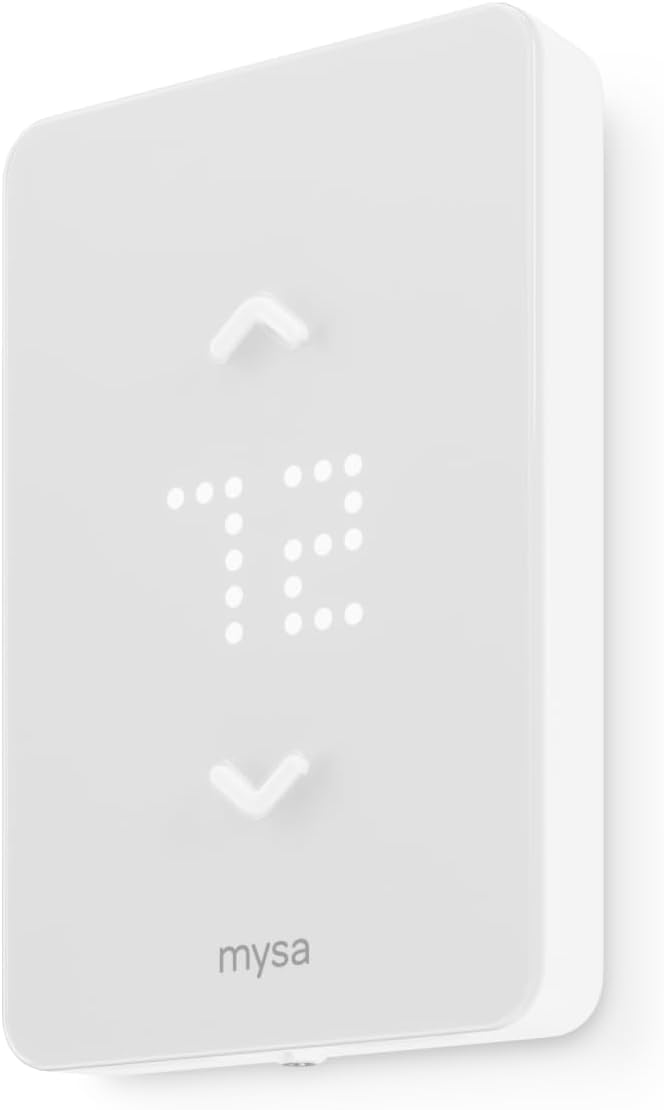
Mysa Smart Thermostat (V2)
The “Nest” for Baseboards. Mysa is the undisputed leader in high-voltage smart control. It works with Alexa, Google Home, and Apple HomeKit. It handles both 120V and 240V and looks sleek on any wall.
Check Price on AmazonSee comparison: Are WiFi thermostats worth it?

Honeywell Home 5-2 Day Programmable
Best Value. If you don’t need Wi-Fi but want to stop the “too hot/too cold” cycle, this digital unit uses TRIAC switching for silent operation (no clicking).
Check Price on Amazon
Cadet Mechanical Double Pole
Budget Pick. A simple, durable mechanical dial. It’s cheap, effective, and handles up to 22 amps. Great for garages or rarely used rooms.
Check Price on AmazonMysa V2 Deep Dive: Why It’s Worth The Premium
Mysa is the undisputed leader in the line-voltage smart thermostat category, and its V2 release pushed the gap even further. If you’re going to spend on a smart line-voltage thermostat, Mysa is the default pick — but understanding why helps you decide whether it’s worth it for your situation.
The TRIAC Engine
Mysa V2 uses an updated TRIAC switching design that pulses electricity to the heater in millisecond bursts rather than triggering a relay every time the thermostat calls for heat. The practical benefits: no audible clicking (a relay clicks dozens of times an hour during heavy heating cycles), no relay wear (relays mechanically fatigue after a few hundred thousand cycles), and finer temperature control because the heater can be modulated rather than just switched on or off. Our review of the Mysa V2 with triac switching vs relay noise covers the engineering trade-offs in depth.
Three-Way Smart Home Compatibility
The big advantage Mysa has over budget alternatives is comprehensive smart home support: Alexa, Google Home, and Apple HomeKit all work natively, with no hub or bridge required. SmartThings and IFTTT integrations cover the remaining ecosystem players. If you already have smart speakers, smart locks, or other connected devices, Mysa slots in seamlessly.
For Apple Home users specifically, our piece on HomeKit thermostat automation, geofencing, and scenes walks through what’s possible with Mysa as your line-voltage anchor.
Geofencing & Schedule Logic
Mysa supports both schedule-based heating (you tell it when to be warm) and geofencing-based heating (it detects when you’re approaching home and pre-warms the room). For a deeper explanation of how these features work, see our pieces on what a geofencing thermostat is and what the thermostat home/away feature is.
The schedule logic is especially smart with electric baseboard heat because of the slow warm-up time — Mysa can start ramping the heater up 30 minutes before you actually want the room warm, so you walk into a comfortable space rather than waiting for the heat to catch up.
Energy Reports
Mysa’s app provides detailed energy usage reports broken down by day, week, month, and year. This is more useful than it sounds: when you can see exactly how many kilowatt-hours each room uses, you can identify which rooms are running inefficiently (often due to drafts, poor insulation, or a thermostat schedule that doesn’t match actual occupancy). Our roundup of the best smart thermostat for energy savings covers Mysa’s energy reporting in detail alongside competitors.
Mysa Limitations
Mysa is excellent but not perfect. The known weak spots:
- Higher amperage limit than some competitors: Mysa V2 handles up to 3800W of resistance load, which covers most single-room installations but won’t handle a single thermostat controlling multiple large baseboards in series.
- Requires a strong WiFi signal: Like all WiFi thermostats, Mysa needs a reliable signal at the wall location. In basements and outbuildings, this can be limiting.
- No physical buttons: The capacitive touch interface is sleek but can be tricky for older users or anyone wearing gloves.
- Pricier than necessary for low-use rooms: A $140 Mysa is overkill for a guest room baseboard that runs 50 hours a year.
If you’re cross-shopping Mysa against the best low-voltage smart thermostats more generally, our piece on key features to compare when buying a smart thermostat covers the underlying spec sheet you should always check.
Sinope: The Mysa Alternative Worth Knowing
The biggest direct competitor to Mysa in the line-voltage smart thermostat space is Sinope, a Quebec-based brand that’s particularly strong in Canadian markets. Many homeowners cross-shop these two brands and end up paralyzed because they’re genuinely close in capability.
Where Sinope Wins
- Wider amperage range: Sinope’s thermostats handle up to 4000W in some models, slightly more than Mysa.
- Hub-based ecosystem: Sinope uses a Neviweb hub for connectivity, which can be more reliable than direct WiFi in homes with weak signals at the wall.
- Stronger Canadian utility partnerships: Some Hydro-Québec rebate programs are tailored specifically to Sinope hardware.
Where Mysa Wins
- No hub needed: Mysa is direct WiFi, simpler setup.
- Stronger US smart-home ecosystem support: Native HomeKit support is significantly better.
- Cleaner aesthetics: The minimalist front face of Mysa V2 looks better in most modern homes.
For a head-to-head walkthrough, our piece on Mysa vs Sinope electric baseboard thermostat covers the decision framework in detail.
Why Upgrade? The “Pulse” vs. The “Click”
Old mechanical thermostats use a bi-metal strip that snaps a contactor shut. This results in the heater running at 100% until the room is hot, then shutting off until the room is cold. This leads to massive temperature swings.
Modern digital thermostats (like the Honeywell and Mysa above) use TRIAC switching. Instead of simple On/Off, they “pulse” electricity to the heater in short bursts to maintain a precise temperature within 0.5 degrees. This is similar to how thermostatic shower systems mix water to hold a steady temp.
The Math Behind The Comfort Difference
Bi-metal mechanical thermostats typically have a “differential” of 4-5°F. That means if you set the dial to 70°F, the heater turns on at 68°F and turns off at 72°F (after a delay due to the heater’s thermal inertia, the actual swing can be 6-8°F). Whatever you set, the room is constantly cycling above and below the setpoint.
Modern electronic thermostats with TRIAC switching can hold a room within 0.5°F of the setpoint by pulsing the heater. Set it to 70°F, and the room genuinely stays at 70°F. The energy savings come from never overshooting the setpoint (overshoot is wasted energy because you’re heating beyond what was needed) and never undershooting (undershoot causes the heater to slam back on at full power).
Benefits of Electronic Control:
- Silence: No more loud “CLICK” in the middle of the night. Why is my thermostat clicking?
- Efficiency: TRIAC systems can save 10-20% on heating bills by preventing overshoot.
- Safety: Modern units have better thermal protection.
- Longevity: No moving parts means no relay failures over the device’s life.
- Programming: Set different temperatures for different times of day automatically.
Why Some Premium Models Still Use Relays
Not every electronic thermostat uses TRIAC. Some premium units (including some Honeywell digital models and most Sinope models) still use mechanical relays — they just use them more intelligently than the old bi-metal designs. These relay-based electronic thermostats can be perfectly accurate and energy-efficient, but they will still produce an audible click when they switch.
If silence is a top priority (bedroom installation, home office, anywhere noise sensitivity matters), prioritize TRIAC-equipped models. If you don’t mind the occasional click, relay-based electronic thermostats are usually a few dollars cheaper and slightly more durable in dusty environments.
Amperage Sizing & Wattage Math
One of the most common mistakes in retrofit projects is buying a thermostat that can’t actually handle the load it’s switching. Every line-voltage thermostat has a maximum amperage rating, and exceeding it will eventually cause failure (often a fire-causing failure).
The Formula: Watts ÷ Volts = Amps
This is the only math you really need. Take the total wattage of all baseboards on the circuit, divide by the voltage, and you get the amperage the thermostat will be switching.
Example 1: A single 1500W baseboard on a 240V circuit.
1500 ÷ 240 = 6.25 amps. Any modern line-voltage thermostat handles this easily.
Example 2: Three 1000W baseboards in series on a 240V circuit.
3000 ÷ 240 = 12.5 amps. Mysa V2 (rated to 15.6 amps at 240V) can handle this. Some budget thermostats rated to 12.5A maximum cannot — they’re being asked to run at 100% capacity all the time, which is a recipe for failure.
Example 3: Two 1500W baseboards in series on a 120V circuit.
3000 ÷ 120 = 25 amps. This exceeds nearly every wall-mounted thermostat on the market. You either need a relay-extended setup or a different wiring configuration.
Why You Should Size For 80% Of Maximum
National Electrical Code (NEC) requires “continuous duty” loads (running for 3+ hours at a time) to be sized at 80% of the breaker rating. The same logic applies to thermostats. If a thermostat is rated for 15 amps, your continuous load should be no more than 12 amps. This buffer extends the device’s life dramatically and stays well within fire-code best practices.
Translating that to wattage at 240V: a 15A thermostat should switch no more than 2880W (15 × 240 × 0.8). At 120V: 1440W. Always leave headroom.
Common Wattage By Heater Size
- 2-foot baseboard: 250-500W
- 3-foot baseboard: 500-750W
- 4-foot baseboard: 750-1000W
- 6-foot baseboard: 1000-1500W
- 8-foot baseboard: 1500-2000W
- Fan-forced wall heater: 1000-2000W
- Cove heater: 1500-2500W
Most homes have one baseboard per room, so amperage is rarely a problem with modern smart thermostats. The exception is when you have multiple baseboards wired to a single thermostat — common in larger rooms or open floor plans.
Multi-Zone Strategies for Baseboard Heat
One of the underrated advantages of electric baseboard heat is the natural zoning. Each room (or each baseboard) can have its own thermostat, allowing precise control that’s difficult with central HVAC. The challenge is managing all those individual thermostats coherently.
The “One Thermostat Per Zone” Reality
Unlike a central HVAC system where one thermostat controls the whole house, baseboard heat fundamentally needs one thermostat per zone. A zone usually corresponds to a single room, but in larger spaces (open-plan kitchen/living, master suite with attached bath) you may have multiple zones in one visual space.
This means a typical 3-bedroom home with electric baseboard heat will have 6-8 thermostats. If you go full smart, that’s 6-8 Mysa or Sinope units, which adds up fast.
Cost Reality Check
For a 3-bedroom home upgrading every zone to smart thermostats:
- 6 Mysa V2 thermostats: ~$840 in hardware
- Installation labor: $300-600 if hiring an electrician
- Total project cost: $1,100-1,500
This sounds steep, but if your annual electric heating bill is $2,000-3,500 (typical for cold-climate homes with full electric heat), even a 15% savings pays back the investment in 1-2 years. Beyond that, every year is pure savings.
Zone Prioritization Strategy
If you can’t afford to upgrade every zone at once, here’s the order to prioritize:
- Bedrooms: Biggest savings from nightly setbacks (cooler at night, warmer just before waking).
- Living room / family room: Highest occupancy hours, biggest comfort win.
- Home office: Targeted heating during work hours, deep setback otherwise.
- Kitchen: Often warmed by cooking; needs less aggressive heating than other rooms.
- Bathroom: Short occupancy windows mean schedule-based pre-warming pays off well.
- Guest rooms / rarely used rooms: Lowest priority. A simple programmable like the Honeywell RLV4305A is plenty.
Mixed Smart and Dumb Setups
You don’t need to upgrade every thermostat to smart at once. A common cost-effective strategy: smart Mysa or Sinope in the most-used zones (living room, bedrooms, office) and basic mechanical or programmable units in low-use zones (basements, unused bedrooms, garages). This gets you most of the benefit at half the cost.
For a deeper look at how multi-zone management compares to centralized control, our pieces on Honeywell T9 vs T10 Pro IAQ wiring and Ecobee vs Honeywell remote sensor range and multi-zone cover the central-HVAC equivalent.
Smart Features That Actually Matter For Baseboard Heat
Smart thermostats come loaded with features, but not all of them matter equally for line-voltage baseboard applications. Here’s the honest breakdown of which features genuinely improve your life and which are marketing fluff.
Features That Actually Save You Money
- Adaptive learning / scheduling: The thermostat figures out when you’re home and when you’re not, adjusting heat accordingly. Big savings, especially with electric heat. See our piece on what thermostat adaptive learning is for the full explanation.
- Geofencing: Phone-based location detection turns the heat down when everyone leaves the house and warms it up before someone gets home. Read more in what a geofencing thermostat is.
- Energy usage reports: Critical for electric heat. You see exactly which rooms cost the most and can investigate why.
- Vacation mode: Drop the temperature for extended absences without losing your normal schedule. See what temperature to set your thermostat when on vacation in winter.
Features That Are Nice But Not Essential
- Voice control: Cool when it works, but you’ll only use it occasionally. Don’t pay extra just for this.
- Color screens: Pretty, but eat slightly more standby power.
- Multi-user accounts: Useful in family homes, but most family members only adjust through the wall unit anyway.
- Weather integration: Sometimes the thermostat will pre-warm based on tomorrow’s forecast. Marginal benefit.
Features That Don’t Matter For Baseboard Heat
- Humidity sensing: Useless if you have separate dehumidifiers. Check our piece on whole-house dehumidifiers if humidity is a concern.
- Air quality monitoring: Nice in central HVAC where the system can react with filter alerts. Mostly cosmetic in baseboard setups since baseboards don’t move air.
- Remote temperature sensors: A central HVAC thermostat with remote sensors can balance heat across rooms. With baseboard, each room already has its own thermostat — remote sensors are redundant.
Connectivity Considerations
For most line-voltage smart thermostats, WiFi connectivity is essential because the thermostat needs to communicate with the cloud for app control. Make sure your WiFi reaches the wall location reliably. Our piece on how smart thermostat connectivity works explains the protocols and what to look for.
Installation: A Step-by-Step Overview
Installing a line voltage thermostat is different than a low voltage one. (For general thermostat use guidance, see our piece on how to use a thermos as well — different topic but same brand of practical guidance.)
- Power Down: Turn off the circuit breaker.
- Remove Old Unit: Unscrew the faceplate and pull it forward. You will likely see thick wires (Black or Red) connected with wire nuts.
- Identify Wires:
- Line: The wires coming from the breaker panel (Power IN).
- Load: The wires going to the heater (Power OUT).
- Connect Ground: Ensure the copper ground wire is connected to the box.
- Connect New Unit: Follow the manufacturer’s diagram matching Line to Line and Load to Load.
- Mount and Test: Turn power back on and increase the set temp.
Verifying Power Is Actually Off
Before any wire-touching, use your non-contact voltage tester at every wire in the box. Touch the tester to each wire one by one. The tester should be silent on all wires. If any wire makes the tester beep, you turned off the wrong breaker or the circuit is fed from multiple breakers. Stop and figure out why before proceeding.
Some older homes have wiring quirks where a thermostat is fed from one breaker but a related fixture is on another. Don’t trust labels — verify with a tester.
Identifying Line vs Load When Wires Aren’t Labeled
Most installations come with the previous thermostat’s wires loose in the box, often with no clear labeling. Here’s how to identify which is which:
- With the breaker OFF, separate the wires so none touch each other or the box.
- Restore power at the breaker.
- Carefully measure voltage between each wire and the bare copper ground wire using your multimeter (set to 250VAC).
- The wires reading ~120V or ~240V are LINE (power in).
- The wires reading 0V are LOAD (power out, dead because the circuit isn’t completed).
- Cut power again before reconnecting.
If both pairs of wires read voltage, you may have a multi-wire branch circuit, which is more complex and may benefit from professional help.
Wire Gauge Considerations
Most baseboard circuits use 12 AWG copper for 20A circuits or 14 AWG for 15A. Make sure your thermostat’s wire terminals can accommodate the wire gauge in your box. Mysa and most modern thermostats use pigtail leads that you connect with wire nuts, which handles any gauge from 18 AWG up to 10 AWG. Some older terminal-block designs are limited to 14 AWG and below — don’t try to force 12 AWG into a terminal designed for 14 AWG.
Common Installation Mistakes
- Reversing line and load: Won’t damage anything but the thermostat won’t work. Swap them and try again.
- Failing to connect ground: The thermostat may work but you’ve created a code violation and a safety hazard.
- Using indoor wire nuts on outdoor terminals: Outdoor or damp installations need rated weatherproof wire nuts.
- Mounting too close to a heat source: Don’t install a thermostat directly above or in line with a baseboard. Heat rising from the baseboard will fool the sensor and cause short cycling.
- Skipping the level: Crooked installs look bad and can cause certain capacitive screens to behave erratically.
Troubleshooting: If you install it and the screen is blank, or it keeps restarting, check our guide on why thermostats keep rebooting.
Troubleshooting Common Baseboard Thermostat Problems
Even after a clean install, problems can crop up. Here are the most common ones we see and how to fix them.
The Thermostat Display Is Blank
For line-voltage thermostats with no batteries (most modern smart units like Mysa), a blank screen means no power is reaching the thermostat. Check:
- Breaker tripped? Reset it.
- Wire nut loose at the line connection? Re-tighten with the breaker off.
- Heater element burned out and creating an open circuit? Replace the element.
For battery-powered models, the issue is usually dead batteries. Our guide on thermostat low battery fading display and relay click failure covers this in detail.
The Heater Won’t Turn On Despite Calls For Heat
Cause #1: A loose wire nut at the load terminal. Tighten with breaker off.
Cause #2: The heater element has burned out. Test with a multimeter (with power off) — set to ohms and measure across the heater. A working element reads 8-50 ohms depending on wattage. An infinite reading (open circuit) means the element is dead and needs replacement.
Cause #3: The thermostat is faulty. Test by directly bridging line to load with a wire nut (with breaker off, then power on). If the heater runs, the thermostat is bad.
Our broader diagnostic walkthrough on thermostat says heat is on but no heat covers this category of failure across both line-voltage and low-voltage systems.
The Heater Won’t Stop Running
Cause #1: The thermostat’s contacts are welded shut. Replace the thermostat.
Cause #2: The setpoint is higher than the room can actually achieve (insufficient heater capacity, drafty room, leaky windows). Lower the setpoint or address the underlying issue.
Cause #3: The temperature sensor is malfunctioning. Test by placing a separate thermometer near the thermostat — if readings differ by more than 2°F, the sensor is bad.
The Thermostat Keeps Rebooting
For smart line-voltage units, this is usually a power quality issue. The thermostat is detecting voltage drops and resetting. Causes include: a loose neutral connection somewhere in the circuit, a partially burned-out heater element creating intermittent contact, or extremely dirty contact at the breaker. Our piece on thermostat rebooting when AC turns on: voltage drop and transformer load covers similar symptoms in more detail.
The Room Temperature Doesn’t Match The Setpoint
Common causes:
- Thermostat is mounted in direct sunlight (artificial high reading, room stays cold).
- Thermostat is over a heat register or near a baseboard (artificial high reading).
- Thermostat is on an exterior wall where cold air seeps through (artificial low reading, room overheats).
- Sensor is failing.
Our piece on why a thermostat shows the wrong room temperature walks through every cause systematically.
Audible Buzzing Or Humming
Some line-voltage thermostats with TRIAC switching can produce a faint buzz audible only at very close range. This is normal. If the buzz is loud, persistent, or audible from across the room, something is wrong:
- Loose wire nut creating arcing — turn off power immediately and re-make the connection.
- Faulty TRIAC component — replace the thermostat under warranty.
- Resonance with a specific heater design — try a different thermostat brand.
Energy Savings Calculator: Real Numbers
The single most common question about smart line-voltage thermostats: do they actually save money? The honest answer is yes, but the magnitude depends heavily on your starting point.
Starting Point: Mechanical Bi-Metal Thermostat
If you’re upgrading from an old mechanical thermostat (the dial-style with a “+1, +2, off, low, med, high” setting), expected savings are 15-25% on heating costs. Why so much? Mechanical thermostats can’t run a schedule, can’t adjust for occupancy, and have huge differential swings that waste energy on overshoot.
For a typical Northern home with $2,500/year in electric heating, that’s $375-625 in annual savings.
Starting Point: Older Programmable Digital Thermostat
If you already have a basic programmable digital thermostat from 10+ years ago, expected savings are 5-10%. The big remaining wins come from geofencing, learning algorithms, and tighter temperature control.
For the same $2,500/year heating bill, that’s $125-250 in annual savings.
Starting Point: Modern Programmable Thermostat
If you have a recent (post-2015) digital programmable thermostat, the smart upgrade saves 3-7%. Most of the headline efficiency improvements were already captured in the digital programmable transition. Smart features add convenience and finer control but the dollar impact is smaller.
For the same $2,500/year heating bill, that’s $75-175 in annual savings.
The Real Math: Payback Period
Mysa V2 retails around $140 per unit. For a 3-bedroom home with 6 zones:
- 6 Mysa V2 thermostats: $840
- DIY install: $0 in labor
- Annual savings (mid-range estimate): $300-500
- Payback period: 18-30 months
- 10-year savings (assuming flat electricity rates): $3,000-5,000
- Net 10-year benefit: $2,160-4,160
Realistically, electricity rates aren’t flat — they increase faster than inflation in most US and Canadian markets. The longer the time horizon, the more attractive the smart upgrade looks. Our pieces on do smart thermostats really save money and how a smart thermostat saves money dig into this in more depth.
Utility Rebates Sweeten The Deal
Many utilities offer rebates of $50-150 per smart thermostat. For Canadian homeowners, Hydro-Québec, BC Hydro, and Manitoba Hydro all have generous programs for line-voltage smart thermostats specifically. Combined federal and provincial energy efficiency programs can knock another 20-40% off the upgrade cost. Our 2026 guide to smart thermostat rebates with savings calculator covers all current programs.
Room-By-Room Recommendations
Different rooms have different needs. Here’s a room-by-room breakdown of which thermostat features matter most.
Living Room / Family Room
The room you spend the most active hours in. Prioritize features: tight temperature control (TRIAC switching), schedule support (warm in evenings, setback overnight), voice control if you have smart speakers nearby. The Mysa V2 is ideal here.
Bedrooms
Sleep temperature matters more than you’d think. The ideal bedroom temperature is 60-67°F, much cooler than living spaces. A smart thermostat lets you schedule a warmer pre-sleep temperature and a cooler overnight setback automatically. Our piece on the ideal room temperature for sleeping covers the science. Mysa or Sinope work well here. Silent operation is critical — avoid relay-based units in bedrooms.
Home Office
The newest hot category given the work-from-home shift. You want aggressive heating during work hours (8am-5pm) and deep setbacks otherwise. Mysa with geofencing is perfect because it can detect when you leave for an errand and dial back automatically.
Kitchen
Often warmed by cooking. You don’t need aggressive heating during dinner-prep hours but need solid baseline heat at other times. A basic programmable like the Honeywell RLV4305A1000 is plenty.
Bathroom
Short occupancy windows (morning routine, evening shower) mean schedule-based pre-warming pays off well. A smart thermostat is overkill for bathroom-only baseboards unless they’re large; a programmable is usually sufficient.
Basement / Garage
Often kept just above freezing for pipe protection and storage. Mechanical or basic programmable thermostats are perfect. Save your smart thermostat budget for high-use rooms.
Guest Rooms
Lowest priority. A simple programmable that can be cranked up the day before guests arrive and dialed back the day after they leave is ideal. Mechanical doesn’t even need swapping unless it’s failing.
Cold Climate Considerations
Electric baseboard heat is most common in cold-climate regions where natural gas isn’t readily available — Quebec, Maritime Canada, parts of New England, Pacific Northwest interior, mountain regions. Climate considerations affect both thermostat choice and operating strategy.
Below-Freezing Considerations
If your home routinely sees -20°F or colder, baseboard heaters work harder for longer cycles. Cheap thermostats with marginal amperage ratings can fail under sustained heavy load. Stick with thermostats rated well above your actual amperage needs (Mysa V2 at 15.6A, Sinope at 16A) rather than budget options at the edge of their rating.
Pipe Freeze Prevention
Smart thermostats let you set a minimum temperature that the heater won’t drop below regardless of any other setting. For pipe protection, set this to 50-55°F. Even if everyone is away on vacation and the schedule has been set to “off,” the thermostat will kick on when room temperature drops to 50°F.
Our piece on recommended thermostat settings for winter covers freeze prevention strategy in detail.
Power Outage Recovery
In cold climates, multi-day power outages happen. Modern smart thermostats handle this well — they remember settings through brief outages, and Mysa specifically has good outage-recovery logic that prevents the breaker from tripping when all heaters try to come on simultaneously after restoration. Older thermostats may need manual reset after extended outages.
Why The House Feels Cold Even With Heat On
Sometimes the issue isn’t the thermostat — it’s that the heat output is undersized for the actual room or that drafts are pulling heated air outside. Our piece on why your house feels cold even with the heating on covers this scenario systematically.
Radiant Floor vs Baseboard: Which Thermostat Is Right?
Some homeowners cross-shop electric baseboard against electric radiant floor, especially during major renovations. Both are line-voltage systems but they behave very differently and need different thermostats.
Baseboard Thermostat Choices
Most line-voltage thermostats work — Mysa, Sinope, Honeywell, Cadet. The choice is mostly about smart features and aesthetics.
Radiant Floor Thermostat Choices
Specialized requirements:
- GFCI protection: Required by code for radiant floor systems. Many baseboard thermostats lack this. Our roundup of the best thermostat for electric radiant floors with GFCI line-voltage covers the right options.
- Floor sensor input: Radiant floor thermostats accept a separate sensor placed in the floor itself. This dual-sensor approach (air sensor + floor sensor) prevents floor damage from over-heating.
- Slower response algorithm: Floors take hours to warm up; the thermostat algorithm is tuned for that timescale rather than minutes.
Don’t try to use a baseboard thermostat on a radiant floor or vice versa. The control logic is genuinely different and you’ll have problems.
Hydronic Radiant Considerations
Boiler-fed radiant floor systems (hydronic) use entirely different controllers — typically low-voltage thermostats designed for boiler control. The Tekmar series is the gold standard. Our piece on Tekmar 561 vs 519 radiant floor control compares the leading models.
Rental & Landlord Considerations
If you’re a landlord with electric baseboard heat in your rental units, smart line-voltage thermostats are particularly valuable. They give you remote monitoring, vacancy management, and tenant-proof temperature limits — features that simply aren’t available with mechanical thermostats.
Why Landlords Should Care About Baseboard Smart Thermostats
Tenants paying their own electric bills have an incentive to keep heat low, but they don’t have an incentive to maintain proper minimum temperatures during cold snaps. A frozen pipe in a tenant’s unit becomes the landlord’s $20,000-50,000 problem. Smart thermostats let you enforce a minimum temperature regardless of tenant settings.
For landlords specifically, the Mysa or Sinope integration with property management portals is the key feature to look for. Our roundup of landlord thermostat lockouts with PIN range limits covers the full landlord-feature framework.
Mysa For Multi-Unit Properties
Mysa offers a property manager portal that lets you monitor and control every unit’s thermostats from a single dashboard. This is especially valuable in vacation properties, short-term rentals, or any building where you want fleet-level visibility. Cost is meaningful at scale — 12 Mysa units in a 4-unit building is $1,680 in hardware — but the operational benefits are substantial.
Tenant Education
Smart line-voltage thermostats look unfamiliar to tenants used to mechanical dials. Plan to leave a one-page tenant cheat sheet covering how to set the temperature, how to adjust the schedule, and what limits are in place. Most lease disputes around smart thermostats come from miscommunication about what the tenant can and cannot adjust.
Brand-By-Brand Buying Guide
Here’s a quick reference of every brand you’ll encounter in the line-voltage thermostat aisle and where each one fits.
Mysa
Premium smart line-voltage thermostat. TRIAC switching, full smart-home compatibility, sleek aesthetics. Best for: high-use rooms in modern homes. Our Mysa smart thermostat for baseboard heaters review covers performance in detail.
Sinope
Quebec-based premium smart line-voltage with hub-based connectivity. Best for: Canadian homes and homes with weak WiFi at thermostat locations. See our Mysa vs Sinope comparison.
Honeywell
Reliable mid-tier digital programmable line-voltage thermostats. The RLV4305A1000 is the budget value pick. Best for: low-to-medium-use rooms where smart features aren’t worth the premium. For Honeywell’s broader thermostat lineup, see how long Honeywell thermostats last.
Cadet
Major manufacturer of electric heaters and matching mechanical thermostats. Cadet’s mechanical double-pole thermostats are bulletproof for garages, basements, and outbuildings. Not smart, not programmable, not silent — but cheap and reliable.
King Electrical
Similar to Cadet — solid mechanical and basic digital line-voltage thermostats. Common in PNW retail (Home Depot, Lowe’s). Adequate for basic needs.
Stelpro
Quebec-based brand competing with Sinope. Solid quality, narrower smart-home support. Best for Canadian buyers who want a Sinope alternative.
Aube (Honeywell Sub-Brand)
Aube produces relay/transformer products that let you bridge low-voltage thermostats to line-voltage heaters. The Aube RC840T relay is the most common workaround for using a Nest or Ecobee with baseboard heat. Expensive at scale (one relay per zone) but useful in single-zone retrofits.
Lux
Budget brand making basic mechanical and digital line-voltage thermostats. Adequate for low-stakes installations.
Trane / Carrier (Pro-Line Brands)
Generally focused on central HVAC, not baseboard. If you see Trane- or Carrier-branded line-voltage thermostats, they’re typically OEM-branded units from the manufacturers above. For more on these brands’ broader HVAC offerings, see our piece on Trane vs Carrier Spine Fin Coil vs Greenspeed.
Frequently Asked Questions (FAQ)
Can I use a Nest or Ecobee with baseboard heat?
Directly? No. Nest and Ecobee run on 24V. Baseboards run on 120V/240V. However, you can use a relay transformer (like the Aube RC840T) to bridge the gap. This relay steps down the voltage, allowing a Nest to control a high-voltage heater. Be aware, you need one Nest and one Relay for every zone, which gets expensive.
Q: My thermostat says “Heat On” but the baseboard is cold. Why?
A: In high-voltage systems, this usually means a loose wire connection in the wire nut, or the heating element inside the baseboard has burned out. Unlike gas furnaces, there is no pilot light to fail. Check out: Thermostat says Heat On but no heat.
Q: What temperature should I set when I go on vacation?
A: For electric heat, we recommend 50-55°F to prevent pipe freezing without wasting electricity. Read more: Vacation settings for winter.
Q: How many baseboards can a single thermostat control?
A: As many as the thermostat’s amperage rating allows. Calculate total wattage of all baseboards on the circuit, divide by voltage to get amps, and stay under 80% of the thermostat’s max amp rating. For a Mysa V2 (15.6A at 240V), that means a maximum continuous load of about 3000W, or roughly two 1500W baseboards.
Q: Do line-voltage thermostats need batteries?
A: Most modern smart line-voltage units (Mysa, Sinope) draw their power directly from the 120V/240V supply and don’t need batteries at all. Older digital programmables sometimes use a backup battery to retain memory through outages. Mechanical thermostats use no power at all.
Q: Can I install a smart line-voltage thermostat myself?
A: Yes, if you’re comfortable working with line voltage and have the right tools (especially a non-contact voltage tester). Always turn off the breaker first and verify with a tester. If you’ve never done electrical work before, consider hiring an electrician for the first installation and watching how they do it.
Q: Why is my baseboard noisy?
A: Most baseboard noises come from thermal expansion as the metal heats and cools. Some are from the relay clicking in older thermostats. Some are from dust burning off after summer disuse. Loud popping or persistent humming may indicate a problem — investigate.
Q: How long do baseboard heaters last?
A: Properly maintained electric baseboards routinely last 20-30 years. The element is the main wear item — when it fails, you can replace just the element rather than the whole baseboard, often for under $50.
Q: What’s the difference between baseboard and a mini-split heat pump?
A: Baseboards are 100% electric resistance — every kWh in produces one kWh of heat. Mini-split heat pumps move heat from outside air using a refrigeration cycle, producing 2-4 kWh of heat per kWh of electricity. Heat pumps are far more efficient but more expensive upfront. For deeper context, see our piece on what inverter technology in HVAC is.
Q: Do smart line-voltage thermostats work with bathroom heaters?
A: Yes, with caveats. Most are rated for normal-humidity environments (a typical bathroom is fine). Steam-saturated environments (an active sauna) can damage the electronics. Don’t install a Mysa directly above or in a sauna.
Q: Will my thermostat switching schedule trip the breaker?
A: Generally no, because thermostats don’t draw any inrush current themselves. The heater they switch can trip the breaker if it’s undersized, but that’s a circuit design issue, not a thermostat issue.
Q: Can I lock the temperature so my tenants/kids can’t change it?
A: Yes. Most smart line-voltage thermostats support PIN locks and temperature range limits. Set a minimum of 60°F and a maximum of 75°F, and the user can only adjust within that range. For tenant-specific scenarios, see our roundup of programmable thermostats with keypad lock.
Q: Is there a smart thermostat that handles both baseboard and central HVAC?
A: No single thermostat does both because the voltage and switching requirements are completely different. If your home has both systems (a common scenario in renovated older homes), you need separate thermostats for each.
Q: What’s the best thermostat for a Bosch heat pump?
A: Heat pumps need different control logic than baseboard heat. Our roundup of the best thermostats for Bosch heat pumps covers this specifically. Don’t use a baseboard thermostat on a heat pump.






 Home
Home
 Info
Info
 Compare
 Reviews
 Shop
Shop