Buying Guide · 2026 Edition
The Best Thermostat Lock Boxes: Every Scenario, Every Budget, Every Setup Covered
Whether you’re a landlord, hotel manager, school facilities director, or just tired of family members cranking the heat — this is the most thorough guide to thermostat lock boxes you’ll find anywhere online.
Quick Answer: What’s the Best Thermostat Lock Box?
The Lux Products LCB10 Thermostat Guard is the best overall thermostat lock box for most homes and rentals — it fits nearly every standard thermostat, ships with a key lock, and installs in under 10 minutes. For commercial settings, the Honeywell Home CG511A1000 offers heavy-duty polycarbonate and vented airflow. For smart thermostats like the Nest or Ecobee, a custom-fit or open-front guard is essential to preserve touch functionality.
1. What Is a Thermostat Lock Box — and What Does It Actually Do?
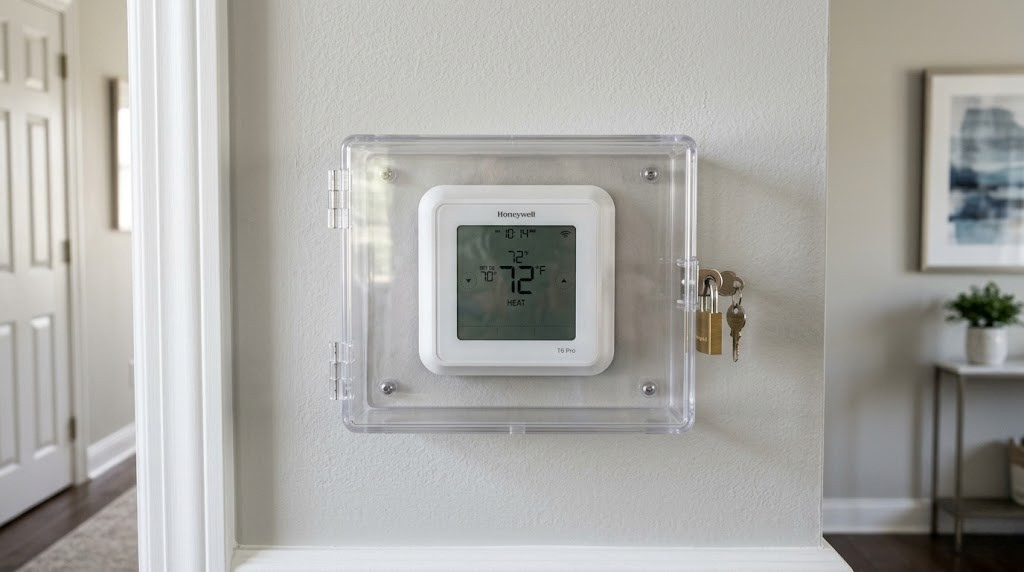
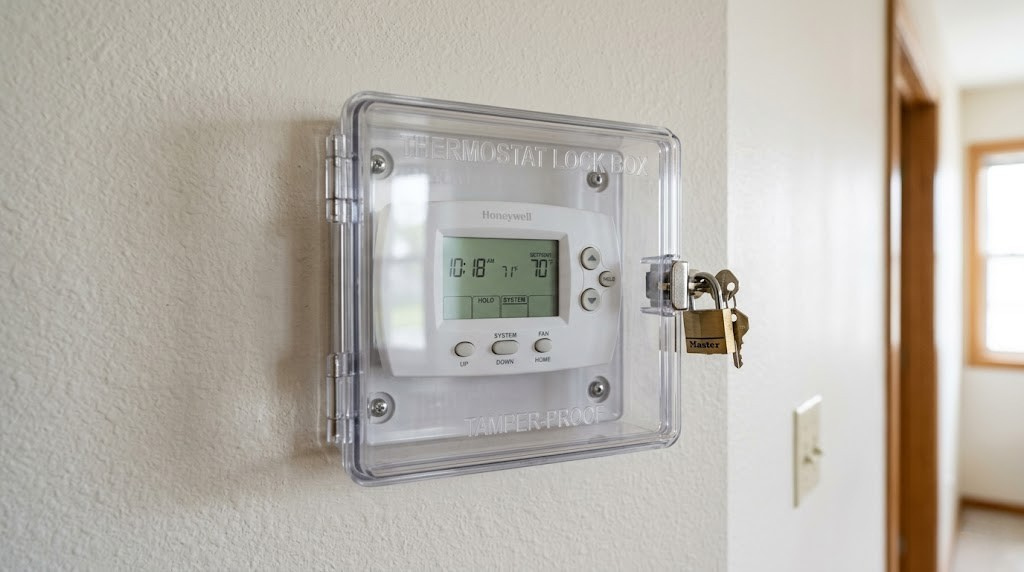
A thermostat lock box — also called a thermostat guard, thermostat cover, or thermostat cage — is a protective enclosure that fits over your existing thermostat and physically prevents unauthorized users from adjusting temperature settings. Think of it as a combination of a shield and a lock, mounted directly to the wall around your thermostat.
At its most basic level, a lock box surrounds the thermostat on all sides, leaving only a small transparent or mesh window so occupants can see the current temperature. A key lock, padlock slot, or combination dial on the front prevents anyone without the key or code from opening the cover and fiddling with the controls.
More advanced models include built-in venting to allow accurate temperature sensing, tamper-resistant screws for wall mounting, and even integrated cable pass-throughs for smart thermostat wiring. Some premium designs are purpose-built for specific thermostat models and snap on in seconds without any tools at all.
What a Lock Box Does NOT Do
A thermostat lock box does not change, reprogram, or limit the thermostat itself. The thermostat inside continues to function exactly as it always has — the lock box simply prevents anyone without the key from reaching the buttons, dial, or touchscreen. This is an important distinction: if you want to set minimum or maximum temperature limits programmatically, you’ll need a thermostat with a built-in keypad lockout feature. A lock box is a physical solution; thermostat lockout modes are a digital one. Many landlords and facility managers use both together for the most complete control.
It’s also worth clarifying that a lock box is not a security device in the traditional sense — it won’t stop a determined person with a hammer. Its purpose is deterrence and everyday convenience: it removes the casual temptation to “just bump it up a degree” and signals to occupants that the temperature is managed by someone else.
2. Why You Actually Need a Thermostat Lock Box (More Reasons Than You Think)
The obvious use case is rental properties and commercial spaces. But the honest truth is that thermostat lock boxes solve real problems in an impressive variety of settings — from single-family homes to five-star hotels. Let’s break down the scenarios where a lock box pays for itself almost immediately.
Rental Properties and Landlord Protection
If you’re a landlord, you know that tenants and thermostats have a complicated relationship. One tenant runs the AC at 62°F all summer; another cranks the heat to 78°F through a Michigan winter. When utilities are included in rent, this directly eats into your margins. Even when utilities are tenant-paid, extreme settings can strain HVAC equipment, shorten compressor life, and lead to premature system replacement — a cost that ultimately falls on you.
A thermostat lock box lets you preset a comfortable, efficient range and ensure it stays there. You can still access the thermostat at any time for maintenance or seasonal changeovers, but routine adjustments are simply off the table for tenants. If you’re thinking about pairing this with a smarter solution, check out our guide on landlord thermostat lockouts and PIN range limits — combining both approaches gives you the most comprehensive control.
Offices and Commercial Buildings
Office thermostat wars are legendary for a reason. Research consistently shows that workplace temperature disagreements cost companies measurable productivity time, and facilities managers at commercial properties deal with multiple thermostat adjustments per day in busy seasons. A lock box with a master key kept by facilities staff ends the debate cleanly.
In commercial settings, lock boxes also serve a compliance function. Many utility companies and green building standards require that HVAC systems operate within defined setpoint ranges. A physical lock box provides an auditable, tamper-evident layer of compliance that software-only solutions can’t always match.
Hotels, Airbnb, and Short-Term Rentals
In hospitality settings, guests frequently adjust thermostats to extremes — leaving windows open while the AC runs at full blast, or cranking heat in already-warm climates. For hotels operating dozens or hundreds of rooms, the aggregate waste is staggering. A lock box preset to a seasonal comfort range, combined with a programmable thermostat on an occupancy schedule, can meaningfully reduce utility costs per occupied room.
For Airbnb hosts with particularly sensitive HVAC systems, a lock box prevents guests from accidentally engaging emergency heat, switching to “fan only” mode, or triggering modes that cause HVAC problems — then leaving before you discover the issue.
Schools, Gyms, and Public Buildings
Classrooms are notorious thermostat battlegrounds. Teachers want it cool; students want it warm; the principal wants it at exactly the energy-code mandated 68°F. Gyms deal with the same problem in reverse — the high heat generated during exercise means members constantly reaching for the thermostat, even in climate-controlled spaces where the HVAC is already compensating appropriately.
Public buildings with high foot traffic also face the risk of vandalism or accidental damage to exposed thermostats. A heavy-duty lock box — the kind made from thick polycarbonate or even steel — protects a several-hundred-dollar thermostat from the kind of casual abuse that public equipment routinely endures.
Homes with Children, Roommates, or Live-In Family Members
Even in private residences, thermostat lock boxes serve a real purpose. Children, especially young ones, are notorious thermostat explorers. Elderly family members with temperature sensitivity disorders (a real neurological phenomenon) may adjust the thermostat to extremes that are uncomfortable for the rest of the household. Roommates with dramatically different temperature preferences create daily conflict that a lock box can sidestep entirely.
For households where one person pays all utilities and others don’t, a lock box communicates the situation clearly without requiring repeated conversations. It’s a diplomatic solution that removes friction from a genuinely common household pain point.
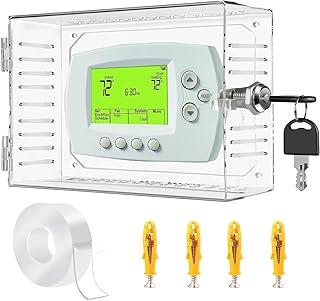
Ready to stop the thermostat wars? Browse the top-rated thermostat lock boxes on Amazon — from basic polycarbonate covers to heavy-duty commercial guards.
🛒 Shop Thermostat Lock Boxes on Amazon3. Types of Thermostat Lock Boxes Explained
Not all thermostat lock boxes are built the same way. The market segments into several distinct categories based on material, locking mechanism, compatibility, and installation method. Understanding the differences helps you pick the right style for your specific situation without overspending or under-protecting.
Clear Polycarbonate Guards (Most Common)
The overwhelming majority of thermostat lock boxes sold today are made from transparent polycarbonate (or ABS plastic). These are the recognizable clear boxes you’ve probably seen in hotel rooms or school classrooms. Polycarbonate is used because it’s nearly unbreakable, UV-resistant, and allows the thermostat’s display to remain visible without opening the cover.
Most polycarbonate guards use a simple key lock mechanism — two small locks on the sides of the box that require a matching key (usually included) to open. They’re sold in sizes ranging from compact (for small round thermostats) to large (for modern rectangular digital units). Price range: $15–$60.
Metal / Steel Cage Guards
For maximum physical security and durability — particularly in high-traffic commercial or industrial settings — steel cage guards are the professional’s choice. These open-cage designs (think of a wire mesh or punched-metal grille around the thermostat) provide excellent airflow for accurate temperature sensing while making it physically difficult to reach the controls without a key.
Steel guards are typically heavier, cost more ($35–$100), and require more careful installation to ensure the cage doesn’t interfere with wiring. But they’re significantly harder to crack, break, or pry open compared to plastic alternatives.
Polycarbonate with Vented Sides
Standard clear polycarbonate boxes trap heat inside — a potentially serious problem because thermostats measure ambient room temperature. A sealed plastic box creates a microclimate that reads several degrees warmer than the actual room, causing the thermostat to short-cycle or never reach setpoint accurately.
Vented polycarbonate guards solve this with deliberate airflow slots on the sides or bottom. If you’re locking up a traditional thermostat with a temperature sensor, always choose a vented model. For digital smart thermostats that communicate via remote sensors or Wi-Fi averaging, the venting requirement is less critical but still recommended.
Soft-Fit Snap-On Covers
A newer category of “lock box” is actually a snap-on housing designed for specific thermostat models — particularly popular smart thermostats. Rather than a universal cage, these covers clip directly onto the thermostat’s own housing and prevent button access while keeping the display visible. Some include a small padlock loop; others use friction tabs that only release with a specific tool.
These are popular in short-term rentals because they’re nearly invisible and don’t look industrial. The tradeoff is fit — they only work with the thermostat model they’re designed for.
Combination Lock Boxes
Key-based locks require key management — a real logistical hassle in multi-property landlord situations or large commercial buildings. Combination lock boxes eliminate the key by using a 3- or 4-digit code. Facilities managers and property owners can change the code seasonally or when staff turns over, without collecting and reissuing physical keys.
Digital / Electronic Lock Boxes
The most sophisticated option: electronic lock boxes use a keypad or PIN to control a motorized or electromagnetic latch. Some integrate with building management systems (BMS) and can be unlocked remotely via app. These are overkill for most residential applications but genuinely valuable in large commercial or institutional settings where centralized HVAC control is already in place.

Not sure which type fits your thermostat? Amazon’s filter tools let you narrow by material, lock type, and compatibility — all in one place.
🛒 Find Vented Thermostat Guards on Amazon4. Key Features to Look For When Buying a Thermostat Lock Box
Thermostat lock boxes look deceptively simple, but the difference between a great one and a frustrating one often comes down to a handful of easily-overlooked details. Here’s what actually matters when you’re evaluating options.
Internal Dimensions and Compatibility
This is the single most important spec. A lock box that doesn’t fit your thermostat is completely useless. Measure your thermostat’s width, height, and depth (including any wall plate overhang) before buying. Most manufacturers publish internal cavity dimensions — match these carefully. Standard rectangular digital thermostats typically measure around 4″–5″ wide × 3″–4″ tall × 1.5″–2″ deep. Older round thermostats like the classic Honeywell T87 require their own specific round guard.
Ventilation Design
As discussed in the types section, ventilation is critical for accurate temperature reading. Look for models with side slots, rear venting, or mesh panels. The Lux Products and Honeywell guards both include deliberate vent patterns tested to minimize the temperature differential inside the box. Unvented boxes can cause the thermostat to read 3–8°F warmer than the room, leading to significant HVAC inefficiency.
Lock Quality and Key Security
The keyed lock is the heart of the whole device. Look for locks with at least 3-pin tumbler mechanisms — these are harder to pick or bypass than simple wafer locks. Check how many keys are included (most quality brands include 2–4 matched keys). Verify that replacement keys can be ordered from the manufacturer, because losing the only key to a thermostat box in a 40-unit apartment building is a real operational nightmare.
Material Thickness and Impact Resistance
Polycarbonate thickness matters. Budget guards use 2–3mm plastic that can be cracked or bent under determined force. Commercial-grade guards use 4–6mm polycarbonate that can withstand substantial impact without deforming. For schools, gyms, and any space with physical activity nearby, always spec the thicker material.
Mounting Hardware
The mounting system determines how securely the box attaches to the wall. Look for models that mount to the wall independently (not just clamping onto the thermostat itself), using tamper-resistant screws or security bolts. Box-only locks that only grip the thermostat can be physically lifted off the wall along with the thermostat — not the security outcome you’re after.
Display Visibility
A lock box does no good if occupants can’t see what temperature is currently set. Polycarbonate clarity degrades over time with UV exposure and cleaning chemicals. Look for UV-stabilized clear panels and test visibility in your specific lighting conditions before committing. Some commercial models use a frosted or tinted panel that reduces glare but can make the display hard to read in certain lighting — see it in person if possible.
Wire Access and Installation Clearance
Smart thermostats often have wiring that exits from multiple sides of the housing. Your lock box must allow for clean wire routing without pinching, bending, or crimping the cables. Look for models with rear knock-outs or side cable channels. If you’re locking up a smart thermostat, pay special attention to this — poorly routed wiring is the #1 cause of smart thermostat malfunctions post-installation.
5. The 8 Best Thermostat Lock Boxes of 2026 (Expert Picks)
After reviewing the most popular options across Amazon, specialty HVAC supply stores, and facilities management product catalogs, here are the eight best thermostat lock boxes available in 2026 — evaluated for fit, security, ventilation, durability, and overall value.
🥇 1. Lux Products LCB10 Thermostat Guard — Best Overall
Editor’s ChoiceThe Lux LCB10 is the benchmark by which other thermostat lock boxes are measured. It’s been a market standard for over a decade, and for good reason: it fits nearly every standard rectangular thermostat on the market, installs in under 10 minutes with the included hardware, and costs less than $30. The clear polycarbonate panel is UV-stabilized, the key lock is a genuine 3-pin tumbler (not a toy wafer lock), and the side venting slots are sized and positioned to minimize thermal buildup inside the cavity.
The LCB10’s internal cavity measures approximately 5.5″ × 4.25″ × 2.75″ — large enough to fit most standard programmable thermostats, including popular Honeywell, White-Rodgers, and Emerson models. Two keys are included; replacement keys are available directly from Lux. The mounting plate attaches to the wall independently, so the entire assembly is secured to the structure — not just hooked over the thermostat.
✅ Pros
- Fits nearly all standard rectangular thermostats
- Quality 3-pin key lock mechanism
- Good side venting for accurate sensing
- Sturdy wall-mount (independent of thermostat)
- Excellent price-to-quality ratio
- Replacement keys readily available
❌ Cons
- Does not fit most smart thermostats (Nest, Ecobee)
- Plastic yellows slightly over years of UV exposure
- Only 2 keys included (order extras immediately)
- Not suitable for very thick thermostats (>2.5″ depth)

Lux LCB10 — Best Overall Pick. Trusted by landlords and property managers across North America. Around $25–$30 on Amazon with Prime shipping.
🛒 Check Price on Amazon🥈 2. Honeywell Home CG511A1000 Thermostat Cover — Best for Commercial Use
Commercial GradeHoneywell’s CG511A1000 is their flagship commercial thermostat guard, engineered specifically for the rigors of high-traffic institutional environments. The polycarbonate is noticeably thicker than consumer models — you can feel the difference the moment you pick it up. The mounting system uses tamper-resistant Torx screws that require a special driver bit to remove, adding an extra layer of deterrence against vandalism.
The CG511 fits Honeywell’s own thermostat lineup perfectly (it’s designed specifically for the T4 Pro, T6 Pro, and similar models), and the internal venting system is more sophisticated than most competitors — horizontal vent slots on both sides and the bottom create a natural convection airflow that keeps the temperature reading within 1°F of actual room temperature.
It’s pricier than the Lux at around $45–$55, but for commercial applications where the lock box will endure years of daily exposure to cleaning chemicals, impact, and attempted tampering, the extra investment is well justified. Honeywell also supplies bulk key sets for large-scale deployments.
✅ Pros
- Exceptional polycarbonate thickness and durability
- Tamper-resistant Torx mounting screws
- Superior convection venting system
- Perfect fit for Honeywell T4/T6 series thermostats
- Bulk key purchasing available
- Resists cleaning chemicals better than generic brands
❌ Cons
- Optimized for Honeywell thermostats — less universal
- Higher price point (~$50)
- Torx screws require special driver (included, but easy to misplace)
- Slightly bulkier appearance than minimalist options
🥉 3. Fahrenheit Guard FG-11 — Best Budget Pick Under $20
Best ValueFor landlords working with thin margins or Airbnb hosts who just need basic protection without spending a lot, the Fahrenheit FG-11 delivers solid performance at an aggressively low price point. It’s typically available for $15–$19 and includes one key (order the companion key set immediately if you manage multiple units).
The polycarbonate is thinner than Lux or Honeywell — closer to 2.5mm than 4mm — which means a truly determined person could crack it with enough force. But for deterring casual thermostat adjustments, it’s completely adequate. The venting is minimal (two small slots), so monitor the temperature reading accuracy in your specific installation.
Where the FG-11 excels is in bulk purchasing: it’s frequently available in packs of 4–6 at significant per-unit discount, making it popular with property managers outfitting many units simultaneously. For basic residential rental applications, this is genuinely all you need.
4. Lux Products LCB75L — Best for Large Thermostats
Extra Large FitThe LCB75L is Lux’s large-format guard, designed for thermostats that are too big for the standard LCB10. If your thermostat is a larger programmable unit with a wide display, a 7-day scheduling interface, or a particularly deep housing, the LCB75L provides an extra inch of depth and width without the price premium of commercial-grade options.
Internal cavity: approximately 6.25″ × 5″ × 3.25″. This comfortably fits Honeywell’s RTH series, White-Rodgers 1F series, and most similarly-proportioned 7-day programmable units. The keyed lock is the same quality 3-pin mechanism as the LCB10, and side venting is comparable. It’s the Goldilocks option for standard thermostats that are just slightly too big for the standard-size guard.
5. BES Round Thermostat Guard — Best for Round/Dial Thermostats
Round ThermostatsIf your property still runs a classic round thermostat — like the iconic Honeywell T87 round dial or similar vintage units — you need a round-specific guard. The BES round guard fits thermostats with diameters from 4″ to 5.5″ and uses a padlock-style locking ring rather than a keyed door. It’s an inelegant solution for an oddly-shaped problem, but it works reliably and installs without tools in most cases.
Note that round thermostat guards are increasingly a niche product as round dial thermostats phase out. If you’re locking up an old round thermostat in a rental unit, it’s also worth considering whether it’s time to upgrade to a modern programmable unit — you’d gain better energy control alongside the lock box functionality. For guidance on thermostat compatibility, see our complete thermostat compatibility guide.
6. Qolsys / Carrier Commercial Thermostat Cage — Best Steel Option
Steel CageFor applications where polycarbonate simply isn’t sturdy enough — think correctional facilities, industrial plants, public housing common areas, or anywhere equipment routinely faces heavy physical stress — a steel cage guard provides a fundamentally different level of protection. Carrier’s commercial steel cage design uses welded steel with a powder-coat finish and a padlock hasp rather than a built-in key lock.
The open cage design is excellent for airflow and temperature sensing accuracy, but the open design also means someone with a long thin object (a pen, a screwdriver) could potentially press thermostat buttons through the openings. This makes steel cages better protection against casual adjustment than deliberate defeat. For maximum security, pair with a thermostat that has its own keypad lockout feature.
7. Nest Thermostat Lock Kit (3rd Party) — Best for Nest Thermostats
Smart ThermostatGoogle doesn’t manufacture an official lock box for the Nest thermostat, but several third-party manufacturers have stepped into this gap. The best of these offerings uses a snap-on ABS housing that fits the Nest Learning Thermostat 3rd/4th generation or Nest Thermostat E, covering the outer ring and dial control while leaving the display partially visible.
The limitation here is inherent to the Nest’s design: the entire device rotates to adjust temperature, making a fully enclosed lock box functionally impossible without blocking all interaction. These third-party covers restrict rotation and add a locking tab that requires a key or tool to release. They’re not as clean a solution as a standard lock box on a conventional thermostat, but they’re the best available option for Nest-specific situations.
For Nest users who want digital control rather than physical restriction, Nest’s own app allows setting temperature limits through the home/away settings and ecosystem controls. We cover this in detail in our comparison of Nest Learning Thermostat vs Amazon Alexa automation.
8. Ecobee Shield (3rd Party) — Best for Ecobee Thermostats
Smart ThermostatSimilar to the Nest situation, third-party makers have created purpose-built covers for the Ecobee lineup. The best Ecobee-specific guards use a clear front panel that allows the touchscreen to function (with some reduced responsiveness) while adding a physical locking ring that requires a PIN tool to remove. The ecobee also has software-side lockout features — you can set temperature limits and PIN-protect settings through the Ecobee app, which is often a better first line of defense than a physical cover for touch-based thermostats.
If you’re comparing smart thermostat options and considering their control features, our analysis of Ecobee vs Honeywell remote sensor range in multi-zone setups covers the ecosystem differences in depth.

Compare all thermostat lock box options on Amazon. Filter by size, compatibility, and customer rating to find the perfect match for your thermostat.
🛒 Browse All Thermostat Guards on Amazon6. Head-to-Head Comparison Table: Top Thermostat Lock Boxes
Use this at-a-glance comparison to quickly identify which lock box best fits your specific scenario. All prices are approximate as of April 2026.
| Product | Material | Lock Type | Vented | Best For | Price Range | Rating |
|---|---|---|---|---|---|---|
| Lux LCB10 | Polycarbonate | Key (3-pin) | ✓ | Home, rentals, general use | $25–$32 | ★★★★★ |
| Honeywell CG511 | Heavy Polycarbonate | Key (3-pin) | ✓✓ | Commercial, institutional | $45–$58 | ★★★★★ |
| Fahrenheit FG-11 | Light Polycarbonate | Key (wafer) | Minimal | Budget, bulk rental use | $15–$20 | ★★★★☆ |
| Lux LCB75L | Polycarbonate | Key (3-pin) | ✓ | Large thermostats | $28–$38 | ★★★★☆ |
| BES Round Guard | Polycarbonate | Padlock ring | ✓ | Round/dial thermostats | $18–$26 | ★★★★☆ |
| Carrier Steel Cage | Steel | Padlock hasp | ✓✓✓ | Industrial, high-security | $55–$90 | ★★★★☆ |
| Nest 3rd-Party Cover | ABS Plastic | Keyed tab | Partial | Nest thermostats | $20–$35 | ★★★☆☆ |
| Ecobee Shield | Clear ABS | PIN tool | ✗ | Ecobee thermostats | $22–$38 | ★★★☆☆ |
Feature Comparison: What Each Lock Box Includes
| Feature | Lux LCB10 | Honeywell CG511 | Fahrenheit FG-11 | Carrier Steel |
|---|---|---|---|---|
| Keys included | 2 | 2 (bulk orders avail.) | 1 | Uses own padlock |
| Tamper-resistant screws | ✗ | ✓ | ✗ | ✓ |
| UV-stabilized plastic | ✓ | ✓ | ✗ | N/A (steel) |
| Independent wall mount | ✓ | ✓ | ✓ | ✓ |
| Wiring channel/cutout | ✓ | ✓ | Partial | ✓ |
| Display fully visible | ✓ | ✓ | ✓ | Partial (open cage) |
| Replacement key available | ✓ | ✓ | Limited | Buy own padlock |
| Chemical-resistant finish | Moderate | High | Low | High |
7. Best Thermostat Lock Box by Use Case — The Decision Matrix
Still not sure which option is right for your specific situation? This section maps real-world scenarios to the best-matched products, so you can skip straight to the right choice without second-guessing.
| Your Situation | Best Pick | Why |
|---|---|---|
| Single rental unit, standard thermostat | Lux LCB10 | Universal fit, good quality, affordable |
| Multi-unit apartment building (10+ units) | Fahrenheit FG-11 (bulk pack) | Cost-effective at scale; adequate for residential |
| Hotel or motel (commercial) | Honeywell CG511A1000 | Superior durability, convection venting, institutional grade |
| School or government building | Carrier Steel Cage | Vandal-resistant, open-air airflow, institutional security |
| Private home with kids / roommates | Lux LCB10 or LCB75L | Clean look, effective deterrence, easy landlord access |
| Nest thermostat in rental | 3rd-party Nest cover + software lockout | Only viable physical option; pair with Nest temp limits |
| Ecobee in rental / Airbnb | Software lockout (primary) + Ecobee Shield (secondary) | Ecobee’s PIN lock in app is more effective than physical cover |
| Old round dial thermostat | BES Round Guard | Only category that fits round thermostats properly |
| Industrial facility / warehouse | Carrier Steel Cage or custom steel fabrication | Polycarbonate won’t survive heavy industrial environments |
| Short-term Airbnb rental | Lux LCB10 (discreet) or Ecobee software lock | Lock box + programmed range prevents guest HVAC abuse |
8. How to Install a Thermostat Lock Box — Step-by-Step
Installing a thermostat lock box is a straightforward DIY project that requires no electrical knowledge and typically takes 10–15 minutes. Here’s the complete process for a standard polycarbonate guard installation.
What You’ll Need
- Thermostat lock box (appropriate size for your thermostat)
- Phillips or flathead screwdriver (included hardware)
- Pencil for marking anchor points
- Wall anchors (usually included for drywall installations)
- Drill with small bit (optional — for pre-drilling into studs)
- Level (optional — to ensure the box hangs straight)
Step 1: Verify Fit Before You Start
Hold the lock box up to your thermostat before touching a single screw. Confirm that:
- The thermostat fits within the internal cavity with at least 6mm clearance on all sides
- The wiring or wall plate doesn’t obstruct the back of the box from lying flat against the wall
- The box opening faces the right direction (usually hinged on the left)
- The display is visible through the clear front panel when the box is closed
Step 2: Mark the Mounting Points
Most lock boxes have a separate back plate or mounting template. Hold the back plate against the wall (using a level if you want precision), then mark the screw hole positions with a pencil. Typical guards use 2–4 mounting screws.
Step 3: Install Wall Anchors (if not hitting a stud)
For standard drywall installation, use the included plastic anchors. Tap them in with a hammer until flush. If you happen to hit a stud, you can drive screws directly — better holding strength, but either method is adequate for a lightweight plastic box.
Step 4: Mount the Back Plate
Drive the mounting screws through the back plate into the anchors. Don’t overtighten — just snug. The plate should lie flat against the wall with the thermostat centered within the opening.
Step 5: Route Wiring (Smart Thermostats Only)
If your thermostat has visible external wiring (some smart thermostats route wires outside the standard wall plate), route these through any cable channels or knockout holes in the back of the box before closing. This is also a good moment to ensure no existing wires will be pinched when the box is closed. For smart thermostat wiring concerns, the complete thermostat wiring guide is a helpful reference.
Step 6: Attach the Lock Box Housing
Clip, snap, or screw the main lock box housing onto the back plate following the manufacturer’s instructions. Most polycarbonate guards use a simple snap-clip system on the sides.
Step 7: Test the Lock and Set the Temperature
Before locking, set your thermostat to the desired temperature or program your schedule. Then close and lock the box with the included key. Test the lock from both sides — it should feel secure with no wobble or flex. If the box rattles against the thermostat housing, thin foam tape on the contact points stops the noise instantly.
Step 8: Verify Temperature Accuracy
After installation, leave the lock box closed for 30 minutes and then compare the thermostat reading with a standalone thermometer placed nearby. If the thermostat reads more than 2°F higher than the room temperature, your box isn’t venting adequately. You may need to add vent holes to the sides (drill with a small bit) or swap for a better-vented model. For more on why thermostats can read incorrectly, see our post on why your thermostat shows the wrong room temperature.

Get everything you need in one order. Many Amazon listings bundle the lock box, replacement key sets, and foam tape for vibration dampening — check for bundle deals before ordering separately.
🛒 Shop Thermostat Guard Installation Kits9. Thermostat Lock Boxes for Smart Thermostats — A Special Consideration
The rise of smart thermostats has created a genuine challenge for the thermostat lock box market. Traditional lock boxes were designed for simple mechanical or early digital thermostats where “access” means physically reaching a dial or a few buttons. Smart thermostats — particularly touchscreen models like the Nest, Ecobee, and Honeywell T9 — operate completely differently, and the lock box solutions available for them are correspondingly more complex.
The Core Problem with Smart Thermostats and Lock Boxes
A standard polycarbonate lock box placed over a Nest or Ecobee creates two immediate problems:
- Touch interface blocked: The polycarbonate panel sits too far from the touchscreen to allow finger registration. Even thin polycarbonate absorbs enough of the touch signal that the thermostat fails to register taps.
- Wi-Fi and sensor interference: Enclosing a smart thermostat in a sealed box can block or degrade its internal temperature sensor, humidity sensor, and even (in some cases) its Wi-Fi signal, depending on the polycarbonate formulation and thickness.
Digital Lockout: The Better Solution for Most Smart Thermostats
For smart thermostats used in rental properties or hospitality settings, software-based lockout features are typically more effective and less problematic than any physical cover. Here’s what each major platform offers:
Nest
Nest thermostats allow temperature range limits via the Nest app — you can set a minimum heating setpoint and maximum cooling setpoint that guests cannot override from the thermostat. The Home/Away function, combined with family sharing controls, effectively prevents unauthorized use without any physical cover needed. Nest also offers “Lock” mode via the app which requires a PIN to change settings.
Ecobee
Ecobee provides built-in access control through the “Restrictions” setting. You can PIN-protect the thermostat’s own screen, preventing any changes without the code. Temperature limits are also configurable. For a full analysis of Ecobee’s access control features alongside its sensor capabilities, our review of the Ecobee Premium’s air quality and occupancy features covers the full feature set.
Honeywell T9 / T10
Honeywell’s T9 and T10 Pro include installer and homeowner access levels, with the installer code required to change core settings. This two-tier access model effectively functions as a digital lock box for rental applications. See our deep-dive on Honeywell T9 vs T10 Pro differences for a breakdown of their respective access control architectures.
When a Physical Cover Still Makes Sense for Smart Thermostats
Physical covers for smart thermostats aren’t entirely useless — they have specific valid applications:
- Protecting the hardware from physical damage: In schools, gyms, or industrial settings, the concern isn’t unauthorized programming — it’s someone punching, kicking, or otherwise physically damaging the thermostat. An open-cage steel guard protects the hardware without blocking the interface.
- Preventing manual “power cycling”: Some tenants will simply pull the thermostat off the wall to defeat software locks. A lock box that secures the thermostat to the wall prevents this.
- Offline backup: If your Wi-Fi goes down, some smart thermostat software locks become inactive. A physical cover ensures the physical thermostat can’t be adjusted regardless of connectivity status.
10. Advanced Considerations: Ventilation, Accuracy, and Long-Term Performance
If you’ve made it this far into the guide, you’re serious about getting this right. This section covers the nuanced technical details that separate a well-functioning lock box installation from one that causes ongoing headaches with HVAC accuracy.
The Thermal Offset Problem — Why Venting Matters More Than You Think
Here’s a scenario that plays out constantly in improperly installed lock boxes: a landlord installs an unvented plastic guard, sets the thermostat to 70°F, and walks away satisfied. A week later, the tenant complains that the apartment is always cold. The landlord checks the thermostat — it reads 70°F — and dismisses the complaint. But the tenant is right. The actual room temperature is 66°F.
What happened? The sealed plastic box trapped warm air around the thermostat (body heat from nearby occupants, heat rising from lower floors, even heat generated by the thermostat’s own display backlight). The thermostat, sensing 70°F in its immediate sealed microenvironment, never calls for more heat even though the rest of the room is genuinely colder.
The fix is straightforward: always use a vented lock box, and verify temperature accuracy after installation. If temperature accuracy is a priority, a thermostat with remote sensors (like the Ecobee with SmartSensors or the Honeywell T9 with its wireless sensors) can actively compensate for local thermostat microclimate errors. For a thorough comparison of remote sensor systems, see our breakdown of Ecobee vs Honeywell remote sensor range in multi-zone homes.
Cleaning and Maintenance of Polycarbonate Guards
Polycarbonate is durable but not indestructible. Common cleaning mistakes can permanently damage the clear panel:
- Never use ammonia-based cleaners (like standard window cleaner) — they cloud and crack polycarbonate over time
- Avoid acetone or alcohol-based solvents — they attack the plastic surface
- Use only mild soap and water with a soft cloth, or cleaners specifically labeled as polycarbonate-safe
- Don’t scrub with abrasive pads — micro-scratches on the clear panel degrade visibility over months of accumulation
Key Management for Large Deployments
Property managers with more than 5–10 units need a systematic approach to key management. Ad-hoc key storage leads to lost keys, tenant confusion during maintenance visits, and the operational chaos of trying to figure out which key goes with which unit at 10pm during a heating emergency.
Best practice for multi-unit deployments:
- Choose a single lock box brand/model for all units — this gives you key interchangeability where models use the same key blank
- Label keys clearly with unit numbers immediately upon installation
- Keep a master key set in a secured lockbox in your management office
- Store backup keys with a trusted contractor who services your properties
- Document the lock box serial number and key number for each unit in your property management system
Combining Lock Boxes with Programmable Scheduling
A lock box secures the thermostat but doesn’t make it smarter. The most energy-efficient approach combines a lock box with a programmable thermostat set to an appropriate schedule:
- Pre-program the thermostat for seasonal schedules before locking the box
- Set heating minimum to 65°F (adequate for comfort; prevents pipe freeze) and cooling maximum to 78°F (energy efficient)
- Use a 7-day programmable thermostat if the property has consistent occupancy patterns (weekday vs weekend)
- Revisit and update the schedule each spring and fall when you unlock for HVAC maintenance
If you’re considering upgrading to a fully smart thermostat setup for your rentals, our analysis of smart thermostat energy savings with geofencing explores how automated presence detection can reduce HVAC costs in unoccupied rentals even further.

Want a vented guard for accurate temperature reading? Filter for “vented thermostat guard” on Amazon to find models specifically designed to minimize thermal offset in enclosed installations.
🛒 Shop Vented Thermostat Guards11. Alternatives to Thermostat Lock Boxes — When a Box Isn’t the Right Answer
Thermostat lock boxes are a great solution for many scenarios, but they’re not universally the best approach. Here are the situations where an alternative strategy makes more sense — and what those alternatives are.
Built-In Keypad Lockout (Best for Digital Thermostats)
Many modern programmable thermostats — even relatively inexpensive ones — include a built-in keypad lockout feature. This is typically activated by holding two buttons simultaneously or entering a short code sequence, after which the thermostat’s buttons become unresponsive to casual operation. Only the lockout sequence (or a full reset) unlocks it again.
Keypad lockout is more elegant than a physical box because it’s invisible, doesn’t add any bulk to the wall, and can’t be lost or broken. The limitation is that anyone who Googles “[thermostat model] how to override lockout” may find the method easily. A physical lock box is harder to bypass for most people.
Smart Thermostat with App-Based Control
For landlords willing to invest a bit more upfront, a smart thermostat with remote access fundamentally changes the control dynamic. Instead of locking the thermostat to a fixed setting and hoping it stays there, you monitor and adjust remotely — you can see exactly what temperature the tenant has set, get alerts if they exceed a defined range, and make corrections from your phone at any time.
Budget-conscious landlords should look at options like the Wyze Thermostat vs Govee options for hot and cold rooms — some of the most affordable smart thermostats with remote access are fully capable for rental property management.
Zone Control Systems
For commercial buildings and larger residential properties, zone control systems allow temperature management at a building-management level — each thermostat reports to a central controller, and the building manager can set overrides and limits from a single point. This is significantly more expensive than a lock box but provides genuinely superior control for large deployments.
Thermostat Covers for Aesthetics (Not Security)
Not all thermostat covers are security devices — some are purely decorative, designed to integrate the thermostat into your interior design. If your goal is purely cosmetic, there are elegant covers designed to blend a standard thermostat into gallery walls, wallpaper patterns, or paneling. These typically don’t lock but do restrict casual access. See our guide to 25 thermostat cover ideas that blend into your home for inspiration.
Temperature Monitoring Without Control
Some landlords and facility managers care more about monitoring temperature extremes than preventing all access. In this case, a smart temperature sensor — rather than a lock box — may be the right tool. A sensor like an Ecobee SmartSensor or Honeywell wireless sensor can alert you via app if a room goes above or below defined thresholds, without requiring any physical control restriction. This is often a better first step before investing in lock boxes.
12. Final Buying Advice: Getting the Most from Your Thermostat Lock Box Investment
After everything we’ve covered, here’s the distilled buying advice — the condensed wisdom from evaluating dozens of products and real-world deployment scenarios.
Always Measure Before You Buy
The #1 return reason for thermostat lock boxes is wrong size. Take 2 minutes to measure your thermostat’s width, height, and depth. Add at least 6mm to each dimension to find your minimum internal cavity requirement. Match this against the manufacturer’s published internal dimensions — not the external box dimensions, which include the wall thickness.
Don’t Cheap Out on the Lock
The lock is the entire point of the product. The cheapest guards use wafer locks that can be opened with a credit card edge or a bobby pin. Pay the extra $10 for a product with a genuine pin-tumbler mechanism. For commercial applications, look specifically for locks that carry a security rating.
Prioritize Ventilation in Any Enclosed Installation
If your thermostat is inside a sealed enclosure, thermal offset is virtually guaranteed. Budget for a vented model from the start. The 30 minutes spent verifying temperature accuracy after installation could save months of HVAC inefficiency complaints.
Think About Long-Term Key Management
Order extra keys immediately. Store them somewhere documented and accessible. Consider whether a combination lock (code-based, no keys to lose) makes more operational sense for your situation.
Consider the Full System, Not Just the Box
A lock box is most effective as part of a broader thermostat management strategy. The best landlord setups combine a quality programmable thermostat (pre-set to an appropriate schedule), a well-fitted lock box (physical deterrence), and occasional remote monitoring (via a smart plug with energy monitoring, or a separate temperature sensor). Each layer addresses different failure modes.
Re-Evaluate Annually
Polycarbonate yellows. Locks wear. Screws loosen. Schedule an annual inspection of your lock box installation alongside your routine HVAC maintenance — it takes 10 minutes and prevents gradual degradation from becoming a sudden problem.

Ready to buy? Our top overall recommendation remains the Lux LCB10 for most residential and rental applications — durable, well-priced, and universally compatible with standard thermostats.
🛒 Buy the Lux LCB10 on AmazonFrequently Asked Questions About Thermostat Lock Boxes
Q: Will a thermostat lock box affect my thermostat’s temperature reading?
Yes — potentially. An enclosed lock box can trap warm air around the thermostat, causing it to read several degrees warmer than the actual room temperature. This causes the thermostat to stop calling for heat (or start calling for cooling) earlier than appropriate. Always choose a vented lock box model and verify temperature accuracy after installation by comparing the thermostat reading with a standalone thermometer placed at the same height nearby. If you see more than a 2°F offset, improve ventilation by selecting a better-vented model or carefully drilling additional vent holes in the sides of the box.
Q: Can a tenant legally break open a thermostat lock box?
This depends heavily on local landlord-tenant law and what your lease agreement specifies about HVAC control. In most U.S. jurisdictions, landlords have the legal right to control thermostat settings as long as the property maintains habitability standards (generally defined as maintaining a minimum of 68°F in winter in most states). Tenants who break, damage, or remove a landlord-installed lock box may be liable for damages. That said, laws vary significantly — consult a local real estate attorney if you’re uncertain about your rights. Many jurisdictions require landlords to disclose HVAC control limitations in the lease agreement.
Q: Do thermostat lock boxes work with Nest or Ecobee smart thermostats?
Standard universal lock boxes are generally incompatible with modern smart thermostats due to touchscreen interface issues and size differences. Nest and Ecobee thermostats are better managed through their built-in software lockout features — Nest’s app-based temperature range limits and Ecobee’s PIN-protected restrictions settings offer effective access control without physical covers. If physical protection is specifically needed (to prevent hardware damage or “pulling the thermostat off the wall”), open-cage metal guards can protect the hardware while leaving the interface accessible.
Q: What’s the difference between a thermostat lock box and a thermostat with a keypad lock?
A thermostat lock box is a physical enclosure placed over an existing thermostat, using a key or combination to restrict physical access. A thermostat with a keypad lock is a thermostat that has a built-in software feature preventing button use without entering a PIN code. The physical lock box is stronger against someone who doesn’t know the override sequence; the keypad lock is more elegant and invisible. Many landlords and facilities managers use both together — a keypad-lock thermostat inside a physical lock box — for maximum control. This dual approach is particularly popular in commercial settings.
Q: How do I pick a thermostat lock box if I don’t know my thermostat model?
Measure your thermostat directly: measure the width and height of the thermostat faceplate (the visible front panel), then measure how far it protrudes from the wall. Add approximately 10–12mm to each dimension to get the minimum internal cavity you need. Bring these measurements when shopping. Most standard rectangular programmable thermostats measure between 4″–6″ wide, 3.5″–5″ tall, and 1.5″–2.5″ deep — the Lux LCB10 accommodates the vast majority of thermostats in this range.
Q: Can I install a thermostat lock box myself, or do I need a professional?
Installation is a straightforward DIY project requiring no electrical knowledge and no tools beyond a screwdriver. The thermostat stays on the wall and powered throughout the process — you’re simply mounting a plastic box around it. Most installations take 10–15 minutes. The only scenario requiring professional assistance is if your lock box installation needs to accommodate unusual wiring configurations or if you’re simultaneously upgrading the thermostat itself (which does involve wiring).
Q: What happens if I lose the key to my thermostat lock box?
Most thermostat lock box keys use standard key blanks, and replacement keys can be ordered from the manufacturer or cut by a locksmith if you provide the key code (usually stamped on the original key). Many brands publish key ordering instructions on their websites. In the short term, most lock boxes can be opened by a locksmith or, in emergencies, by carefully prying the case open (which will damage the plastic). The prevention is simple: order a spare set of keys the day you install and store them off-site.
Q: Are thermostat lock boxes legal in all states?
Thermostat lock boxes are legal to use in all U.S. states, but their use in rental properties is subject to habitability laws that vary by jurisdiction. Most states require landlords to maintain a minimum indoor temperature (commonly 68°F) during heating season. As long as the thermostat inside the lock box is set to meet this minimum, using a lock box is generally legally permissible. Some cities — particularly in northern states — have specific temperature control regulations. Always verify local requirements and document temperature settings in your lease agreement.
Q: How much do thermostat lock boxes typically cost?
Standard polycarbonate thermostat lock boxes range from $15–$60 for residential and light commercial models. Budget options (Fahrenheit FG-11, similar) start around $15–$20; mid-range quality models like the Lux LCB10 run $25–$35; commercial-grade options like the Honeywell CG511 cost $45–$60. Steel cage guards for industrial applications start at $55 and can exceed $100 for custom configurations. Smart thermostat-specific covers and accessories range from $20–$45. In virtually all cases, the cost is recovered in reduced HVAC overconsumption within the first billing cycle.
Q: Can a thermostat lock box damage my thermostat?
A properly installed and vented lock box will not damage your thermostat. The most common risk is poor ventilation causing the thermostat to operate outside its designed temperature range — most thermostats are rated to function in ambient temperatures between 40°F and 95°F, and a severely unvented box in a warm room could push the internal temperature above this range over time. Proper venting eliminates this risk. Physical damage to the thermostat from a lock box is extremely rare and typically only results from incorrect sizing forcing the thermostat housing to flex against the box walls — which is why verifying fit before installation is so important.
Final Verdict: The Right Thermostat Lock Box for Your Situation
Thermostat lock boxes are one of those deceptively simple products that solve real, ongoing problems with minimal investment. The Lux LCB10 remains the best all-around choice for the vast majority of residential and rental applications — it fits almost everything, locks securely, vents adequately, and costs less than a dinner out. For commercial settings, Honeywell’s CG511 is the professional-grade standard. For smart thermostats, lean on software lockouts first and consider open-cage physical protection where hardware security is a concern.
Whatever your situation, measure first, prioritize ventilation, and order spare keys the same day you install. Do those three things and your thermostat lock box will work reliably for years — which, in the world of landlord maintenance and facilities management, is exactly what you need.
🛒 Shop All Thermostat Lock Boxes on Amazon





 Home
Home
 Info
Info
 Compare
 Reviews
 Shop
Shop