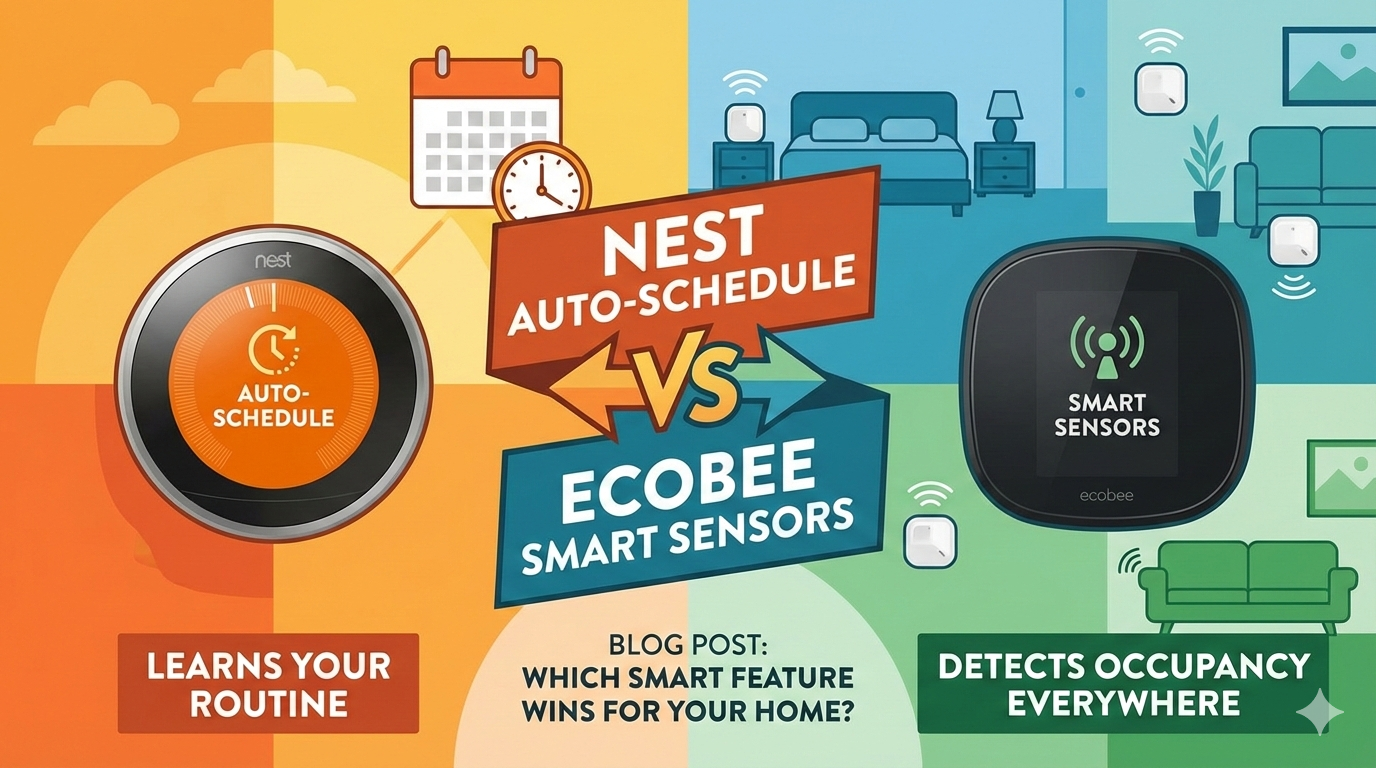
Nest Auto Schedule vs Ecobee Smart Sensors: Which Is Better?
Choosing a smart thermostat usually boils down to two heavyweights: Google’s Nest and Ecobee. But the real battle isn’t just about brand loyalty—it’s a clash of philosophies. Are you looking for a device that learns your habits and programs itself (Nest Auto Schedule), or do you need a system that actively monitors temperature across different rooms to eliminate hot and cold spots (Ecobee Smart Sensors)?
In this comprehensive guide, we dive deep into the technology behind both. We analyze accuracy, comfort, energy efficiency, geofencing, HVAC compatibility, air quality, humidity control, cost, and real-world home suitability to help you decide which approach fits your lifestyle. This is not a surface-level comparison—we break down every meaningful difference so you can make a confident purchase decision.
What Is Nest Auto Schedule?
Nest Auto Schedule is the flagship feature of the Nest Learning Thermostat. Unlike traditional programmable thermostats where you manually input setpoints for every hour of the day, Nest observes you.
For the first week or so, you use the thermostat like a manual dial. You turn it up when you wake up, turn it down when you leave, and adjust it before bed. Nest records these inputs and uses an AI algorithm to build a schedule that mimics your life. It continues to learn over time; if you start waking up earlier on Tuesdays, Nest eventually adapts.
This relies heavily on the concept of AI learning vs. static scheduling, aiming to reduce energy waste without you ever touching a button. The philosophy is rooted in behavioral psychology: humans are creatures of habit, and if you can model those habits accurately, you can automate comfort almost perfectly.
Nest also uses activity data gathered from its built-in passive infrared (PIR) motion sensor. It knows when you are home and when you are not, which allows it to enter “Eco” mode automatically when it detects the house has been empty for an extended period. This is layered on top of the learned schedule to produce what Nest calls a “continuously optimizing” experience.
It is worth noting that Nest Auto Schedule works best when your routine is consistent. If you have an erratic schedule—working from home some days, traveling others, or working night shifts—the algorithm struggles to find a reliable pattern. In those cases, Nest’s promise of a truly “hands-off” experience falls short, and you will find yourself making manual overrides frequently.
What Are Ecobee Smart Sensors?
Ecobee takes a different approach. While it supports scheduling, its superpower lies in its Smart Sensors. These are small, wireless devices you place in different rooms (like a bedroom, home office, or living room).
Most thermostats only measure temperature in the hallway where they are installed. Ecobee sensors detect both temperature and occupancy. If you are in the living room watching a movie, Ecobee ignores the cold hallway and ensures the living room is at your desired temperature. This feature, known as “Follow Me,” prioritizes comfort in the rooms you are actually using.
To understand the technical context, it helps to know what a thermostat remote sensor actually is and how it communicates with the main unit. Ecobee sensors use 915 MHz radio frequency communication, which offers significantly better range and wall penetration than Bluetooth or Zigbee. The sensors can reliably communicate from up to 60 feet through multiple walls, making them practical for real-world homes—not just open-plan apartments.
The newest generation of Ecobee SmartSensors also feature an upgraded occupancy detection algorithm that reduces false positives. The sensors use a combination of PIR motion detection and ambient light sensing, allowing the system to distinguish between a sunbeam heating a room and an actual person sitting in it—a meaningful improvement over older generations.
How Nest’s AI Learning Algorithm Works (Deep Dive)
Understanding the mechanics of Nest’s Auto Schedule feature helps you appreciate both its strengths and its limitations. The system is not magic—it is a relatively straightforward machine learning model operating on a narrow dataset: your temperature adjustments over time.
The Data Collection Phase
During the first week, Nest logs every manual adjustment you make, paired with the time of day, day of the week, and ambient temperature data at the moment of adjustment. It also records whether it detected motion at the thermostat (meaning someone is home) or not. This creates a time-series dataset of your behavioral patterns.
The algorithm uses a technique similar to clustering to identify recurring patterns. If you consistently set the temperature to 72°F at 7 AM every weekday, Nest groups those data points and infers a recurring preference. It then builds a schedule to match.
Continuous Refinement
The learning does not stop after week one. Nest continuously updates its model with new inputs. However, there is a concept known as “learning inertia”—the schedule becomes increasingly resistant to change as it matures, because the algorithm weighs older data heavily to avoid overreacting to one-off events. This is why users sometimes report that changing a deeply ingrained Nest schedule requires several consistent overrides before the thermostat catches on.
For deeper context on how this concept applies broadly, our article on what thermostat adaptive learning is explains the principles that underpin both Nest and competing systems.
The Home/Away Assist Feature
Nest’s Home/Away Assist layer is a separate system that works alongside Auto Schedule. It combines data from the thermostat’s built-in motion sensor with phone location data (if you grant the Google Home app location permissions). When it detects that both the thermostat has seen no motion AND your phone has left the home geofence, it switches to Eco mode to save energy. To understand what the home/away thermostat feature does in detail, see our dedicated explainer.
Ecobee Sensor Technology: A Technical Deep Dive
Ecobee’s sensor ecosystem is more technically sophisticated than it appears from the marketing materials. Let’s break down exactly what these sensors measure, how they communicate, and how the data is processed.
Temperature Accuracy
Each Ecobee SmartSensor contains a precision thermistor with a ±1°F accuracy rating, which is consistent with what you would find in professional-grade weather instrumentation. The sensors sample temperature every 15 seconds and send averaged readings to the thermostat every 3 minutes, reducing noise in the data while maintaining responsiveness. This is important context from our guide on how thermistors work in smart thermostats.
Occupancy Detection
The PIR sensor inside each Ecobee SmartSensor has a detection angle of approximately 120 degrees and a range of up to 25 feet in optimal conditions. The sensor is sensitive enough to detect a seated person’s subtle movements, which is critical for home office scenarios where you might be sitting still at a desk for hours.
There is a configurable “occupancy timeout” period—the amount of time Ecobee waits after the last detected motion before it considers a room unoccupied. The default is 30 minutes, but you can adjust it. A shorter timeout increases energy savings at the risk of the HVAC turning down while you are still present. A longer timeout provides more comfort but wastes some energy.
The “Follow Me” Logic
When multiple sensors are active, Ecobee’s “Follow Me” mode calculates a weighted average temperature based on occupied rooms only. If the living room sensor detects occupancy and shows 68°F, but the unoccupied bedroom shows 74°F, Ecobee ignores the bedroom reading and works to bring the living room to your setpoint. The result is that comfort follows you rather than averaging across the entire home.
This is a fundamentally different paradigm than a traditional thermostat. It is analogous to zone-based HVAC systems, but achieved with software rather than hardware—making it far less expensive to implement. For homes without built-in zoning, Ecobee sensors are the closest approximation to true zone control available without a major renovation.
Head-to-Head Comparison: Accuracy & Comfort
When discussing accuracy, we must look at how these devices sense heat. Both utilize thermistors and temperature sensing technology designed for precision, but their data points differ fundamentally.
Nest: The Single-Point Limitation
Nest (without additional sensors) measures the temperature at the thermostat’s location. If your thermostat is in a drafty hallway or near a sunny window, it may think your house is 75°F when your bedroom is actually 68°F. The Auto Schedule is accurate to your inputs, but not necessarily to your whole-home comfort.
Nest does offer its own “Nest Temperature Sensors,” but they are significantly less capable than Ecobee’s. Nest sensors only measure temperature—they do not detect occupancy. You can schedule which sensor Nest uses at specific times (e.g., “use the bedroom sensor from 10 PM to 7 AM”), but there is no intelligent, real-time response to where you actually are in the home.
This is not a minor limitation. For homes with any meaningful temperature variation between rooms—which is virtually every home with more than one story or more than 1,200 square feet—a single sensing point introduces a structural inaccuracy that no amount of AI scheduling can compensate for.
Ecobee: The Whole-Home Solution
Ecobee aggregates data from all active sensors. It calculates a weighted temperature based on occupied rooms. This typically results in noticeably higher comfort levels because the system is reacting to the real feel of the home, not just one wall.
For comfort in homes with multiple rooms or floors, Ecobee wins by a significant margin. The Follow Me feature alone eliminates one of the most common complaints about smart thermostats: “My thermostat says 72 but it feels like 65 in here.” If you have ever experienced this frustration, Ecobee’s sensor system directly addresses it.
There is, of course, a caveat: Ecobee’s comfort improvements are only as good as your sensor placement. A sensor tucked behind a bookshelf or placed near a vent will give misleading readings. Proper placement—at seated head height, away from direct sunlight and HVAC vents, in locations where you actually spend time—is essential. We cover this in our installation section below.
Energy Savings: Which One Wins?
Energy savings are achieved differently by each device, and the “winner” depends almost entirely on your lifestyle and home characteristics. Understanding both approaches helps you set realistic expectations.
How Nest Saves Energy
Nest saves energy through several overlapping mechanisms. First, the Auto Schedule learns your “away” periods and reduces heating/cooling during those times. Second, the Home/Away Assist detects unexpected absences and initiates Eco mode automatically. Third, Nest uses a feature called “Sunblock” to detect when direct sunlight is hitting the thermostat and inflating temperature readings—it compensates for this by adjusting its internal calibration.
Fourth, and perhaps most interestingly, Nest uses a predictive algorithm called “Early-On” that calculates how long your HVAC system takes to reach the target temperature and starts the system early so you arrive home or wake up to a comfortable temperature—without running the system any longer than necessary.
Google claims users save an average of 10–12% on heating and 15% on cooling with the Nest Learning Thermostat. These numbers are backed by an independent study but are population averages—your results will vary significantly based on your HVAC system’s efficiency, your home’s insulation quality, and your local climate.
How Ecobee Saves Energy
Ecobee’s primary energy-saving mechanism is occupancy-based. If sensors detect no motion in any room for a configurable period, the system automatically transitions to “Away” mode. This is more reliable than Nest’s approach for households with erratic schedules because it does not rely on a learned pattern—it reacts to the current reality.
Ecobee also features “Eco+” (formerly Eco+), which adds three additional layers of savings: community energy events (where your utility may ask you to conserve during peak demand, and Ecobee adjusts automatically), time-of-use optimization (shifting HVAC runtime to off-peak electricity hours when rates are lower), and smart humidity control. Ecobee claims savings of up to 26% on annual heating and cooling costs with Eco+ enabled.
To understand the full picture of how smart thermostats save money beyond just scheduling, and whether upgrading makes financial sense for your specific situation, see our comprehensive savings analysis. You may also be eligible for utility rebates—our 2026 smart thermostat rebates guide includes a savings calculator to estimate your payback period.
The Verdict on Energy Savings
For users with consistent, predictable schedules, Nest’s learned optimization is elegant and effective. For users with variable schedules, remote workers, or households with unpredictable occupancy patterns, Ecobee’s sensor-driven approach is more reliable and often produces better savings in practice. The two systems are close enough that neither is a clear energy-savings winner across all use cases.
Geofencing: How Each System Handles Presence Detection
Geofencing—using your phone’s GPS to detect when you leave or approach home—is a key feature in both systems, but implemented differently. To fully understand this technology, our article on what a geofencing thermostat is provides the foundational context.
Nest Geofencing
Nest’s geofencing runs through the Google Home app. It creates a virtual perimeter around your home (you can adjust the radius) and triggers Eco mode when your phone leaves and restores your scheduled comfort settings when you return. The system works best when all household members have the Google Home app installed and location sharing enabled.
A significant limitation is that Nest geofencing is binary: the home is either “occupied” or “unoccupied” based on whether any tracked phone is within the geofence. It does not differentiate between zones inside your home, and it can be fooled by dense urban environments where GPS accuracy degrades near large buildings.
Ecobee Geofencing
Ecobee’s geofencing works through its own app and can optionally integrate with third-party smart home platforms including Apple HomeKit, Amazon Alexa routines, and Google Assistant. Like Nest, it uses phone GPS to detect home/away transitions. However, Ecobee combines geofencing data with its in-home occupancy sensors to create a two-layer presence detection system.
This means Ecobee can detect scenarios that Nest cannot: for example, your phone is away from home (you left it at the office), but there are people still at home (your family). Ecobee’s sensors will detect the in-home occupancy and keep the system running comfortably, while a purely geofencing-based system like Nest would erroneously switch to Eco mode.
For households with multiple people or where some members (like children or elderly relatives) do not carry smartphones, Ecobee’s sensor-based backup is a meaningful safety net. It is also superior for situations where pet owners have large dogs that might leave and return to different rooms throughout the day, giving the system real-time feedback. For more comparisons involving geofencing, see our Hive vs Tado geofencing comparison.
Best Choice Based on Home Size
| Home Type | Recommended Device | Why? |
|---|---|---|
| Studio / 1-Bedroom Apartment | Nest Learning Thermostat | The single-point sensing is sufficient; the sleek design fits modern aesthetics. |
| 2–3 Bedroom Single-Story | Ecobee with 1–2 Sensors | Even modest homes benefit from bedroom temperature monitoring overnight. |
| Single-Story Ranch (Open Plan) | Tie (Depends on Layout) | If airflow is good, Nest works well. If you have a distant master suite, Ecobee is better. |
| Multi-Story / Large Home (2,500+ sq ft) | Ecobee with Smart Sensors | Essential for balancing upstairs/downstairs temperature differences of 5–10°F. |
| Home with Dedicated Home Office | Ecobee with Office Sensor | Remote workers need the office at comfortable temps during the day. Ecobee’s occupancy sensors handle this automatically. |
| Vacation Home / Rental Property | Ecobee or Nest (Tie) | Both handle vacancy modes well. Ecobee’s sensors reduce false “occupied” readings. Nest’s simpler interface is better for guests. |
If you live in a multi-story home, the temperature differential between floors can be dramatic—often 5°F to 10°F in summer due to heat rising. For a detailed breakdown on this specific scenario, check our guide on managing multi-story homes with smart thermostats. Even if Wyze is not your final choice, the principles around sensor placement in multi-story homes apply directly to the Ecobee setup.
HVAC System Compatibility
Both the Nest and Ecobee are broadly compatible with the most common residential HVAC configurations, but there are meaningful differences in edge case support. Before purchasing either device, it is essential to verify compatibility with your specific system. Our complete 2026 thermostat-to-furnace compatibility guide walks through how to identify your system type and check compatibility for any thermostat.
What Both Support
Both Nest and Ecobee support conventional (forced air) heating and cooling systems, heat pumps (including systems with auxiliary/emergency heat), dual-fuel systems (heat pump with gas furnace backup), and multi-stage systems. They also both support humidifier and dehumidifier control when connected to a compatible whole-home unit. If you are interested in the latter, our review of the best whole-house humidifiers for 2026 covers compatible models and integration options.
Where Ecobee Has an Edge
Ecobee supports a wider range of HVAC configurations out of the box, particularly for heat pumps with dehumidification control and systems with separate ventilation equipment. Ecobee’s SmartThermostat Premium model specifically supports whole-home ventilation systems and air quality sensors, making it the better choice for homes with ERVs (energy recovery ventilators) or HRVs (heat recovery ventilators).
Ecobee also explicitly supports split HVAC systems and provides detailed wiring diagrams in its app during setup, which reduces the likelihood of installation errors. For a detailed look at thermostat wiring, including how to identify your wire types before installation, our wiring guide covers every scenario.
Where Nest Has an Edge
Nest has tighter integration with Google’s broader smart home ecosystem, which can be an advantage if you already have Nest Protect smoke detectors, Nest Cameras, or other Google Home devices. Nest Protect integration allows the thermostat to automatically shut off the HVAC fan when a carbon monoxide alarm is detected—a meaningful safety feature that Ecobee does not replicate natively. For more on how smart thermostats improve home safety, see our dedicated article on this topic.
Additionally, if you have a variable-speed inverter HVAC system, both thermostats work with them, but Nest’s control algorithm is tuned for continuous low-level operation that pairs well with these highly efficient systems.
Installation & Setup
Both require a C-wire for optimal performance, though Nest claims to work without one in some setups (often by “power stealing,” which can cause issues with certain HVAC systems). Ecobee includes a Power Extender Kit (PEK) in the box, making it very DIY-friendly for older HVAC systems lacking a C-wire.
Installation difficulty for both devices is similar for straightforward setups: disconnect the old thermostat, label the wires, connect them to the new unit, snap it onto the wall plate, and follow the in-app setup wizard. Most competent DIYers can complete the job in 30–45 minutes.
Where things get complicated is with older homes that have unusual wiring, multi-zone systems, or hydronic (radiant) heating systems. If you are upgrading from an older thermostat and you are not sure what you have, our guide on how to tell if your thermostat can be upgraded is the right starting point. You should also check our thermostat wiring guide for a full breakdown of wire color codes and what each wire does.
Sensor Placement for Ecobee
The Ecobee sensors require a bit more planning during installation. Here are the key rules for optimal sensor placement:
- Mount at seated head height (4–5 feet from the floor). This is where the PIR sensor has the best occupancy detection angle for a person sitting or working. Floor-level or ceiling-level mounting significantly reduces detection accuracy.
- Avoid HVAC vents, windows, and exterior walls. Any of these can artificially inflate or deflate the temperature reading, causing the system to overcorrect.
- Place where you actually spend time. A sensor in a hallway between your bedroom and bathroom is not useful. A sensor on the nightstand side of your bedroom or on your home office desk gives meaningful data.
- Test the RF range before permanently mounting. Take the sensor to its intended location and confirm it shows up in the Ecobee app. Thick concrete or brick walls can sometimes reduce the 915 MHz range.
- Use a maximum of 3–4 sensors for most homes. More sensors add complexity without proportional benefit unless you have a genuinely large or unusually shaped home.
The C-Wire Situation: A Detailed Breakdown
The C-wire (common wire) question is one of the most frequently asked pre-purchase questions, and it deserves a thorough answer. Both devices need a continuous 24V power source to run their Wi-Fi radios and displays—that is what the C-wire provides. Without it, the thermostat must “steal” power from other wires, which can create issues ranging from Wi-Fi disconnects to HVAC clicking and short-cycling.
Nest Without a C-Wire
Google markets the Nest Learning Thermostat as working without a C-wire in many installations. It uses a power-stealing technique to trickle-charge an internal battery during heating and cooling cycles. In many systems, this works reliably. In others—particularly systems with high-efficiency furnaces that detect small parasitic loads—it causes problems including: the furnace clicking on and off repeatedly, the thermostat rebooting unexpectedly, or Wi-Fi connectivity dropping out. For a deep dive into why this happens, our article on Nest power stealing and C-wire fixes covers the diagnosis and solutions.
Ecobee’s Power Extender Kit (PEK)
Ecobee takes the more conservative approach and ships every thermostat with a PEK in the box. The PEK installs inside your furnace or air handler and repurposes one of your existing wires to serve as a C-wire—without requiring you to run new wiring. This makes Ecobee significantly more reliable in older homes with 4-wire thermostat configurations. The installation adds about 20 minutes but eliminates power instability concerns entirely. For installations where even the PEK is insufficient, our article on thermostat battery failures and relay issues may also be relevant.
App Experience & Usability
Nest (Google Home App): Clean, minimalist, and simple. It hides complex data to keep things user-friendly. Great for non-techies. The Google Home app manages all your Google devices in one place, which is convenient if you have a broader Google ecosystem. However, the app has been criticized for burying thermostat-specific controls several taps deep. Making a quick temperature adjustment requires: open app → find thermostat tile → tap → adjust. Compared to a physical thermostat, the latency is noticeable.
Ecobee App: Data-rich. It provides graphs of your heating/cooling runtime, sensor status, humidity levels, and air quality metrics (on Premium models). It appeals more to data-focused users who want to see exactly how their HVAC system is performing. The main thermostat control is front-and-center in the Ecobee app, which makes quick adjustments faster than the Google Home app experience.
Both apps support remote control from anywhere with an internet connection, which is useful for adjusting temperatures before you arrive home or verifying the system while traveling. For guidance on connecting your Nest thermostat to Apple Home specifically, see our Nest to Apple Home tutorial.
Voice Assistant & Smart Home Integration
Both thermostats work with the major voice assistants—Amazon Alexa, Google Assistant, and Apple Siri (via HomeKit)—but the depth of integration varies.
Nest + Google Assistant
Unsurprisingly, Nest’s deepest integration is with Google Assistant and the broader Google Home ecosystem. Commands like “Hey Google, set the thermostat to 70 degrees” or “Hey Google, what’s the temperature at home?” work flawlessly. If you use Google’s whole-home audio speakers (Google Nest Audio, Nest Mini) or have a Chromecast-enabled TV, the experience is cohesive and polished.
Nest now supports the Matter protocol, which allows it to connect to Apple HomeKit, Amazon Alexa, and other Matter-compatible platforms. However, Matter support is relatively new, and some advanced features (like Auto Schedule management or detailed energy reports) are not exposed through Matter—only through the native Google Home app.
Ecobee + Apple HomeKit
Ecobee’s native HomeKit integration is a significant differentiator for Apple users. It is not just a basic connection—Ecobee integrates deeply with HomeKit Automations, allowing you to create scenes like “Good Night” that simultaneously lower the temperature, lock the doors, and turn off the lights, all controlled from Siri or the Home app. For a comprehensive look at smart thermostat HomeKit options, our review of HomeKit thermostat automation and geofencing scenes covers the best options available.
Ecobee also integrates with Amazon Alexa at a deeper level than Nest, including the ability to ask Alexa which rooms are occupied, what each sensor is reading, and to create occupancy-based Alexa routines.
Multi-Zone Homes: Can These Thermostats Handle Them?
Many larger homes use multi-zone HVAC systems—separate thermostats controlling separate dampers or air handlers for different areas of the home. This is fundamentally different from using room sensors, and it is important to understand the distinction.
Both Nest and Ecobee can be used in multi-zone systems, but each zone requires its own thermostat. A home with three HVAC zones needs three Nest Learning Thermostats or three Ecobee units—one per zone. They will appear as separate devices in the respective apps.
For the specific challenge of multi-zone wiring—particularly if you are replacing an older HZ311 zone controller with an Ecobee—the wiring configuration is non-trivial and our detailed guide covers it thoroughly.
For broader comparisons of multi-zone smart thermostat approaches, the Ecobee vs Honeywell remote sensor range comparison for multi-zone homes provides additional context on sensor range limitations and zone management strategies.
Humidity Control: An Often-Overlooked Factor
Temperature is only one dimension of indoor comfort. Humidity plays an equally important role—a room at 68°F and 60% relative humidity feels noticeably colder than the same room at 68°F and 40% relative humidity. Both thermostats offer humidity control, but to different extents.
Nest Humidity Control
Nest measures relative humidity at the thermostat and can control a whole-home humidifier or dehumidifier if connected. It displays current humidity in the app and can trigger humidity-control equipment based on a setpoint you configure. However, it does not actively optimize humidity as part of its Auto Schedule learning—humidity control is a separate, manual configuration.
Ecobee Humidity Control
Ecobee takes a more sophisticated approach. Its SmartThermostat Premium model actively monitors indoor humidity and factors it into HVAC runtime decisions. The “Eco+” feature includes a smart humidity control mode that uses the AC to dehumidify during shoulder seasons (when outdoor temperatures are moderate but indoor humidity is high), reducing runtime and energy use compared to running a dedicated dehumidifier. For homes in humid climates, this alone can justify the premium price. For more on whole-home dehumidification options that pair well with Ecobee, see our guide on what a whole-house dehumidifier is and how it integrates with smart thermostats.
Air Quality Monitoring: Ecobee Premium’s Hidden Advantage
The Ecobee SmartThermostat Premium—the top-tier model in the Ecobee lineup—includes a built-in air quality sensor that measures particulate matter (PM2.5), volatile organic compounds (VOCs), and CO2 equivalent levels. This is a feature that no Nest thermostat currently offers.
Why does air quality matter in a thermostat? Because HVAC systems are your home’s primary air circulation mechanism. Knowing when VOC levels spike (after cooking, cleaning, or a new piece of furniture off-gassing) allows the thermostat to automatically increase ventilation by running the fan, which dilutes the contaminants with filtered air. This happens automatically with Ecobee Premium’s air quality automation—no manual intervention required.
For a detailed review of what the Ecobee Premium’s air quality sensors actually measure and how they perform, see our Ecobee Premium air quality monitoring review. And if the radar-based occupancy sensing in the Premium interests you specifically, our Ecobee Premium radar sensor review evaluates its real-world accuracy.
Full Cost Breakdown: What You Actually Pay
Price is rarely the deciding factor for a thermostat purchase—after all, you are buying a device you will live with for 5–10 years—but understanding the total cost of ownership helps frame the decision correctly.
| Cost Component | Nest Learning Thermostat | Ecobee SmartThermostat Enhanced | Ecobee SmartThermostat Premium |
|---|---|---|---|
| Thermostat MSRP | ~$249 | ~$189 | ~$249 |
| Included Sensors | None (sensors sold separately ~$39 each) | 1 SmartSensor included | 2 SmartSensors included |
| Monthly Subscription | None | None | None |
| Professional Installation (optional) | $80–$150 | $80–$150 | $80–$150 |
| Utility Rebate Eligibility | Yes (varies by utility) | Yes (varies by utility) | Yes (varies by utility) |
| Warranty | 2 years | 3 years | 3 years |
One important nuance: if you want the full multi-room experience with Ecobee, you will likely purchase additional sensors beyond what comes in the box. At roughly $35–40 per additional sensor, a 3-sensor Ecobee setup for a 4-bedroom home adds $70–80 to the total cost. This still often comes in below or equal to a comparable Nest setup with equivalent sensors, since Nest sensors do not include occupancy detection.
Both devices qualify for utility rebate programs in many parts of the US and Canada. Our 2026 smart thermostat rebate guide includes a calculator that estimates your rebate eligibility by state and utility provider. In some cases, rebates of $50–$100 bring the effective out-of-pocket cost of an Ecobee or Nest below $150.
To understand whether a Wi-Fi thermostat is worth the investment at all for your situation, our analysis of whether Wi-Fi thermostats are worth it provides a framework for calculating payback periods based on your current energy bills and local utility rates.
Battery & Power: Long-Term Reliability
Smart thermostats are mission-critical devices. A thermostat that loses power or goes offline during a cold snap is not just inconvenient—it can be dangerous in extreme climates or cause pipe freezing. Understanding each device’s power architecture is important for long-term reliability planning.
Nest Power Architecture
The Nest Learning Thermostat contains a rechargeable lithium-ion battery that is charged by the HVAC system wiring. In C-wire installations, charging is continuous and the battery serves only as a backup for brief power interruptions. In power-stealing setups, the battery is the primary power source and is recharged opportunistically during heating/cooling cycles. If the HVAC system runs infrequently (common during mild weather in spring and fall), the battery can drain, causing the thermostat to go offline or reboot. Our article on why your thermostat is not charging covers diagnosis and fixes for this specific issue.
Ecobee Power Architecture
Ecobee thermostats are designed to run from the C-wire (or PEK-created equivalent). They do not use power stealing. As a result, Ecobee thermostats are more reliable in terms of consistent power delivery—they do not have the “mild weather battery drain” issue that sometimes affects Nest. The SmartSensors themselves run on CR2477 coin cell batteries, which Ecobee rates at up to 5 years under typical conditions. If you have ever dealt with thermostat low battery symptoms causing HVAC failures, Ecobee’s sensor battery life largely eliminates this as a concern for the main unit.
Privacy & Data: What Each System Collects
Both Nest and Ecobee collect data about your home’s occupancy patterns, temperature preferences, and HVAC runtime. However, there are meaningful differences in data handling philosophy.
Nest / Google Data Collection
Nest is owned by Google, and its data handling follows Google’s broader privacy policies. This includes the possibility that behavioral data collected by your thermostat (occupancy patterns, when you wake up, when you leave home) is associated with your Google account and potentially used to inform other Google products and services. Google provides opt-out mechanisms, but the data relationship is tied to the Google ecosystem by design.
Ecobee Data Collection
Ecobee is an independent Canadian company (now owned by a Canadian investment firm). It collects similar categories of data—occupancy patterns, temperature preferences, energy usage—but does not integrate this data with a broader advertising ecosystem. Ecobee’s business model is based on device sales and utility demand-response partnerships, not advertising, which means the data use case is more limited.
Ecobee also offers a specific opt-out for participation in its “Smart Home & Away” network data, allowing users to use all thermostat features while declining to share aggregate usage data with utility partners. This level of granular consent is not matched by Nest’s data controls.
For privacy-conscious users, Ecobee is the clear choice. The distinction is not that Nest is doing anything illegal or harmful—it is simply that its data practices are embedded in a much larger advertising and data infrastructure, which some users are rightly cautious about.
Long-Term Reliability & Support
A thermostat is not a device you want to troubleshoot frequently. Understanding the track record of each platform matters for purchase decisions.
Nest Reliability Considerations
The Nest Learning Thermostat has been on the market since 2011 and has a long track record. Common reliability issues include: Wi-Fi connectivity drops (often related to power-stealing), screen condensation in high-humidity environments, and software regressions following app updates (where a Google Home app update breaks thermostat functionality temporarily). The most serious known issue is the “Nest Protect integration” where CO detection is supposed to shut off HVAC—this has had documented bugs in specific firmware versions.
Google’s support for thermostat hardware has been inconsistent. The original Nest Learning Thermostat received software updates for over a decade, which is impressive. But Google has also discontinued hardware products suddenly (Google Stadia, various Nest products), creating reasonable concern about long-term platform commitment. If you have encountered Nest issues, our troubleshooting resources cover thermostat rebooting and voltage drop causes as well as why thermostats keep switching between heat and cool.
Ecobee Reliability Considerations
Ecobee has a strong reliability track record. Its C-wire-required approach (via PEK) eliminates the most common source of smart thermostat instability. The SmartSensors themselves have proven durable—the original SmartSensor design from 2016 still works with current Ecobee models, which is a testament to the platform’s backward compatibility commitment.
Ecobee’s 3-year warranty (vs Nest’s 2-year) is a concrete expression of the company’s confidence in hardware longevity. If you encounter issues during the warranty period, Ecobee’s customer support has historically been more responsive and proactive than Google’s Nest support, which routes users through the broader Google support infrastructure.
App Experience & Usability
Nest (Google Home App): Clean, minimalist, and simple. It hides complex data to keep things user-friendly. Great for non-techies. The Google Home app manages all your Google devices in one place, which is convenient if you have a broader Google ecosystem. However, the app has been criticized for burying thermostat-specific controls several taps deep.
Ecobee App: Data-rich. It provides graphs of your heating/cooling usage, sensor status, and humidity levels. It appeals more to data nerds who want to see exactly how their HVAC system is performing.
The “Set and Forget” Factor
This is where the user intent splits clearly.
- Choose Nest if: You don’t want to think about your thermostat. You want to install it, turn the dial for a week, and then never touch it again. You live alone or with one other person with a consistent routine.
- Choose Ecobee if: You want granular control. You want to prioritize the nursery at night and the home office during the day. You are okay with a slightly more involved initial setup in exchange for superior room-by-room comfort.
✅ Nest Auto Schedule Pros
- Learns habits automatically with zero configuration.
- Minimal setup required — operational in under 30 minutes.
- Aesthetically superior hardware — a design award winner.
- Simple interface — guests and family members can use it intuitively.
- Deep Google Assistant integration.
- Nest ecosystem cohesion (Protect, Camera, Doorbell).
- Early-On predictive heating/cooling for timed comfort.
✅ Ecobee Smart Sensors Pros
- Eliminates hot and cold spots with room-level sensing.
- Prioritizes occupied rooms in real time (Follow Me).
- Includes C-wire adapter (PEK) for older homes.
- Best-in-class Apple HomeKit integration.
- 3-year warranty vs Nest’s 2-year.
- Air quality monitoring on Premium model.
- More reliable in homes with erratic schedules.
Real-World Use Case Scenarios
Abstract comparisons are useful, but the best way to determine which thermostat is right for you is to match your specific situation to a concrete scenario.
🏠 The Young Professional
Lives alone in a 1BR apartment. Leaves at 8 AM, returns at 6 PM consistently. Wants a beautiful thermostat that manages itself. Recommendation: Nest Learning Thermostat. The consistent routine is ideal for Auto Schedule, and the single-zone apartment means room sensors are unnecessary.
👨👩👧👦 The Family with Kids
Four-bedroom, two-story home. Kids wake up at different times, parents work hybrid schedules, and the upstairs bedrooms are consistently 6°F warmer than the downstairs thermostat. Recommendation: Ecobee with 3 SmartSensors. The multi-room sensing addresses the temperature imbalance directly.
💻 The Remote Worker
Works from a home office in a 3BR ranch. Needs the office warm during work hours, the rest of the house at setback temperatures. Has an irregular schedule that varies day to day. Recommendation: Ecobee with an office sensor. The office sensor’s occupancy detection ensures warmth when present, savings when absent—automatically.
🏡 The Apple Power User
Uses iPhone, Apple Watch, HomePod, and Apple TV. Wants deep HomeKit automation. “Good Night” scene should lower temperature, lock doors, and dim lights. Recommendation: Ecobee SmartThermostat Premium. Ecobee’s native HomeKit integration is unmatched.
🌱 The Energy Optimizer
Closely monitors energy bills. Enrolled in time-of-use electricity pricing. Wants to minimize HVAC runtime during peak rate hours (4–9 PM). Recommendation: Ecobee with Eco+. The time-of-use optimization in Eco+ directly addresses peak-rate avoidance.
🎨 The Design Purist
Just renovated their home. Wants technology that disappears into the aesthetic. Only uses Google products. Recommendation: Nest Learning Thermostat. No other smart thermostat matches the Nest’s hardware design. The stainless steel ring and minimal face are genuinely beautiful.
Category-by-Category Ratings
🌀 Nest Learning Thermostat
🌿 Ecobee SmartThermostat
Final Verdict
Winner for Comfort: Ecobee SmartThermostat — The sensor ecosystem is genuinely transformative for multi-room homes.
Winner for Simplicity: Nest Learning Thermostat — If “install and forget” is your priority, Nest still delivers.
Winner for Smart Home Power Users: Ecobee SmartThermostat Premium — Especially for Apple HomeKit households.
If your primary complaint is “my bedroom is cold while the hallway is hot,” Ecobee is the only logical choice. However, if you have a smaller footprint, a consistent routine, and want a device that looks great and manages itself, Nest remains the king of convenience. For the majority of homeowners in homes larger than 1,200 square feet, Ecobee’s sensor approach delivers meaningfully better real-world comfort, better privacy controls, a longer warranty, and comparable or better energy savings. Ecobee is our overall recommendation for most households.
Frequently Asked Questions
Does Nest work with remote sensors like Ecobee?
Yes, Nest sells separate “Nest Temperature Sensors.” However, they are less advanced than Ecobee’s. They do not detect occupancy; they simply allow you to schedule which sensor the thermostat should prioritize at specific times of day.
Can Ecobee learn my schedule like Nest?
Ecobee has a feature called “Eco+” which attempts to optimize your schedule for efficiency, but it does not “learn” your manual inputs to build a schedule from scratch the way Nest does. Ecobee relies more on occupancy detection and manually configured schedules.
Which thermostat is better for Apple HomeKit users?
Ecobee is generally better for Apple users. It has native HomeKit integration that is deeper and more stable than Nest’s Matter-based HomeKit connection. Ecobee’s integration with HomeKit Automations, Siri, and the Apple Home app is comprehensive and has been well-tested over several years.
Do Ecobee sensors detect pets?
Ecobee sensors are designed to ignore small pets, but large dogs (over 40–50 lbs) may trigger the occupancy sensor, keeping the HVAC running when you are away. If you have large pets, consider using geofencing as the primary away detection method and configuring sensors only for specific rooms.
Is a C-wire required for Nest?
Google claims Nest can work without a C-wire via power stealing, but for long-term reliability and to avoid Wi-Fi disconnects and HVAC short-cycling, a C-wire is highly recommended. If your home does not have a C-wire, Ecobee’s included Power Extender Kit (PEK) provides a simpler path to a stable installation.
How many sensors can Ecobee support?
Ecobee thermostats can support up to 32 remote SmartSensors, making them suitable for very large properties or light commercial use. For most residential homes, 3–5 sensors provides comprehensive room coverage without complexity.
Does Nest Auto Schedule save more money?
It depends on your behavior and home type. If you have a consistent schedule and are forgetful with manual adjustments, Nest saves more. If you have an erratic schedule or use Ecobee’s Eco+ and occupancy sensors efficiently, Ecobee can match or exceed Nest’s savings. Independent studies suggest 10–26% savings for both platforms.
Can I turn off Nest Auto Schedule?
Yes, you can disable Auto Schedule in the Nest app settings and use it as a standard programmable thermostat. This is a useful option if you prefer to set a fixed weekly schedule rather than relying on the learning algorithm.
How long do Ecobee sensor batteries last?
The SmartSensors use CR2477 coin cell batteries and typically last up to 5 years, depending on activity levels in the room. High-traffic rooms with frequent occupancy detection events will drain batteries faster than low-traffic rooms.
Which thermostat has a better warranty?
Ecobee offers a 3-year warranty on its SmartThermostat Enhanced and Premium models. Nest Learning Thermostats typically come with a 2-year warranty, while the cheaper Nest Thermostat (E-series) only has a 1-year warranty. Ecobee’s longer warranty reflects greater hardware confidence.
Is Ecobee or Nest better for a home with radiators or radiant floor heating?
Neither Ecobee nor Nest is specifically designed for hydronic (radiant) heating systems. Both require a compatible 24V control system to interface with boilers. For radiant floor heating with line-voltage thermostats, you need a specialized line-voltage thermostat designed for radiant floors. Standard low-voltage smart thermostats like Nest and Ecobee are not compatible with most line-voltage radiant systems.
What is the difference between the Ecobee Enhanced and Ecobee Premium?
The Ecobee Premium adds an integrated air quality sensor (VOC, CO2 equivalent, and particulates), an enhanced radar-based occupancy sensor at the thermostat itself (no need for an extra sensor in the same room as the thermostat), and includes two SmartSensors instead of one. For a detailed breakdown, see our Ecobee Premium vs Enhanced comparison.
Can Ecobee or Nest work with a baseboard heater?
Standard Nest and Ecobee thermostats are low-voltage (24V) devices and are not compatible with electric baseboard heaters, which require line-voltage (120V or 240V) control. For smart thermostat options for electric baseboard heaters, see our Mysa vs Sinope comparison, which covers the top options for this specific heating type.
How do I know if my current thermostat is causing HVAC problems?
Common signs include your HVAC system short-cycling (turning on and off rapidly), your home not reaching the setpoint temperature, unusual clicking at the thermostat, or the display flickering. Our guide on 12 signs your thermostat is bad covers diagnostics and real fixes for each symptom.






 Home
Home
 Info
Info
 Compare
 Reviews
 Shop
Shop