
Best Budget Thermostats Under $50: Affordable Climate Control for Every Home
There was a time when owning a smart thermostat was a luxury reserved for those willing to drop $250 on a shiny piece of wall art. In those early days, names like Nest and Ecobee dominated the landscape, commanding premium prices for the privilege of remote scheduling. But the smart home market has matured rapidly. Today, the technology that once cost a fortune has become democratized, leading to an explosion of high-quality, ultra-affordable options. If you’re looking for the best budget thermostats under $50, you no longer have to settle for a “dumb” dial or a non-connected box. This is the entry point for understanding what a thermostat fundamentally is and how it has evolved.
The beauty of a sub-$50 thermostat is that it often provides 90% of the functionality of its $200 counterparts. You still get smartphone control, voice assistant integration with Alexa and Google Home, and energy-saving schedules that can pay for the device itself in just a few months. To truly appreciate these savings, it helps to know how thermostats work at a basic level. In this comprehensive guide, we’ll dive deep into the top contenders, analyzing their performance, ease of installation, and long-term reliability. Whether you’re a renter looking for a quick upgrade or a homeowner on a strict budget, these devices prove that comfort shouldn’t cost a month’s rent. We’ll also explore how these budget models compare in the broader landscape of smart vs programmable thermostats.

Top Overall Budget Pick: Amazon Smart Thermostat
A powerhouse of value built with Honeywell Home technology, offering seamless Alexa integration for under $50.
Check Price on AmazonMarket Overview: The $50 Sweet Spot & Smart Home Evolution
Finding a reliable thermostat under $50 requires a discerning eye. At this price point, you typically find three types of devices: the branded entry-level smart thermostat, the highly-capable newcomer, and the classic programmable (non-Wi-Fi) thermostat. In this guide, we focus primarily on those that offer connected features, as the energy savings from a Wi-Fi-enabled device far outweigh the minor cost savings of a non-connected model. Understanding the connectivity is crucial, so we recommend reading about how smart thermostat connectivity works to grasp the real value.
When evaluating these models, we look for key features such as C-wire requirements, app stability, and compatibility with modern HVAC systems. For example, comparing the Google Nest vs Amazon Smart Thermostat, you’ll find that while Nest has the brand recognition, Amazon’s budget entry offers staggering performance for a fraction of the price. We also keep an eye on how these budget beasts stack up against mid-range favorites like the Honeywell T5. Many shoppers also debate between established names, leading to a classic Nest vs Honeywell thermostat dilemma, where budget often becomes the deciding factor.
1. Amazon Smart Thermostat: The Industry Disruptor
The Amazon Smart Thermostat is arguably the reason this “under $50” category has become so competitive. By partnering with Resideo (the makers of Honeywell Home technology), Amazon created a device that is as reliable as a professional-grade unit but priced for the masses. Its clean, minimalist white face and simple touch interface look more expensive than its price tag suggests. This device sits perfectly in our list of smart thermostats under $50 with Alexa and C-wire options.
What sets this unit apart is its Automatic Hunches feature. Because it lives within the Alexa ecosystem, it can use “hunches” from your other smart home devices to know when you’ve left the house or gone to bed, adjusting the temperature accordingly. This is a level of “smart” that usually costs three times as much. If you’ve read our detailed Amazon Smart Thermostat review, you know that its biggest hurdle is the C-wire requirement, which is common in this price range. To understand if this is a deal-breaker, learn if your thermostat is compatible with your furnace.
Pros
- Powered by Honeywell Home tech.
- ENERGY STAR certified.
- Deep Alexa integration & Hunches.
- Sleek, modern design.
Cons
- Requires a C-wire (common wire).
- No built-in speaker (requires Echo for voice).
- Limited to Alexa ecosystem for best features.

2. Wyze Thermostat: Feature-Packed and Simple
Wyze has built its reputation on making high-end tech affordable, and their thermostat is no exception. Often found hovering right at or below the $50 mark, the Wyze Thermostat offers a premium look with its black glass-like finish and a tactile dial that feels satisfying to turn. It’s a direct competitor to the Ecobee vs Wyze thermostat debate, where Wyze holds its own by offering a much lower entry price. For a full performance breakdown, see our Wyze thermostat review.
One of Wyze’s strongest selling points is the inclusion of a C-Wire Adapter in the box. While the Amazon thermostat requires you to buy an adapter separately if your home lacks a common wire, Wyze includes one, making it an incredible value for those with older wiring. Its performance evaluation reveals a highly responsive app and a “Usage” tab that helps you track exactly how much energy you’re consuming day-to-day. When pitted against other newcomers, the Wyze vs Govee thermostat comparison often highlights Wyze’s superior build quality at this price point.
Pros
- C-Wire adapter included for free.
- Responsive physical dial control.
- Works with Alexa and Google Assistant.
- Very detailed energy usage reports.
Cons
- Occasional firmware update bugs.
- App can sometimes feel cluttered.
- No HomeKit support.
3. Honeywell Home RTH6580WF: The Reliable Classic
If you prefer a thermostat that looks like a traditional thermostat but adds Wi-Fi capabilities, the Honeywell RTH6580WF is the “old faithful” of the budget world. It’s not going to win any design awards with its green-backlit LCD screen and push buttons, but it is incredibly durable. Honeywell has been in the thermostat game for over a century, and that heritage shows in the reliability of this unit. This model is a testament to the lasting power of the brand, explored in our article on how long Honeywell thermostats last.
This model is a favorite for landlords and those who want a simple interface that anyone—including guests or older family members—can operate without an app. However, when comparing Honeywell vs Nest, you’ll see a massive gap in aesthetics. This Honeywell model is about utility over beauty. It’s often compared to the Honeywell T5, which is more modern but slightly more expensive. For another classic brand battle, see Honeywell vs Emerson.

Reliable, simple, and under $50. The perfect “set it and forget it” budget Wi-Fi thermostat.
Check Price on Amazon4. Govee Smart Thermostat: The Newcomer
Govee is best known for its smart lighting, but their foray into climate control is noteworthy for budget seekers. The Govee Smart Thermostat often dips under $50 during sales and offers a surprisingly robust feature set, including integration with their popular hygrometers and thermometers. In a Wyze vs Govee thermostat comparison, Govee often wins on “ecosystem” synergy if you already own their other sensors. This device leverages geofencing technology effectively for its price.
It’s a compact unit that focuses on app-first control. While it lacks the brand history of Honeywell, it makes up for it with a very modern, colorful app interface that appeals to a younger, tech-savvy audience. For those monitoring specific rooms, Govee’s ability to pair with remote sensors (sold separately) is a major plus for a budget device, touching on the concept of what a thermostat remote sensor is.
Extended Buying Guide: Mastering the Sub-$50 Thermostat Landscape
The C-Wire Deep Dive: Powering Your Savings
The common wire, or C-wire, is the unsung hero of the smart thermostat world. Unlike battery-powered programmable thermostats of the past, modern Wi-Fi radios require continuous power to maintain a connection. If you’re unsure about your setup, our thermostat wiring guide is an essential resource. Without a C-wire, a budget thermostat might lose connection, or worse, “power steal” from your HVAC system, which can cause short cycling or damage to sensitive equipment. We’ve documented this in our guide on why a thermostat might not be charging.
If your home lacks a C-wire, you have options. The Wyze thermostat’s included adapter is a game-changer. Alternatively, you can use an external 24V transformer, though this requires an outlet near your thermostat. Some users even repurpose the G (fan) wire as a C-wire, but this should only be done with caution and a full understanding of your system’s wiring. For a broader look at installation challenges, read about how to tell if your thermostat can be upgraded.
Understanding Energy Savings & Rebates
A primary driver for buying a smart thermostat is the promise of lower energy bills. But do they really save money? Our analysis on do smart thermostats really save money confirms that even basic models under $50 can reduce heating and cooling costs by 10-15% through automated scheduling and geofencing. The key is using the “Away” or “Home” modes effectively, a concept central to the thermostat home/away feature.
Furthermore, many utility companies offer rebates for purchasing ENERGY STAR certified smart thermostats, effectively making the device free. Check our 2026 smart thermostat rebates guide and savings calculator to see if you qualify. The long-term savings are not just about comfort but tangible cost reduction. Wondering if the upgrade is worthwhile? We tackle this in are Wi-Fi thermostats worth it.
Voice Control & Smart Home Ecosystem
At the sub-$50 level, voice assistant integration is not a guarantee. While Amazon’s thermostat is deeply tied to Alexa, and Wyze works with both Alexa and Google Assistant, Apple HomeKit is conspicuously absent from most budget models. If you’re an Apple household, you may need to look at slightly more expensive options like those discussed in our HomeKit thermostat automation guide. For those interested in the technical process, here is how to add a Nest thermostat to Apple Home, though it applies to higher budgets.
Design and Home Décor Integration
A thermostat is a permanent fixture on your wall, so its aesthetic matters. The Amazon Smart Thermostat offers a pristine white finish that blends in, while Wyze’s black glass makes a statement. But what about the wall behind it? The best wall color behind your thermostat can actually impact its temperature readings and how well it blends in. To further integrate your device, explore these 25 thermostat cover ideas that blend into your home.
Advanced Technical Considerations for Budget Thermostats
Compatibility with Advanced HVAC Systems
Most sub-$50 thermostats are designed for conventional single-stage heating and cooling. If you have a more complex setup, like a multi-stage furnace, a heat pump with auxiliary heat, or a split HVAC system, you need to verify compatibility carefully. Heat pumps, in particular, require the thermostat to control the reversing valve (O/B wire). While some budget models support this, they may lack the sophisticated algorithms for optimal heat pump efficiency found in pricier models. If you’re considering a high-efficiency system, you might want to read about inverter technology in HVAC.
For homes with electric baseboard heaters (line-voltage systems), none of the Wi-Fi thermostats in this guide will work directly. You need a specialized high-voltage thermostat, such as those compared in our Mysa vs Sinope guide. Installing a standard 24V thermostat on a line-voltage system is a fire hazard. Always confirm you have a low-voltage system. A simple test is found in our article on line voltage vs low voltage thermostat.
The Nuances of Scheduling and Learning
True “learning” thermostats, like the Nest Learning Thermostat, observe your manual adjustments over time to build a schedule automatically. Budget thermostats typically do not have this processing power. Instead, they rely on user-defined schedules or geofencing. This distinction between thermostat schedule vs learning is crucial. If you value a device that learns your habits without programming, you’ll need to increase your budget, as detailed in our Nest 4th Gen rumors and features article. Yet, for many, a fixed 7-day schedule is more than sufficient, especially when following recommended thermostat settings for winter.
Diagnosing Common Issues: When Your Budget Thermostat Acts Up
Even reliable budget thermostats can encounter problems. Common symptoms include the AC not cooling, the heater not igniting, or the thermostat not reaching set temperature. Our comprehensive resource on how to tell if your thermostat is bad covers 12 symptoms, tests, and real fixes. If you hear a clicking but no action, see why is my thermostat clicking but not turning on. A full diagnostic flowchart is available for cases where the thermostat is not reaching set temperature.
Battery Power and Wi-Fi Stability
While we advocate for hardwired C-wire units for stability, budget battery-powered smart thermostats do exist. If you must go the battery route, understand what you’re getting into by reading what a battery powered smart thermostat is. Battery drain can be rapid if the Wi-Fi signal is weak. If you’re experiencing a fading display, our guide on thermostat low battery and fading display issues can help. For Honeywell users, here is a direct guide on how to replace the battery in a Honeywell thermostat.
Comparison Table: Best Budget Thermostats Under $50
| Feature | Amazon Smart | Wyze Thermostat | Honeywell RTH6580WF |
|---|---|---|---|
| Price Range | $45 – $59 | $40 – $55 | $45 – $60 |
| C-Wire Required | Yes | Yes (Adapter Incl.) | Yes |
| Voice Control | Alexa (Hunches) | Alexa/Google | Alexa/Google |
| Geofencing | Yes (via Alexa) | Yes | No |
| Learning / AI | Alexa Hunches | Basic Schedule | 7-Day Programmable |
| Design | Modern/Minimalist | Glass/Dial | Traditional LCD |
Performance Evaluation: Does Affordable Mean Compromised?
The short answer: No, but with context. Even a basic Wi-Fi thermostat under $50 can save you roughly 10-15% on your annual heating and cooling costs. The primary driver of these savings isn’t “AI” or complex algorithms; it’s the simple ability to ensure the AC isn’t blasting while you’re at work. By using geofencing or simple schedules, these devices pay for themselves within a single summer or winter season. The mechanism of how a smart thermostat saves money is fundamentally the same across price points.
When we look at the Ecobee3 Lite vs Google Nest comparison, we see that people often pay more for sensors and design. But the core function—turning the HVAC on and off at the right time—is handled just as well by the Amazon Smart Thermostat or the Wyze model. For a more detailed look at the entry-level premium market, check our Amazon Smart Thermostat vs Ecobee analysis. The temperature accuracy of budget models is generally within 1°F, which is excellent. However, if you notice your room feels different from the displayed temp, read about why your thermostat shows the wrong room temperature.
Energy Saving Tips for Maximum Efficiency
To truly maximize your sub-$50 investment, combine the device with best practices. The fan setting, for example, can be a hidden energy drain. Understand its consumption in how much electricity the thermostat fan uses. Setting the optimal ideal room temperature for sleeping can also significantly impact your bill without sacrificing comfort. During holidays, remember to set a safe vacation temperature for winter to prevent frozen pipes while saving energy. For a holistic approach, follow our HVAC energy efficiency tips.
Beyond Budget: How These Models Fit the Wider Market
To fully appreciate the value of a $50 thermostat, it’s worth glancing at what a $150+ budget gets you. For instance, the Honeywell Home T9 offers remote room sensors that eliminate hot and cold spots, a feature our budget picks lack. A direct comparison of Honeywell Home T9 vs T10 Pro shows how even within a brand, features scale with price. The T9 vs T10 Pro IAQ wiring comparison delves deeper into indoor air quality monitoring, a premium feature absent from budget devices.
Similarly, the Ecobee3 lite has long been the entry point for the Ecobee ecosystem, often compared to Nest. Our Ecobee vs Honeywell remote sensor comparison highlights how these brands justify their premium. If you are intrigued by Ecobee but on a tight budget, you must understand the trade-offs by looking at the Sensi thermostat vs Ecobee and the Ecobee Premium vs Enhanced.
International and Specialized Options
For readers in the UK, the sub-$50 (sub-£40) landscape looks different. Brands like Hive and Tado are more prominent. Our best UK smart thermostat guide covers these. The Nest vs Hive vs Tado comparison is essential reading. A more specific Hive vs Tado geofencing analysis reveals how European-focused companies approach automation. For those considering radiator valves, the Tado radiator valves vs smart thermostat article explains multi-room zoning on a budget.
DIY Installation: Step-by-Step Safety and Setup
Installing a thermostat yourself is a rewarding project, but it requires strict adherence to safety. Before touching any wires, turn off the power to your HVAC system at the breaker box. Failing to do so can blow the fuse on your furnace control board or cause a short circuit. If you are looking for a general guide on how to navigate settings after installation, refer to how to set, change, lock, and reset your thermostat.
Many budget thermostat brands have excellent video tutorials. The Wyze and Amazon apps also provide step-by-step wiring guides based on the labels on your old thermostat. If you encounter a problem where the furnace doesn’t start after installation, don’t panic. Consult our article on why a thermostat doesn’t start the furnace. If the fan works but the furnace doesn’t ignite, read about a furnace that won’t turn on but fan works. For more complex swaps, such as moving from a zone controller, our guide on switching out an HZ311 for an Ecobee provides transferable insights.
Wiring Cleanup and Aesthetics
Once installed, you might notice the old paint or holes around the new unit. Budget thermostats are often smaller than their premium counterparts, potentially exposing wall imperfections. Here are some methods for how to hide thermostat wires on your wall and ensure a clean finish.
Specialty Use Cases: Radiant Floors, Heat Pumps, and Greenhouses
While this guide focuses on standard forced-air HVAC, many readers seek thermostats for niche applications. If you’re heating a greenhouse, a budget home thermostat might not withstand the humidity or temperature extremes. Instead, consult our lists of the best greenhouse heaters with thermostats and general greenhouse heater advice. For electric radiant floors, standard low-voltage thermostats are incompatible. Look for units with GFCI protection, like those in our best thermostat for electric radiant floors guide. A comparison of the Tekmar 561 vs 519 highlights the specialized controls required.
Heat pump owners also face unique challenges. While our budget picks support heat pumps, they often lack the optimization for Bosch units. We have specific recommendations for the best thermostats for Bosch heat pumps and an explanation of whether Bosch heat pumps are good. The complex Trane vs Carrier debate also touches on thermostat compatibility with communicating systems.
Comprehensive Troubleshooting: Fix Your Budget Thermostat
Even the best budget thermostat can malfunction. Symptoms like the AC kicking on when heat is selected, the screen not responding, or the battery draining rapidly are common but often have simple fixes. For a systematic approach, start with how to reset a thermostat. Many budget devices have a specific reset procedure, akin to how to reset a Honeywell thermostat. If the screen is blank but the system is on, the issue might be a low battery or a tripped float switch. Here is a guide on how to read a thermostat to understand error codes.
If the system is short cycling (turning on and off rapidly), you might have a power stealing issue or a relay that’s sticking. Our analysis of thermostat battery failure relay problems covers this. Also, a weak battery can cause a clicking relay but no start. Check thermostat heat on but no heat for signal testing. A voltage drop when the AC tries to start might indicate a larger transformer load issue, discussed in thermostat rebooting when AC turns on.
Sensi users often have unique questions; we have a dedicated article on why a Sensi thermostat is not working and how to reset a Sensi thermostat. If your house feels cold despite the heat running, don’t assume it’s the thermostat. Read why your house feels cold even with heating on.
Frequently Asked Questions: Budget Thermostat Edition
Yes, most budget models from Amazon, Wyze, and Honeywell are designed for DIY installation. They come with labeled stickers and video guides. Just be sure to turn off your breaker first! If you need to check for upgrade readiness, see our guide on how to tell if your thermostat can be upgraded.
Most thermostats under $50 do NOT support HomeKit. The Amazon Smart Thermostat and Wyze are limited to Alexa and Google Home. If you need HomeKit, you may need to increase your budget for a Sensi or a Honeywell T5. Explore your options in our HomeKit thermostat guide.
Your thermostat will continue to work based on the last schedule it received. You can still adjust the temperature manually using the physical buttons or dial on the unit itself.
No, as long as it is compatible with your system’s voltage (24V) and wired correctly. These devices use the same relay technology as expensive models to trigger your furnace or AC. For compatibility checks, refer to our thermostat compatibility guide.
Amazon’s model is better if you are already an Alexa user. Wyze is better if you need an included C-wire adapter or prefer a physical dial for control. We’ve detailed this in our budget thermostat comparisons.
They generally don’t “learn” like a Nest, but they use geofencing and smart schedules to achieve similar energy savings. Check out our Nest 4th Gen rumors to see how much the “learning” tech is evolving, or learn about thermostat adaptive learning.
It is worth it if you want the most reliable Wi-Fi connection and don’t care about modern looks. It is a workhorse that rarely fails.
The C-wire provides a continuous loop of power to keep the Wi-Fi connected. Without it, the battery would drain in days trying to maintain a wireless signal. See our full thermostat wiring guide for more details.
We recommend 68°F (20°C) when at home and awake, and lowering it by 7-10°F while asleep or away. Read our article on recommended thermostat settings for winter to optimize your schedule.
Absolutely. If the thermostat isn’t sending the correct signal, the AC won’t engage. See can a bad thermostat cause AC not to cool for symptom diagnosis. The same applies to heating; read can a bad thermostat cause heater not to work.
Final Verdict: Which Budget Thermostat Should You Choose in 2026?
Choosing the best budget thermostat under $50 doesn’t have to be a compromise. If you are an Amazon Alexa user, the Amazon Smart Thermostat is the clear winner for its build quality and seamless integration, acting as the natural hub for your smart home. For those who need a C-wire adapter included and want a more “gadget-forward” feel, the Wyze Thermostat is a stunning piece of hardware for the price, offering an unmatched feature-to-cost ratio.
If you’ve spent years building out a Honeywell-centered home, stick with the RTH6580WF. Its reliability is legendary, and it will serve you faithfully for years. For those curious about how these choices stack up against professional-grade sensors, the Ecobee vs Honeywell sensor range article shows what you sacrifice in room-level precision for the lower price.
Regardless of your choice, moving from a manual thermostat to any of these smart budget options is one of the smartest upgrades you can make for your home this year. If you want to explore what a fully smart home feels like without risk, start with one of these affordable units. For those with specific safety concerns, understanding how a smart thermostat improves home safety might be the final nudge you need. Ready to take the plunge? The savings, comfort, and control are waiting for you.
Our Top Choice
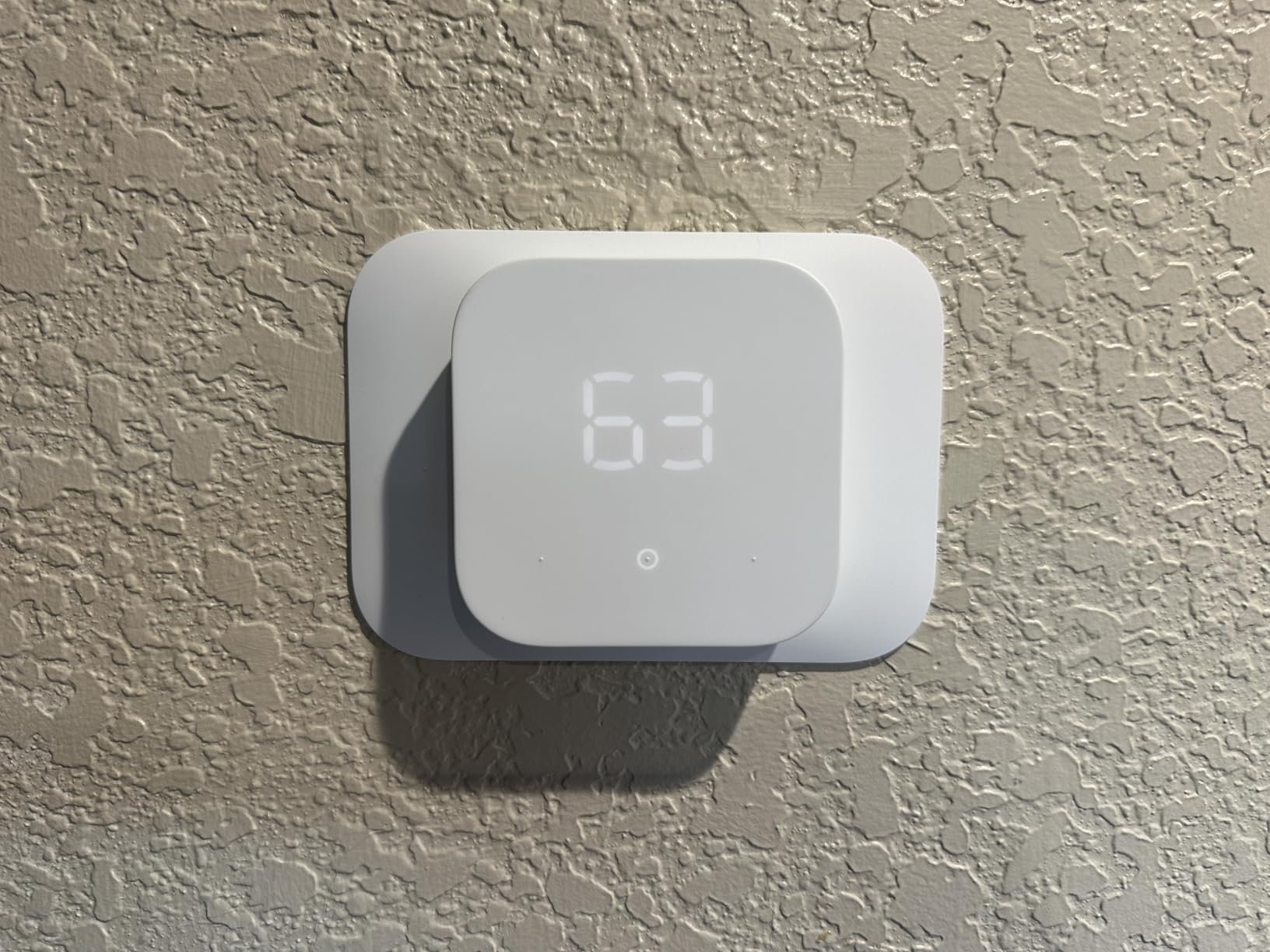
Start saving today with the Amazon Smart Thermostat, the best value under $50.
Buy Now on Amazon





 Home
Home
 Info
Info
 Compare
 Reviews
 Shop
Shop