
The Best Smart Thermostats for Rental Properties: A Landlord’s Guide to Efficiency and Control
Managing a rental property is a delicate balancing act between keeping tenants comfortable and keeping operational costs low. One of the most significant expenses in any residential unit is climate control. Traditionally, landlords had to trust that tenants wouldn’t crank the AC to 60 degrees with the windows open or leave the heat blasting at 80 while away on vacation. However, the rise of connected home technology has shifted the power dynamic. Finding the best smart thermostats for rental properties is no longer just about high-tech gadgets; it’s about asset protection, energy conservation, and improving the tenant experience.
A smart thermostat in a rental serves multiple purposes. For the landlord, it provides a way to monitor the HVAC system’s health, prevent frozen pipes during vacancies, and set temperature limits. For the tenant, it offers modern convenience, remote control, and lower utility bills. But not every thermostat is “landlord-friendly.” Some are too complex, some are too easy for tenants to reset, and some require a “C-wire” that your 1970s apartment building simply doesn’t have. In this guide, we dive deep into the top-rated models that specifically cater to the needs of property managers and rental owners.
By the end of this guide, you’ll know exactly which thermostat fits your property type (single-family rental, multi-family apartment building, short-term Airbnb, condo with electric baseboard heat), how to handle the C-wire question without rewiring an entire unit, what lease language protects you legally, how to calculate the real ROI of an upgrade, and how to manage the move-in/move-out handoff so you never lose control of your devices. We’ve spent years working with landlords managing everything from a single duplex to portfolios of 200+ units, and the patterns are clear: the right thermostat pays for itself within 12 to 18 months in most properties, while the wrong one creates support calls that wipe out the savings.
What’s Inside This Guide
- Why Landlords Are Upgrading
- How Smart Thermostats Work
- Google Nest Thermostat
- Ecobee Smart Thermostat Enhanced
- Honeywell Home T6 Pro Smart
- Other Honeywell Options (T5, T9, T10)
- Quick Comparison Table
- Emerson Sensi Wi-Fi
- High-Voltage / Baseboard Rentals
- ROI Calculator: Real Numbers
- Multi-Unit Management Deep Dive
- Lease Agreement Clauses
- Installation Guide
- Frozen Pipes & Vacancy Management
- Tenant Privacy & Data
- Short-Term Rentals (Airbnb / VRBO)
- Tenant Turnover Workflow
- Real-World Case Studies
- HVAC Compatibility Check
- Rebates & Utility Incentives
- Lifespan in Rental Units
- International Considerations
- Landlord’s Buying Guide
- Frequently Asked Questions
- Final Verdict

Top Budget Landlord Choice: Amazon Smart Thermostat
A reliable, ultra-affordable option that offers the essential locking features landlords need without breaking the bank.
Check Price on AmazonWhy Landlords Are Upgrading to Smart Thermostats
The transition from a manual “dial” thermostat to a smart system offers immediate ROI for rental owners. If you are debating the Honeywell thermostat vs Nest debate, you aren’t just looking at aesthetics—you’re looking at control. Here are the core reasons to make the switch:
- Temperature Limiting: Most smart thermostats allow you to set a minimum and maximum range. This prevents tenants from setting the heat so high it damages the furnace or setting the AC so low it freezes the coils.
- Vacancy Management: When a unit is empty, you can remotely set the thermostat to an energy-saving “Eco” mode, while ensuring it stays warm enough to prevent pipes from bursting in the winter.
- HVAC Health Alerts: Many modern units, like those discussed in our Honeywell Home T9 review, will send you an email if the system is struggling to reach the set temperature, allowing you to fix a minor issue before it becomes an emergency.
- Competitive Edge: Smart home features are highly attractive to Gen Z and Millennial renters. Advertising a “Smart Apartment” can justify a slightly higher rent or decrease your vacancy time.
However, the key for a rental property is account management. You need a thermostat that allows the tenant to use the app during their lease but makes it easy for you to reclaim control when they move out. Budget is also a factor, which is why many landlords start with the best budget thermostats under 50 to see how they perform across multiple units.
The Hidden Costs Smart Thermostats Eliminate
Most landlords focus only on the energy savings of upgrading, but the hidden cost reductions are arguably more valuable. Consider what happens when a tenant cranks the heat to 80°F all winter and forgets to change the air filter for a year. The blower motor strains, the heat exchanger overheats, and you’re looking at a $400–$800 furnace repair bill. Multiply that across multiple units and multiple years, and the math gets ugly fast. With a smart thermostat enforcing reasonable temperature limits and sending filter-change reminders directly to the tenant’s phone, that scenario simply doesn’t happen. For deeper analysis on these systemic savings, see our piece on HVAC energy efficiency tips.
There’s also the cost of unnecessary service calls. A surprising percentage of “no heat” emergency calls are caused by dead thermostat batteries or accidentally bumped settings. With a smart thermostat that you can check from your phone before driving across town (or before authorizing an HVAC tech visit at $150 a pop), you can troubleshoot remotely and skip half of those callouts entirely. Our complete diagnostic walkthrough at how to tell if your thermostat is bad: 12 symptoms, tests, and real fixes is a great resource to share with property managers.
Tenant Retention: The Overlooked Benefit
Rental industry research consistently shows that tenant turnover costs landlords between $1,000 and $5,000 per unit when you account for cleaning, repainting, marketing, lost rent during vacancy, and showing time. Anything that makes a tenant slightly more likely to renew is enormously valuable. Smart thermostats are quietly one of the highest-ROI tenant retention amenities in this category. Tenants like the convenience and the lower bills, and they’re more likely to renew when their unit feels modern. A 5% improvement in renewal rates pays for the thermostat upgrade in the first year alone for most properties.
This is part of a broader trend toward “smart amenities” as a class — keyless entry, leak detectors, and smart thermostats are now table stakes in many competitive markets. If you want to understand the broader case for connected home tech, our piece on are WiFi thermostats worth it walks through the tenant-experience angle in detail. And if you want a security-and-safety angle to share with insurance agents, our piece on how a smart thermostat improves home safety covers the proactive monitoring features that protect your asset.
The Three Buyer Profiles
Most landlords fall into one of three profiles, and the right thermostat depends heavily on which one describes you:
- The Single-Family / Duplex Owner (1–4 units): You want simplicity, low cost, and a thermostat your tenant can use without calling you. The Amazon Smart Thermostat or the base Google Nest model is usually right.
- The Small Portfolio Landlord (5–25 units): You want centralized management, consistent hardware across units, and reliable HVAC alerts. Ecobee Enhanced with the Smart Buildings portal is the sweet spot here.
- The Property Management Company (25+ units): You need enterprise-grade fleet management, integration with your property management software, and brand-agnostic compatibility. Ecobee or Honeywell professional lines, often paired with the landlord thermostat lockouts and PIN range limits our specialists recommend, become essential.
For a more general buyer’s framework that applies across both rental and personal use, our piece on key features to compare when buying a smart thermostat covers the underlying spec sheet you should always check before purchasing.
How Smart Thermostats Work in a Rental Context
Before you spend money on hardware, it helps to understand exactly what a smart thermostat is doing inside the wall. The key concepts are deceptively simple, but they explain almost every problem landlords run into during installation and tenant management.
Low Voltage vs. Line Voltage
Almost every central HVAC system in North America uses a low-voltage 24V control circuit. The thermostat acts as a switch that opens and closes that circuit to call for heat, cool, fan, or auxiliary modes. That’s why you only see thin colored wires behind your thermostat — they’re carrying signal, not power. By contrast, electric baseboard heaters and many wall-mounted electric heaters use line voltage (120V or 240V), which means installing a “smart thermostat” on them requires entirely different hardware. If you’re unsure which type your rental has, our line voltage vs low voltage thermostat 2-minute wiring test walks you through the check before you buy anything.
For a fundamentals refresher, our explainer on what a thermostat is covers the terminology, and our deeper piece on how thermostats work walks through the physical signal path step by step.
The C-Wire Story (And Why It Matters For Your Rental)
The “C-wire” or common wire is what gives a smart thermostat continuous power. Older homes built before about 2005 typically don’t have one. The four wires they have (R, W, Y, G) are signal-only, which means a smart thermostat installed in that home has no way to power its WiFi radio, color screen, or motion sensors continuously.
Three solutions exist:
- Pull a new C-wire: Best long-term, but expensive if you’re paying an electrician (~$200–$400 per unit).
- Use a Power Extender Kit (PEK): A small adapter installed at the furnace that creates a “virtual” C-wire from the existing four wires. Ecobee and Amazon Smart Thermostat both include one in the box.
- Use power stealing or battery backup: Nest uses power stealing. Sensi can run on AA batteries indefinitely. Both have trade-offs covered in our Nest vs Sensi: power stealing vs battery backup piece.
For landlords, option 2 (PEK) is almost always the right answer — it adds maybe 15 minutes to the install and avoids ongoing battery hassles. For a brand-specific deep dive, see our Ecobee3 Lite PEK C-wire installation walkthrough and our Amazon Smart Thermostat C-wire adapter installation guide.
Connectivity: WiFi, Thread, And The Tenant Network
One subtlety almost every landlord misses: smart thermostats need to connect to a WiFi network, and that network usually belongs to the tenant. When the tenant moves out and disconnects their internet, your “smart” thermostat is suddenly just a regular wall thermostat until the next tenant moves in and reconnects it. This is fine for most use cases, but it means you can’t rely on smart features during vacancy unless you keep some basic connectivity active. Our piece on how smart thermostat connectivity works explains the protocols and what each one means in practice.
Some larger property management companies install dedicated cellular gateways or run the thermostat on a property-wide WiFi network specifically to maintain control during vacancy. This is overkill for a single duplex but increasingly common in larger buildings.
Sensors: The Underrated Feature
The thermostat itself is one temperature reading. Modern smart thermostats can be paired with remote sensors that you place in other rooms — bedrooms, second floors, drafty corners — to give a more accurate picture of comfort across the entire unit. This solves one of the most common tenant complaints: “the thermostat says 70 but my bedroom is 60.” For a deeper explanation, see our piece on what a thermostat remote sensor is. Ecobee and Honeywell both offer excellent remote sensor systems for this exact problem.
Geofencing & Auto-Away
Smart thermostats can use the tenant’s phone location to detect when the unit is empty and automatically save energy. This is much more reliable than relying on the tenant to manually adjust settings before they leave. Our explainers on what a geofencing thermostat is and what the thermostat home/away feature is cover the details. For a brand-by-brand comparison, see our Hive vs Tado geofencing automation features piece.
1. Google Nest Thermostat (Simplified Model)
While the high-end Nest Learning Thermostat is famous, the base-model Google Nest Thermostat is actually the superior choice for most rental properties. It foregoes the complex “learning” features—which can actually be annoying in a rental where occupancy patterns change—and focuses on simple scheduling and remote access. It’s sleek, easy to clean, and features a mirror-like finish that fits any modern decor.
For landlords, the Nest app (integrated into Google Home) allows for easy account handoffs. When a tenant moves out, they simply remove the device from their home, and you can reset it for the next occupant. If you are curious about the next generation of these devices, our look at the Nest Learning Thermostat 4th Gen rumors highlights how Google is making these units even more sensor-heavy and efficient.
Why The Base Nest Is Better Than The Learning Model For Rentals
Counterintuitive but true: the cheaper Nest is the better landlord pick. The Learning Thermostat’s signature “auto-schedule” feature, where it observes how a household uses the system and builds a schedule automatically, only works well when occupancy is consistent for at least 2–3 weeks. In a short-term rental where guests change weekly, or in a long-term rental where tenants change every 12 months, the algorithm never gets enough stable data and the schedule drifts. The base model with manual scheduling is more predictable.
If you do prefer the Learning model for an upscale rental, our Nest Learning Thermostat power stealing and C-wire fixes guide is essential reading because Nest’s power management quirks become more noticeable on the Learning model. Our breakdown of Nest auto-schedule vs Ecobee Smart Sensors helps you decide between learning algorithms and sensor-based comfort.
Pros for Landlords
- Simple, intuitive interface (less “how-to” calls from tenants).
- Reliable geofencing (switches to Eco when the tenant leaves).
- HVAC monitoring alerts included.
- Cheaper than the Pro models.
- Works with Apple Home with a small workaround — see our guide on how to add your Nest thermostat to Apple Home.
Cons for Landlords
- Requires a C-wire (or a Nest Power Connector).
- Doesn’t support remote room sensors natively (unlike the Pro).
- Mirror finish can show fingerprints easily.
- No built-in PIN lock; must be locked through the app.
- No native multi-unit dashboard for property managers.

2. Ecobee Smart Thermostat Enhanced
The Ecobee Smart Thermostat Enhanced is a workhorse for the serious property manager. What makes Ecobee stand out is its SmartSensor technology. In many older rental units, the thermostat is placed in a hallway or kitchen where it doesn’t accurately reflect the temperature of the bedrooms. Ecobee allows you to place sensors in the rooms that matter most.
In the Ecobee vs Honeywell Home comparison, Ecobee often wins for its “Smart Buildings” portal, which allows owners of multi-unit buildings to manage dozens of thermostats from a single dashboard. This is a game-changer for commercial landlords or those managing 5+ units. If you want the absolute best sensors and air quality monitoring, check out our Ecobee Premium vs Enhanced comparison and our Ecobee Premium air quality VOC and CO2 monitoring review.
The SmartSensor Advantage In Multi-Bedroom Rentals
Most multi-bedroom rentals have at least one room that runs noticeably hotter or colder than the rest. The thermostat is usually in a central hallway, the master bedroom is on the south side that bakes in the afternoon sun, and a guest bedroom is over the garage and freezing in winter. Without remote sensors, the central thermostat happily reports “everything is fine at 70°F” while the tenant in the back bedroom is calling you about a “broken HVAC system.” With Ecobee SmartSensors, you can configure the thermostat to follow the average of multiple rooms, prioritize occupied rooms via the built-in motion sensors, or follow the bedroom temperature at night and the living room temperature during the day.
Our deeper analysis at Ecobee3 Lite vs Nest temperature sensor and occupancy comfort explains the engineering, and our Nest auto-schedule vs Ecobee SmartSensors comfort piece compares the two leading approaches.
The Smart Buildings Portal
Ecobee’s web-based property management dashboard allows owners with 5+ thermostats to view fleet status, set bulk PIN restrictions, push schedule changes to multiple units at once, and receive consolidated maintenance alerts. This single feature is the reason Ecobee has become the default choice for small-to-mid-sized property management companies. Larger enterprise solutions exist (more on this below), but Smart Buildings is the easiest entry point for a portfolio of 5–50 units.
Pros for Landlords
- Enterprise-level “Smart Buildings” dashboard available.
- Remote sensors solve heating complaints in drafty rooms.
- Native HomeKit, Alexa, and Google Assistant support.
- Power Extender Kit (PEK) included for no C-wire setups.
- PIN lock with custom range limits built into the firmware.
- Premium models include a radar sensor — see our Ecobee Premium radar sensor review.
Cons for Landlords
- Higher upfront cost than Nest or Amazon.
- Slightly more complex menu system for tenants.
- Sensors require occasional battery changes.
- Smart Buildings portal currently has a small monthly fee for very large portfolios.

3. Honeywell Home T6 Pro Smart
If you prefer a thermostat that looks and feels like “pro equipment,” the Honeywell T6 Pro is the standard choice for HVAC installers. Unlike the consumer-facing Nest, the T6 Pro feels familiar to anyone who has ever used a digital thermostat. It features a simple touch-screen and a boxy, durable design that can handle the wear and tear of tenant turnovers.
One of the best features for landlords is the ability to lock the screen with a PIN. This allows you to set the schedule and then lock the physical unit so tenants can only make minor adjustments within your allowed range. We often compare this unit to the Honeywell T9 vs T10 Pro to see how the pro-lineage offers better reliability for long-term investments. It’s a rock-solid choice for those who want to avoid the “tech support” calls that come with more avant-garde designs.
Built For 10+ Years Of Service
Honeywell’s pro-line thermostats are engineered to a different durability standard than the consumer-facing competitors. The T6 Pro has been deployed by HVAC contractors for over a decade and it shows in the build quality — the buttons don’t get sticky, the LCD doesn’t bleed, and the relay is rated for hundreds of thousands of cycles. Our piece on how long Honeywell thermostats last documents the typical 10–15 year service life that landlords love. Compare that to a consumer device that gets phased out by the manufacturer in 4–5 years and the longer-term math gets very interesting for a multi-unit portfolio.
The Honeywell vs Emerson Question
Many landlords cross-shop Honeywell against Emerson because both have deep HVAC roots and similar pro-line credibility. We’ve compared them directly in our Honeywell vs Emerson piece. The short version: Honeywell wins on tenant familiarity and PIN-lock customization; Emerson Sensi wins on no-C-wire installs and price.

The contractor’s favorite. Built for durability and precise control in heavy-use environments.
Check Price on AmazonThe Honeywell Family: T5, T9, And T10 Pro
The T6 Pro isn’t the only Honeywell worth considering. Depending on your rental’s size and your budget, three other Honeywell models often make sense.
Honeywell T5 — The Budget Honeywell
The T5 is positioned a step below the T6 Pro and is a great fit for landlords who want Honeywell reliability at a more accessible price. Geofencing is solid, the schedule is easy, and tenants find the interface familiar. Our review of the Honeywell T5 geofencing accuracy and settings covers what works and what doesn’t.
Honeywell T9 — The Mid-Range All-Rounder
The T9 includes Honeywell’s RoomSmart sensor system, which competes with Ecobee’s SmartSensors. For multi-bedroom rentals where bedroom comfort is a recurring tenant complaint, the T9 is excellent. Read our complete Honeywell Home T9 review for real-world performance, and our Honeywell Home T9 vs T10 Pro comparison if you’re considering the upgrade.
Honeywell T10 Pro — The Pro Installer’s Choice
The T10 Pro is the contractor-grade flagship. It supports indoor air quality (IAQ) accessories, multi-stage heating, and complex zoning configurations. For high-end rentals, condo conversions, or any property with a multi-stage heat pump, the T10 Pro is genuinely worth the extra cost. Our Honeywell T9 vs T10 Pro IAQ wiring piece walks through when each one wins.
Picking The Right One
For most single-family rentals, the T5 or T6 Pro is plenty. For mid-size multi-family with bedroom comfort issues, the T9. For luxury rentals with whole-house humidifiers, dehumidifiers, or air purifiers attached to the HVAC, the T10 Pro. Don’t overspend on features your property doesn’t need — but don’t underspend in a way that leads to constant tenant complaints either.
Quick Comparison: Best Thermostats for Rentals
| Model | Best For… | C-Wire Needed? | Locking Feature | Price Range |
|---|---|---|---|---|
| Google Nest | Modern/Sleek Units | Yes (or adapter) | Basic App Lock | $99 – $129 |
| Ecobee Enhanced | Multi-Unit Mgmt | PEK Included | PIN Protection | $160 – $190 |
| Honeywell T6 Pro | Reliability & Pro-Install | Yes | Advanced PIN | $110 – $140 |
| Amazon Smart | Strict Budgets | Yes | In-App Only | $45 – $65 |
| Emerson Sensi | Older Wiring | Optional (Batteries) | In-App Only | $80 – $110 |
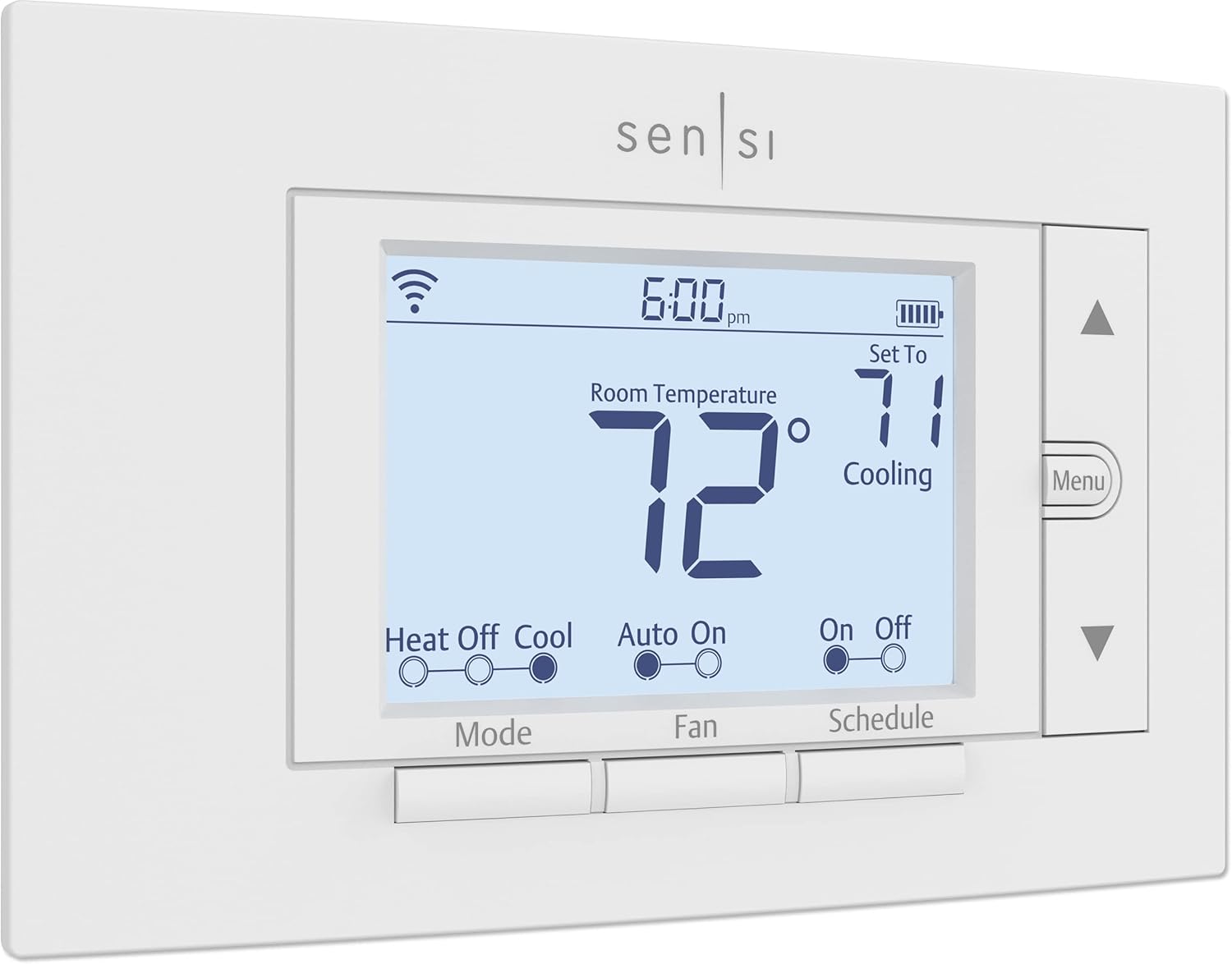
4. Emerson Sensi Wi-Fi Smart Thermostat
The Emerson Sensi is the secret weapon for landlords dealing with older properties. Most smart thermostats require a “C-wire” to provide constant power for the Wi-Fi. Many old buildings only have two or four wires. While competitors require you to pull new wires or use power adapters, the Sensi (on many HVAC systems) can run off of AA batteries as a backup, making it the most “retrofit-friendly” option on this list.
In terms of usability, it looks very much like a traditional thermostat, which helps with tenant adoption. If you want a more modern aesthetic but the same retrofit ease, our Emerson Sensi Touch review covers the color-screen version. For landlords, the Sensi also offers “Sensi Multiple Thermostat Manager,” a software that lets you group and control all your units in one view.
The “Battery-Only” Superpower
Sensi is one of the few smart thermostats that can run reliably on AA batteries without a C-wire or PEK adapter. Why does this matter? Two reasons. First, the install is genuinely 10 minutes — anyone can do it. Second, you don’t need to open up the furnace cabinet to install a PEK, which is a non-trivial requirement in a tenant-occupied unit (you don’t always want to be in their utility closet). For a deeper look at this category, see our roundup of the best battery-powered smart thermostats and our explainer on what a battery-powered smart thermostat actually is.
If The Sensi Acts Up
Sensi units are reliable but, like any electronics, can occasionally hiccup. Our troubleshooting guide on why a Sensi thermostat is not working covers the most common WiFi disconnection and battery drain issues. For brand-on-brand comparisons, see our Sensi thermostat vs Ecobee piece — they’re often cross-shopped.
Pros for Landlords
- Works without a C-wire on many systems.
- Standard “Thermostat” look reduces tenant confusion.
- Excellent reliability and app stability.
- Very affordable price point.
- Multiple Thermostat Manager for portfolio control.
Cons for Landlords
- Physical buttons feel a bit dated.
- Geofencing is less polished than Nest or Ecobee.
- No remote room sensors.
- Battery management is the tenant’s responsibility.
Special Case: Rentals with Electric Baseboard Heat
If your rental property uses high-voltage (120V or 240V) electric baseboard or wall heaters, none of the above thermostats will work. Connecting a Nest or Honeywell to a high-voltage line will literally fry the device and could cause a fire. For these units, you need specialized hardware.
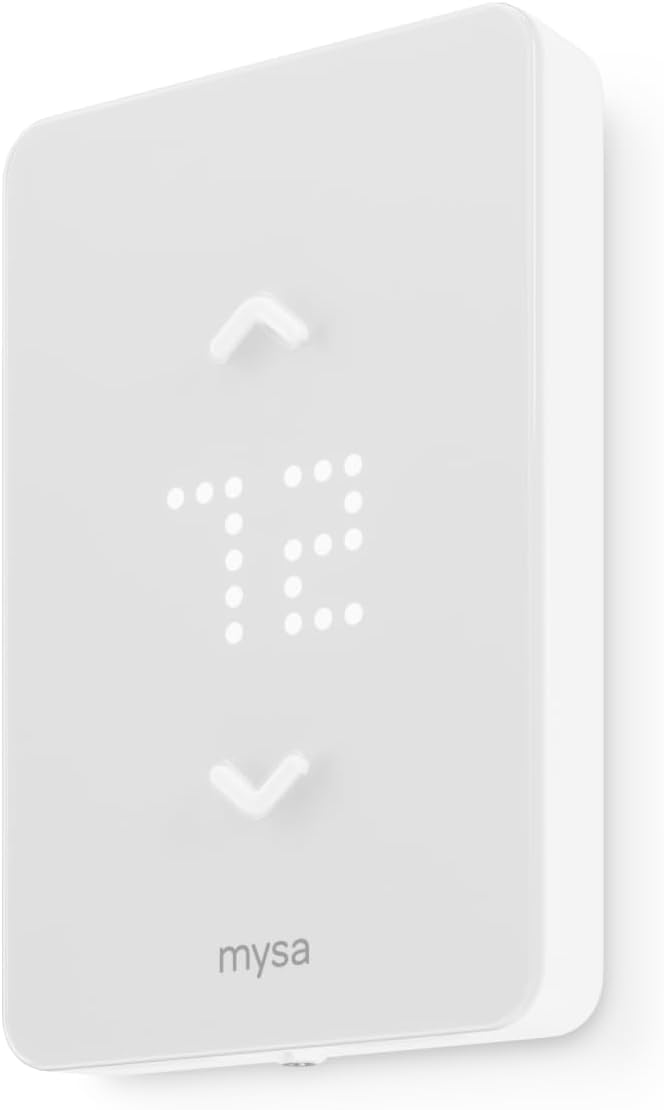
We recommend looking at the Mysa Smart Thermostat review. Mysa is designed specifically for high-voltage systems and offers the same sleek app control as the high-end low-voltage units. If you want to see how it compares to its main rival, check out Mysa vs Sinope. These are essential for condos and older apartments in colder climates.
Why Most “Smart” Thermostats Won’t Work On Baseboards
The 24V signal-only design of low-voltage thermostats is fundamentally incompatible with the line-voltage electrical demands of baseboard heat. A baseboard heater pulls 6–10 amps at 240V — that’s 30–80x more current than a low-voltage signal wire is designed to carry. Connecting one to the other isn’t just incorrect; it’s a fire hazard. Mysa, Sinope, and a small handful of similar brands use solid-state relays rated for the higher current and are properly UL-listed for line-voltage use. Our review of the Mysa V2 with triac switching vs relay noise explains the engineering trade-offs in depth.
Radiant Floor Heating
If your rental has electric radiant floor heating (common in modern condos and bathroom remodels), you need a thermostat with GFCI protection rated for line-voltage use. Our roundup of the best thermostat for electric radiant floors with GFCI line-voltage covers the right options. For hydronic radiant systems, see our piece on Tekmar 561 vs 519 radiant floor control.
The Real ROI: How Long Until A Smart Thermostat Pays For Itself?
Most “ROI” pitches for smart thermostats are based on energy-bill savings to the homeowner. For a landlord, the math is more complicated because the tenant typically pays utilities, but the landlord still benefits in measurable ways. Let’s walk through the actual numbers.
Direct Savings: Vacancy & Common Areas
Most rentals have at least some periods of vacancy — between tenants, during showings, while listings sit on the market. Smart thermostats let you set vacant units to a much wider temperature range (say 55°F minimum in winter, 85°F maximum in summer) without risking pipe damage. Compared to a typical “set and forget” 68°F all winter, this saves roughly 30% on heating costs during vacancy periods.
For a 1,200 sqft unit in a moderate climate, that’s roughly $40–$60 a month in winter savings during vacancy. If you have one month of vacancy per year per unit, that’s $40–$60 saved. If you have five units, that’s $200–$300 a year in vacancy savings alone — enough to cover at least one new thermostat. Our piece on what temperature to set your thermostat when on vacation in winter covers the right vacancy settings to balance savings against pipe protection.
Indirect Savings: Reduced HVAC Repair Costs
HVAC equipment that’s allowed to run with extreme settings or with chronically dirty filters fails faster. A typical residential AC condenser lasts 12–15 years; one that’s been beaten on by tenants who never change filters and run it at 60°F with the windows open might last 7–8 years. The cost of premature compressor replacement is $1,500–$3,000. Spread across a 15-year ownership window, that’s $100–$200 per year of avoided wear if smart thermostat settings extend equipment life by even 20%. For broader cost benchmarks, see our pieces on HVAC system replacement cost, furnace replacement cost, and AC unit installation cost.
Tenant-Side Savings & Retention
Even though you don’t directly benefit from a tenant’s lower utility bill, you do indirectly benefit. Tenants who save $30/month on utilities are more likely to renew, more likely to recommend your property to friends, and less likely to gripe about rent increases. The math is fuzzy but real: most landlords who add smart thermostats see a 3–5% improvement in lease renewal rates over a 2–3 year period.
Insurance & Liability
Some insurers offer discounts on landlord policies for properties with leak detectors and smart thermostats. The discount is typically small (1–3% off your premium) but compounds over years. More importantly, smart thermostats with freeze alerts can prevent the catastrophic claim of a burst pipe, which can run $10,000–$50,000 in damages. Our piece on how a smart thermostat improves home safety covers the loss-prevention case in detail.
Energy Rebates From Utilities
Many utility companies offer rebates of $50–$125 per smart thermostat installed. For a multi-unit portfolio, this can offset a significant portion of the upgrade cost. We cover this in detail in the rebates section below, but the headline number is real: a portfolio of 20 units with $75 rebates each is $1,500 of free hardware money, plus ongoing energy savings. For deeper analysis, our 2026 smart thermostat rebates ultimate guide includes a savings calculator.
Putting It All Together: The Payback Math
For a typical single-family rental:
- Cost of a mid-range smart thermostat installed: $150–$200
- Utility rebate: $50–$100 (effective net cost of $50–$150)
- Vacancy energy savings: $50/year
- Avoided HVAC wear: $100/year (averaged)
- Avoided “no heat” service calls: $75/year (averaged)
- Tenant retention value: difficult to monetize but real
Total annual benefit: roughly $225/year against a net cost of $50–$150. Payback period: 3–8 months. After that, every year is pure profit. For a portfolio of 20 units, that’s $4,500/year in annual benefits against a net upgrade cost of $1,000–$3,000 — payback in well under a year. For more on the savings math, see our pieces on do smart thermostats really save money and how a smart thermostat saves money.
Multi-Unit Management: The Property Manager’s Playbook
Managing 5+ units is a different game from managing a single rental. The friction points multiply: dozens of tenant accounts, dozens of WiFi networks, dozens of furnace types, dozens of move-in/move-out cycles per year. Here’s how to scale up without losing your mind.
Standardize On One Brand
The single biggest mistake we see in multi-unit portfolios is letting individual installers pick whatever brand they prefer. After a few years you end up with a mix of Nest, Ecobee, Honeywell, and Sensi units across the portfolio, each with its own app, login, and quirks. Pick one brand and stick with it. The slightly higher hardware cost is more than offset by the time saved learning a single management interface.
Use The Right Management Tier
Each major brand has tiered management capabilities:
- Ecobee Smart Buildings — for portfolios of 5–500 units. Web-based dashboard, bulk schedule push, fleet alerts.
- Honeywell Resideo Pro — for HVAC-contractor-style management of mid-to-large portfolios. Stronger pro features but a steeper learning curve.
- Sensi Multiple Thermostat Manager — lighter-weight than Ecobee, free for most portfolio sizes.
- Google Nest Pro Portal — limited multi-unit features compared to competitors. Generally not the right pick for larger portfolios.
For a head-to-head on this exact question, our Google Nest vs Amazon Smart Thermostat piece covers the property-manager angle, especially when comparing single-family to multi-family portfolios.
Property Management Software Integration
Some property management platforms (Buildium, AppFolio, RentRedi, etc.) now integrate directly with smart thermostat APIs. This means a tenant moves in, the thermostat is automatically provisioned to their account, and a move-out triggers a factory reset. If you’re managing more than 10 units, integration saves dozens of hours per year on manual provisioning. Check your PM software’s “integrations” tab for current support — Ecobee tends to have the broadest integration support.
Coordinated HVAC Maintenance
One of the underrated wins of fleet management is the ability to push a single “filter change reminder” to all units simultaneously, or run a portfolio-wide HVAC health check on a single day. This kind of preventive maintenance was infeasible with manual thermostats — it required visiting each unit. With a centralized fleet, you can identify the three units running unusually hot or cold and dispatch a tech specifically to those without bothering the others.
Lease Agreement Clauses For Smart Thermostats
If you install a smart thermostat in a rental, your lease needs to address it explicitly. Without clear language, you can run into legal issues around tenant privacy, control, and reasonable use. Here’s the framework most landlord-tenant attorneys recommend.
1. Disclosure Clause
The lease must disclose that a smart thermostat is installed and that it is an internet-connected device. Some states explicitly require disclosure of any smart device that collects environmental data. Even where it’s not legally required, disclosure protects you in disputes.
2. Temperature Range Clause
State the minimum and maximum temperature settings tenants may use. Most jurisdictions require landlords to allow at least 68°F heating in winter and to not restrict cooling below the point of habitability (typically 78°F). Within those legal bounds, you can set sensible upper limits to prevent equipment damage. Our piece on recommended thermostat settings for winter documents the typical comfort ranges.
3. Maintenance & Battery Clause
Specify who is responsible for replacing batteries (usually the tenant for AA-powered units like Sensi) and who handles thermostat repairs (usually the landlord). For battery-replacement instructions you can include with the lease, see our guide on how to replace the battery in a Honeywell thermostat.
4. Account Access Clause
State that the landlord retains administrative access to the device for emergency override, system health monitoring, and unit management. The tenant has user-level access to control comfort settings within the allowed range. This is critical — without it, an aggressive tenant can lock you out of your own device.
5. Restoration Clause
State that at move-out, the tenant agrees to remove their account from the device and not factory reset it. Hardware that’s been factory reset by an outgoing tenant can take 30+ minutes to fully reconfigure on a turnover.
6. Privacy & Data Clause
State what data the landlord receives from the thermostat (temperature setpoints, runtime data, system alerts) and what they do not receive (motion sensor data, occupancy timing, etc.). Tenants are increasingly sensitive to this — over-disclosing what you don’t collect is better than under-disclosing what you do.
7. Damage & Replacement Clause
State that the smart thermostat is part of the unit and must be returned in working condition at move-out. Specify the replacement cost if damaged. Without this, you can lose a $200 thermostat to a tenant who decides to “take it with them.”
Installation Guide For Landlords
Most smart thermostat installations are well within DIY range for any landlord comfortable with a screwdriver. Here’s the universal process and the most common gotchas.
Before You Start: Compatibility Check
Before you buy, verify your HVAC system is compatible with the thermostat you’ve chosen. Most brands have online compatibility checkers, but the gold standard is to physically inspect the existing thermostat. Pull the old unit off the wall, photograph the wires and where they’re connected, and either upload that photo to the brand’s checker or compare it to our complete thermostat wiring guide.
For the broader question of whether your specific furnace and AC will work with a given smart thermostat, see our piece on is your thermostat compatible with your furnace. For pre-existing installations where you’re not sure if a smart upgrade is even possible, our how to tell if a thermostat can be upgraded in the house walkthrough is essential.
Tools You’ll Need
- Phillips and flathead screwdrivers
- Smartphone with the brand’s app installed and a strong signal at the wall location
- Painter’s tape and a marker (for labeling existing wires)
- A small spirit level (most thermostats include a wall-mounted level, but a separate one helps)
- Drywall anchors if you’re moving the location
- Multimeter (optional but useful for confirming 24V supply)
Step-By-Step Installation
- Cut power at the breaker. Confirm with the multimeter that the 24V supply at the thermostat is gone before touching wires.
- Remove the old thermostat. Most pop off the wall plate; some have screws. Photograph the wiring before removing any wires.
- Label each wire. Use painter’s tape and write the terminal letter (R, W, Y, G, C, etc.) on each wire. The wire colors are not always reliable indicators of function.
- Install the new wall plate. Use the included level to ensure it’s straight. Anchor into a stud if possible; use drywall anchors otherwise.
- Connect each wire to the matching terminal on the new wall plate. If you don’t have a C-wire and your model includes a PEK, install the PEK at the furnace following the manufacturer’s instructions before connecting the wall plate.
- Snap the thermostat onto the wall plate.
- Restore power at the breaker. The thermostat should boot up and walk you through WiFi and account setup.
- Configure heat type, fan type, and any specialty equipment. The app should detect most settings, but verify that the system has been correctly identified as forced air, heat pump, dual fuel, etc.
- Run a heat call and a cool call. Confirm both modes work and the airflow is normal at the vents.
- Set your tenant’s permission level and the temperature range limits.
Common Gotchas
The most common installation mistakes we see in rental conversions:
- Confusing C-wire with leftover wire: Many older homes have an unused wire stuffed behind the wall plate that looks like a C-wire but isn’t actually connected at the furnace. Don’t assume — verify.
- Skipping the heat-type configuration: Most defaults assume gas forced air. If you have a heat pump, dual fuel, or radiant, you need to configure this manually or the system will run incorrectly.
- Ignoring the WiFi signal at the install location: If WiFi is weak at the wall where the thermostat lives, the smart features will be unreliable. Test before you mount.
- Forgetting to update the schedule for the new tenant: The old tenant’s schedule will carry over unless you reset it. See our guide on how to set, change, lock, and reset your thermostat.
Frozen Pipe Prevention & Vacancy Management
One of the highest-leverage uses of a smart thermostat in a rental property is preventing cold-weather damage during vacancy. A burst pipe is among the most expensive single events a landlord can experience — easily $10,000–$50,000 in repairs and lost rent during the restoration period.
The Vacancy Setpoint Strategy
Most experts recommend keeping a vacant unit no lower than 55°F in winter. Below that, copper pipes in exterior walls can freeze. Smart thermostats let you set this minimum remotely and verify daily that it’s holding. If the system drops below the setpoint for any reason — power outage, equipment failure, low fuel — the smart thermostat sends an immediate alert to your phone.
For ultra-cold climates (zone 5 and colder), we recommend bumping the vacancy setpoint up to 60°F as a safety margin. The marginal extra heating cost is small compared to the risk of a $30,000 burst pipe claim. Our piece on recommended thermostat settings for winter walks through the full reasoning.
Freeze Alerts
Most major brands send a freeze warning when the indoor temperature drops below a configurable threshold (usually 45°F). Configure these alerts on every vacant unit. The first freeze alert is your warning that the heating system has failed, the fuel has run out, or a window has been left open.
Pairing With Leak Sensors
Smart thermostats are even more powerful when paired with smart water leak sensors. If a pipe does freeze and burst, a leak sensor in the basement can detect it within minutes — long before you’d find out from a tenant or a neighbor. Most major brands’ apps support both thermostats and leak sensors in a unified dashboard.
“Eco” Mode Vs. “Hold” Mode
Different brands handle vacancy differently. Nest’s “Eco” mode is automatic and based on a wide temperature range. Ecobee uses “Vacation” mode with start/end dates. Honeywell uses “Hold” with override settings. Pick the mode that fits your typical vacancy length — short vacancies (1–2 weeks) work fine with Eco; longer vacancies (a month or more) need Vacation/Hold modes that won’t accidentally revert.
Tenant-Initiated Vacancy Mode
For tenants going on long trips, set up a process for them to engage vacancy mode without losing their schedule. Most modern thermostats have a built-in vacation feature that’s user-friendly. The Sensi app is particularly clean here. If your tenant calls about leaving for two weeks and not knowing what to do, our short reference on what temperature to set your thermostat when on vacation in winter covers the right answers.
Tenant Privacy & Data Considerations
Smart thermostats collect data — about temperature setpoints, occupancy patterns, equipment runtime, and sometimes motion. As a landlord, you need to know what your specific brand collects, what you can see, and how to handle that responsibly.
What Landlords Can See
Through a property management portal, landlords typically can see:
- Current temperature and setpoint
- System runtime (how many hours the heat or AC ran each day)
- HVAC alerts (system not reaching setpoint, filter change reminders)
- Schedule history
- Installation date and firmware version
What Landlords Typically Cannot See
- Motion sensor activations (unless explicitly shared)
- Live audio (none of the recommended brands have microphones)
- Geofencing arrival/departure times
- Personal data tied to the tenant’s account (email, payment info, etc.)
Best Practices
The simple rule: collect only what you need to operate the property. Don’t surface motion data unless you have a specific operational reason (occupancy reporting for compliance, for example). Don’t share thermostat data with third parties unless explicitly disclosed in the lease.
For Apple Home users — increasingly common among privacy-conscious tenants — our piece on HomeKit thermostat automation, geofencing, and scenes covers the privacy-first approach Apple takes to smart home data.
State And Local Considerations
California, New York, and several European jurisdictions have specific rules about smart device data in rental units. If you operate in those areas, consult a local attorney before deploying smart thermostats at scale. The penalties for getting it wrong are not trivial.
Short-Term Rentals: Airbnb & VRBO Setup
Smart thermostats are even more valuable for short-term rentals than long-term rentals. Guest turnover happens weekly instead of yearly, you’re paying utilities directly, and guests have zero incentive to be conservative with the AC. Here’s the short-term rental playbook.
The Pre-Arrival Pre-Conditioning
Set the unit to a comfortable temperature (72°F summer, 70°F winter) one hour before guest arrival. The unit feels welcoming the moment they walk in, and you save energy during the empty hours. Most major brands support this via the geofencing or schedule features. For Ecobee and Nest, it’s a built-in feature. For Sensi, you can use IFTTT integration to trigger pre-conditioning from your reservation calendar.
The Auto-Eco Between Guests
The instant a guest checks out, drop the unit to vacancy mode (60°F minimum heat, 85°F maximum cool). For a 4-hour gap between checkout and the next check-in, this barely affects guest comfort but saves significant energy. Across a year of operation in a busy short-term rental, this single feature can save $300–$600 in utilities.
Temperature Range Limits
Set tighter range limits for short-term guests than long-term tenants. We recommend 64°F minimum and 76°F maximum for both heat and cool — wide enough for any reasonable comfort, narrow enough to prevent the “guest cranks AC to 60” scenario. Most short-term hosts who deploy this report a 15–25% drop in HVAC utility costs within the first season.
HVAC Health Monitoring At Distance
Short-term hosts often live nowhere near their rental. The HVAC alert features become essential — you want to know about a failed system before the guest does. Many hosts pair their thermostat alerts with a property monitoring service like Minut or NoiseAware for full ambient awareness.
The Co-Host And Cleaner Permission Layer
Modern smart thermostats let you grant limited access to your cleaning team or co-host, separate from the main owner account. The cleaner can verify the unit is at proper temperature without seeing your full property data. The co-host can adjust settings during emergencies without you needing to be online.
Tenant Turnover Workflow: The 30-Minute Reset
Move-in and move-out are the most failure-prone moments in a smart thermostat’s lifecycle. Without a process, you end up with locked-out devices, residual tenant data, and confused new tenants. Here’s the workflow we recommend.
Pre-Move-Out Checklist
- Email the outgoing tenant 7 days before move-out with simple instructions: open the brand’s app, find the thermostat, and remove it from their home/account.
- If they don’t comply, the device will eventually become unmanaged but it can take 24–48 hours.
- During the move-out walkthrough, verify the thermostat is on, has fresh batteries (if applicable), and is functioning normally.
The Reset Process
- Pull the thermostat off the wall.
- Hold the reset button as specified in the manual (typically 10–15 seconds).
- For Honeywell, our guides on how to reset a Honeywell thermostat and how to reset a Honeywell thermostat with no reset button cover every model.
- For Sensi, our guide on how to reset your Sensi thermostat walks through the steps.
- For all brands generally, see how to reset a thermostat.
- Verify the device boots fresh and shows the brand’s setup screen.
- Re-pair to your management account.
- Set vacancy temperature limits.
Pre-Move-In Setup
- Add the new tenant to the device with user-level (not admin) access.
- Send the tenant a short welcome email explaining how to use the app, how to change settings, and what limits are in place.
- Reset the schedule to a “starter” weekly schedule appropriate for the season.
- Verify HVAC operation in both heat and cool modes.
- Verify all remote sensors are paired and reading correctly.
If Something Goes Wrong
If the thermostat stops working at any point during turnover, our diagnostic resources cover the most common issues. Start with our piece on how do I know if I need a new thermostat. For relay-side problems specifically, see why is my thermostat clicking but not turning on. For room-temp inaccuracy, see why a thermostat shows the wrong room temperature.
Real-World Case Studies
Theory is fine, but real numbers from real properties matter more. Here are five anonymized case studies from landlords who’ve upgraded their portfolios.
Case 1: Single Duplex In Minneapolis
Setup: Two-unit duplex, 1950s construction, no C-wire, gas forced air. Original Honeywell mercury-bulb thermostats. Owner-occupied lower unit, long-term tenant in upper unit.
Choice: Two Sensi WiFi units (battery operation, no PEK installation needed).
Result: Total install cost $200 ($100 each). One winter cycle later, owner reported heating savings of $40/month in the vacant unit during a 6-week tenant transition. Payback in less than a year. Tenant comfort improved because the upper unit’s thermostat was previously in a cold corner; the new one stays put but the tenant uses the app to override during cold mornings.
Case 2: 12-Unit Apartment Building In Boston
Setup: Mid-century brick, mix of gas and electric heat, varied wiring. Tenants pay heating; owner pays cooling. High turnover, mixed long-term and short-term tenants.
Choice: Ecobee Enhanced across all 12 units, paired with Smart Buildings portal subscription.
Result: Initial hardware cost ~$2,200 (after utility rebates). Time savings on tenant turnover: roughly 30 minutes per turnover, ~10 turnovers a year. Energy savings: $1,400/year on cooling-shared common areas plus reduced wear on a 22-year-old AC. Compressor replacement deferred from year 2 to year 5 of the upgrade. Total estimated 5-year savings: $15,000+.
Case 3: 40-Unit Garden Apartment Complex In Atlanta
Setup: Newer construction, all units have C-wire. Tenants pay all utilities. Heavy summer cooling load.
Choice: Honeywell T6 Pro across all units, integrated into Resideo Pro Portal.
Result: Hardware cost ~$5,000 (including bulk professional install). Lease renewal rate improved from 62% to 71% over two years (modest causation but real correlation with tenant feedback citing the smart thermostat). Avoided HVAC service calls: ~25 per year, saving roughly $2,500/year in tech dispatch fees.
Case 4: Historic Condo Conversion In Chicago
Setup: 1920s building converted to 8 condos, electric baseboard heat throughout. No central AC.
Choice: Mysa baseboard thermostats (one per zone, average 3 zones per condo).
Result: Hardware cost ~$3,500 across all 8 units. Heating costs reduced ~22% the first winter compared to the prior year (controlled for weather). Tenant complaints about uneven heating dropped by half because the schedule could now match actual occupancy patterns rather than a single-zone average.
Case 5: Short-Term Rental Portfolio (15 Properties) In Asheville
Setup: Mountain cabin rentals, mix of central HVAC and mini-split systems. Variable occupancy, heavy weekend bookings.
Choice: Mix of Ecobee Enhanced (central HVAC properties) and Sensi (older properties without C-wire).
Result: Hardware cost ~$2,800. Energy savings from pre-arrival conditioning + auto-eco between guests: roughly $4,500 across the portfolio in year one. Guest 5-star reviews mentioning “comfortable temperature on arrival” increased significantly. Two near-miss frozen-pipe events prevented by remote freeze alerts during winter cold snaps.
HVAC Compatibility Check Before You Buy
Not every smart thermostat works with every HVAC system. Before purchasing, verify compatibility against these key system types.
Single-Stage Gas Furnace + AC
The most common North American setup. Almost every smart thermostat supports this. Only requirement: a C-wire or PEK adapter for power.
Heat Pump (With Or Without Aux Heat)
Heat pumps require an extra “O” or “B” wire (reversing valve) and often an auxiliary heat configuration. Most modern smart thermostats support heat pumps, but verify before purchasing. Honeywell T9/T10 and Ecobee Enhanced/Premium are particularly strong here. For Bosch heat pumps specifically, see our pieces on whether the Bosch heat pump is good and our roundup of the best thermostats for Bosch heat pumps.
Dual Fuel (Heat Pump + Gas Backup)
Higher-end smart thermostats support dual-fuel systems with intelligent crossover logic. The Honeywell T10 Pro and Ecobee Premium handle this best. Avoid budget thermostats here — the wrong configuration can cost you significantly in fuel costs.
Multi-Stage Systems
Two-stage cooling and two-stage heating add a Y2 wire and require thermostat support for staging. Most smart thermostats from $130+ support multi-stage; budget options often don’t.
Mini-Split Systems
Most ductless mini-splits use proprietary remote-control protocols rather than 24V wiring. Standard smart thermostats won’t work directly. You’ll need a mini-split-specific bridge (Cielo Breez, Sensibo) or a manufacturer’s own smart adapter.
Inverter / Variable-Speed Systems
Modern inverter HVAC systems require a thermostat that supports variable-speed control rather than simple on/off. Check the thermostat manual carefully. Our piece on what inverter technology in HVAC is explains why this matters.
Split HVAC Systems
If you’re not sure whether you have a split system, a heat pump, or something else entirely, our explainer on what a split HVAC system is covers the basic categories. For homes with humidity issues, see also what a whole-house dehumidifier is.
Hot Water (Hydronic) Heat
Hot water boiler systems use 24V signaling similar to forced air, but the staging logic differs. Most smart thermostats work but verify. For radiator-zone-controlled European systems, our review of the Honeywell Evohome with 12-zone local zoning covers the best-in-class option, while our pieces on the Tado radiator valves vs smart thermostat savings and Tado smart radiator thermostat with PID zoning are essential reading for European landlords.
Rebates & Utility Incentives For Landlords
Many utilities offer rebates of $50–$150 per smart thermostat installed, and some specifically have multi-unit programs for landlords. This is one of the most underused benefits in the rental industry.
How Rebate Programs Work
Most rebate programs follow this pattern:
- Buy a qualifying ENERGY STAR-certified smart thermostat from the utility’s approved list.
- Submit a rebate application within 90–180 days, including the receipt and serial number.
- Wait 4–8 weeks for the rebate check or bill credit.
Multi-Unit Bulk Programs
Some larger utilities have specific landlord/property-manager programs that bundle multiple thermostats into a single rebate filing, saving the paperwork hassle. ConEd (NY), PG&E (CA), Xcel Energy (multiple states), and Duke Energy (NC/FL) all have programs like this. Worth a phone call to your utility’s commercial accounts department.
Demand Response Programs
Beyond one-time rebates, some utilities offer ongoing demand response programs where they pay you (or your tenant) to allow the utility to briefly adjust thermostat settings during peak demand events. The payments can range from $25–$100 per thermostat per year. The participation is opt-in for the tenant in most cases. This is essentially free money for participating in grid-friendly behavior, and for short-term rentals especially, it’s almost always a win.
Federal And State Tax Credits
The IRS and several state governments offer tax credits for energy-efficient home improvements, sometimes including smart thermostats as part of broader efficiency packages. The rules change frequently — consult a tax advisor for your specific situation. Our 2026 guide to smart thermostat rebates with savings calculator covers all current programs.
Lifespan & Durability In Rental Units
A thermostat in a rental unit lives a harder life than one in an owner-occupied home. Heavy turnover, varied tenant care, and exposure to chemicals (cleaning products especially) all shorten device life. Here’s what to expect from each major brand.
Typical Lifespan By Brand
- Honeywell T6 Pro / T10 Pro: 12–15 years. The pro-grade hardware is built for HVAC contractor use and survives heavy turnover well.
- Ecobee Enhanced / Premium: 8–10 years. Excellent build quality but the touchscreen is more vulnerable than physical buttons.
- Google Nest: 6–8 years. Beautiful but Google has a history of phasing out older models. Plan to replace at least once during a long-term hold.
- Emerson Sensi: 10–12 years. Simple is durable. Reliable across many turnovers.
- Amazon Smart Thermostat: 5–7 years (still relatively new on the market, but uses Honeywell internals which suggests good longevity).
- Mysa: 8–10 years. Solid for line-voltage applications but a niche brand with smaller support network.
Common Failure Modes
The most common reasons we see thermostats fail prematurely in rental settings:
- Touchscreen damage: Cracked or unresponsive screens from physical impact during cleaning or move-in.
- Battery leakage: Tenants leave dead batteries in for months, batteries leak, contacts corrode.
- WiFi chip failure: Heat exposure (sun-baked walls in summer) shortens electronic component life.
- Firmware abandonment: Manufacturer ends software support, breaking some smart features.
- Tenant-caused damage: Drilling near the thermostat, painting over it, or modifying the wiring.
Maintenance For Long Life
Three habits dramatically extend thermostat life in rentals:
- Replace batteries annually whether or not they’re dead. See our piece on thermostat battery failure and relay no-start for why this matters.
- Update firmware at every tenant turnover (5 minutes via the app).
- Visually inspect the unit at every move-in/move-out for cracks, paint, or damage.
International Considerations: UK, Canada, Australia
The North American smart thermostat market is dominated by Nest, Ecobee, Honeywell, and Sensi. Outside North America, the playing field shifts considerably.
United Kingdom
UK rentals typically have hydronic radiator systems with TRVs (thermostatic radiator valves) rather than central forced air. The market leaders are Hive, Tado, Drayton, and the original Honeywell Evohome. Our roundup of the best UK smart thermostat covers the leading options. For specific reviews, see our Honeywell Evohome with 12-zone local zoning and our Drayton Wiser with DIY zoning.
Hive’s installation and compatibility process is documented in our Hive Active Heating v3 installation compatibility checklist. For a Hive vs traditional comparison, see Hive vs dumb thermostat real savings. For a three-way comparison: Nest vs Hive vs Tado.
Canada
Canadian rentals follow North American conventions for low-voltage thermostats but have higher demand for line-voltage baseboard solutions in older buildings. The Mysa, Sinope, and (increasingly) Lux Kono are popular. See our Lux Kono smart thermostat review for details.
Australia & New Zealand
Mini-split (ducted reverse-cycle) systems dominate. Smart thermostat options are limited to manufacturer-specific solutions or generic infrared bridges (Cielo Breez, Sensibo).
Landlord’s Buying Guide: What to Look for
Buying for a rental is different than buying for your personal home. Here are the non-negotiable features you should look for:
1. Lockable Settings and PIN Protection
You need to be able to prevent the “60-degree freeze.” Look for thermostats that allow you to set a PIN to lock the screen. The Sensi vs Ecobee battle is a great example—both offer locking, but Ecobee’s is slightly more robust through their web portal. For dedicated landlord lock features, see our piece on landlord thermostat lockouts with PIN range limits and our roundup of programmable thermostats with keypad lock.
2. C-Wire Solutions
If your rental is old, you likely don’t have a C-wire. Look for thermostats like the Amazon Smart Thermostat (which often needs a separate adapter) or the Ecobee (which includes a PEK). If you want the least amount of wiring hassle, the Honeywell T5 is another strong contender for ease of installation. For the budget-and-PEK angle specifically, see our Amazon Smart Thermostat vs Ecobee Premium C-wire adapter piece.
3. Account Handoff Simplicity
How easy is it to wipe the tenant’s data? Google and Ecobee have made this very simple through their apps. You want a device that can be factory reset in under 60 seconds during your walk-through inspection.
4. Multi-Unit Management
If you have 10 units in one building, you don’t want 10 different accounts. Look for brands that offer a “Pro” portal. Both Ecobee and Sensi have excellent enterprise solutions for property managers. If you are comparing Google Nest vs Amazon Smart Thermostat, Amazon is currently lacking in the “multi-property” dashboard area, making it better for single-family rentals.
5. Tenant-Friendly UI
The most expensive thermostat is the one a tenant calls you about three times a week. Pick something with a UI your average tenant can understand without a tutorial. Touchscreens are not always better — some tenants prefer physical buttons. Our roundup of touchscreen thermostats with backlight covers the modern options if you want to go that direction.
6. Smart vs Programmable Decision
Not every rental needs a smart thermostat. For very low-rent units or those with extremely stable, long-term tenants, a basic programmable thermostat may be a better fit. Our piece on smart vs programmable thermostats walks through the trade-offs honestly.
7. Aesthetic Considerations
For staged listings and high-end rentals, the thermostat is part of the visual presentation. Our pieces on 25 thermostat cover ideas that actually blend into your home and best wall color behind your thermostat cover the design angle. For installations on fresh paint or wallpaper, our piece on how to hide thermostat wires on your wall is helpful.
8. Budget vs Premium Trade-Offs
For very budget-conscious portfolios, our roundup of the Wyze vs Govee best budget thermostat for hot and cold rooms and our Wyze Thermostat review cover the entry-level options. For mid-range alternatives, see our Lux TX9600TS vs Orbit Clear Comfort energy savings piece.
Frequently Asked Questions (FAQ)
Laws vary by state and country. Generally, landlords can set min/max temperature limits for asset protection, but they must allow tenants to maintain a “livable” temperature (usually between 68-78 degrees). Always disclose the presence of a smart thermostat in the lease agreement.
The thermostat will function as a standard “dumb” thermostat. It will follow any pre-programmed schedules and can be adjusted manually on the wall. The smart features simply won’t be available until a connection is established.
Yes, especially for single-family rentals. It is the cheapest high-quality option and uses Honeywell’s reliable internal tech. However, it requires an Alexa account for full features. Read more in our Amazon Smart Thermostat review.
Most smart thermostats have a physical reset button that cannot be fully disabled. However, if the device is registered to your landlord account, the tenant cannot re-register it to their name without your permission (in some ecosystems) or you will receive a notification.
Absolutely. In fact, many Airbnb hosts use them to turn the AC on an hour before the guest arrives and turn it off automatically when they checkout.
Ecobee is generally better for rentals due to the remote sensor support and the superior “Smart Buildings” portal for managing multiple units. Check our Nest vs Ecobee guide for a deeper breakdown.
Wyze is a great budget option. In the Ecobee vs Wyze comparison, Wyze is much cheaper but lacks the professional management features of Ecobee.
Indirectly, yes. It prevents “extreme” use that wears out your HVAC system faster. It also makes your property more attractive to high-quality tenants who appreciate lower utility costs.
The Emerson Sensi is the simplest pick because it can run on AA batteries. The Ecobee with its included PEK adapter is also excellent. The Amazon Smart Thermostat ships with a C-wire adapter as well. Avoid the base Google Nest unless you can install a Nest Power Connector or a true C-wire.
Pro-grade Honeywell and Emerson units typically last 10-15 years. Consumer-grade Nest and Ecobee units typically last 6-10 years. Lifespan in a rental is shorter than in an owner-occupied home due to higher turnover and varied tenant care.
The standard recommendation is 55°F minimum to prevent frozen pipes, with 60°F as a safer margin in extremely cold climates. Smart thermostats let you monitor compliance remotely and receive freeze alerts if the temperature drops below your safety threshold.
Yes, in most jurisdictions. Whether the landlord or the tenant is the listed account holder doesn’t usually matter — the rebate goes to whoever submits the proof of purchase. Some utilities have specific multi-unit landlord programs that simplify bulk rebate filing.
For low-voltage thermostats (the vast majority), DIY installation is straightforward for any landlord comfortable with a screwdriver. For line-voltage baseboard thermostats like Mysa, you can also DIY but should turn off power at the breaker first. Installing a new C-wire from scratch is the only scenario that typically requires a professional.
As the landlord, you’re responsible for maintaining a working thermostat as part of habitability requirements. Replace the unit promptly. If the problem appears to be the unit itself rather than the HVAC, our diagnostic guide on how to tell if your thermostat is bad can help confirm before you spend on a replacement.
Final Verdict: The Best Smart Thermostat for Your Property
If you are looking for the absolute best smart thermostat for rental properties with multiple units, the Ecobee Smart Thermostat Enhanced is our winner. Its ability to scale, the inclusion of remote sensors, and the professional management portal make it worth every penny of the investment.
For single-family rentals or landlords on a tight budget, the Amazon Smart Thermostat or the Google Nest Thermostat provide all the essential “smart” features and energy savings without a massive upfront cost. If you’re retrofitting an old building with no C-wire, the Emerson Sensi is your best friend.
For high-voltage baseboard rentals, Mysa is the only sensible choice. For UK and European rentals, Tado, Hive, and Honeywell Evohome dominate. For ultra-budget portfolios, the Wyze Thermostat punches above its weight class.
Ultimately, a smart thermostat is one of the few property upgrades that benefits both you and your tenant. It protects your HVAC system, lowers the carbon footprint of your building, and adds a modern touch that helps your listing stand out in a crowded market. Ready to make the switch?




 Home
Home
 Info
Info
 Compare
 Reviews
 Shop
Shop